ADP Workforce Now
ADP Workforce Now is an HCM solution for midsized companies. It includes solutions for HR management, payroll, benefits, talent management, compliance, time and labor management, and analytics and benchmarking.
API version
The ADP Workforce Now connector uses the ADP Workforce Now API v2.
How to connect to ADP Workforce Now on Workato
Complete the following steps to establish an ADP Workforce Now connection:
Click Create > Connection.
Search for and select ADP Workforce Now as your connection on the New Connection page.
Provide a unique name for the connection in the Connection name field.
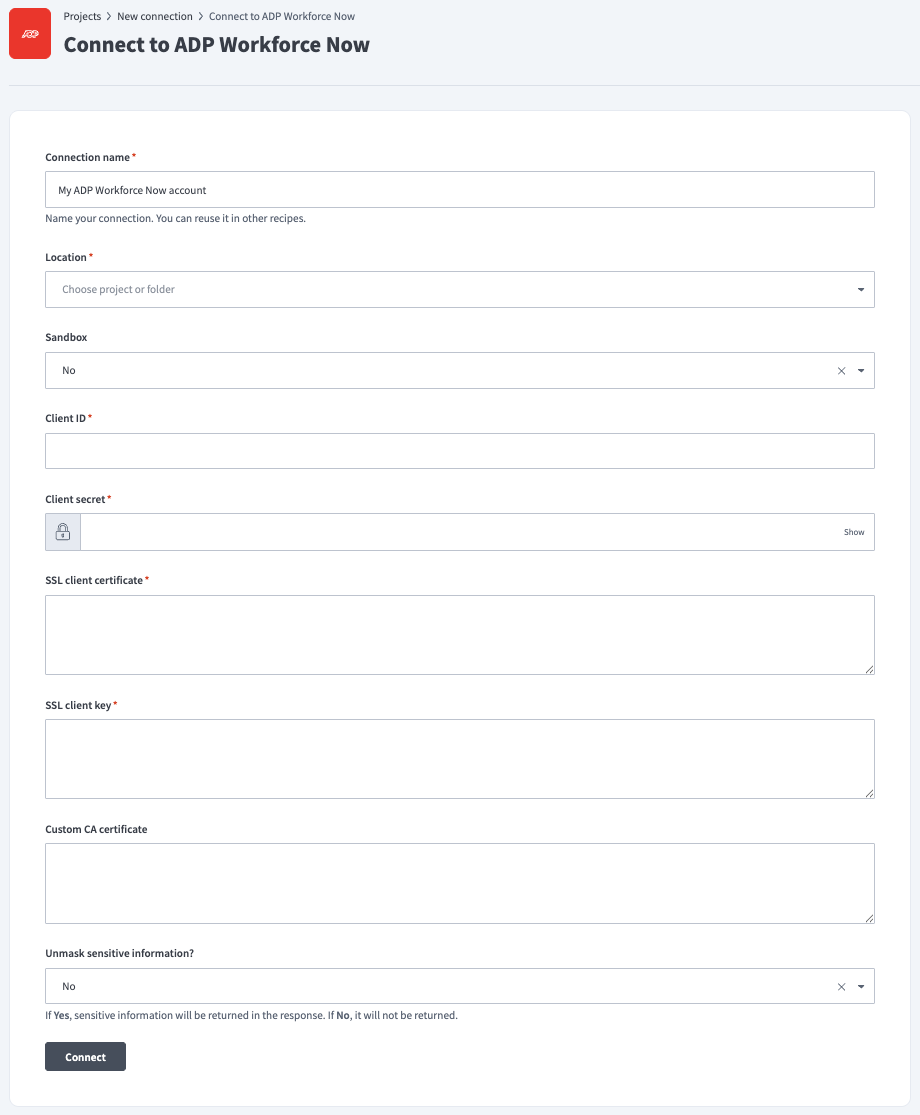
Use the Location drop-down menu to select the project where you plan to store the connection.
Use the Sandbox drop-down menu to specify if the ADP Workforce Now account is a sandbox account.
Enter the Client ID and Client secret.
Enter the contents of the SSL client certificate and SSL client key files.
Enter a Custom CA certificate. This is the key passphrase for SSL. It should be the same string used to generate the SSL key.
Use the Unmask sensitive information? drop-down menu to specify if sensitive information is returned in the response.
Click Connect.
Last updated: