Dropbox - Download file action
This action downloads contents of a file. The File contents output from this action can be used in subsequent steps of the recipe to upload the file into other applications.
The following image is an example of uploading a file using File contents. Here, we map File contents from the action Download file to the action Upload file using file contents.
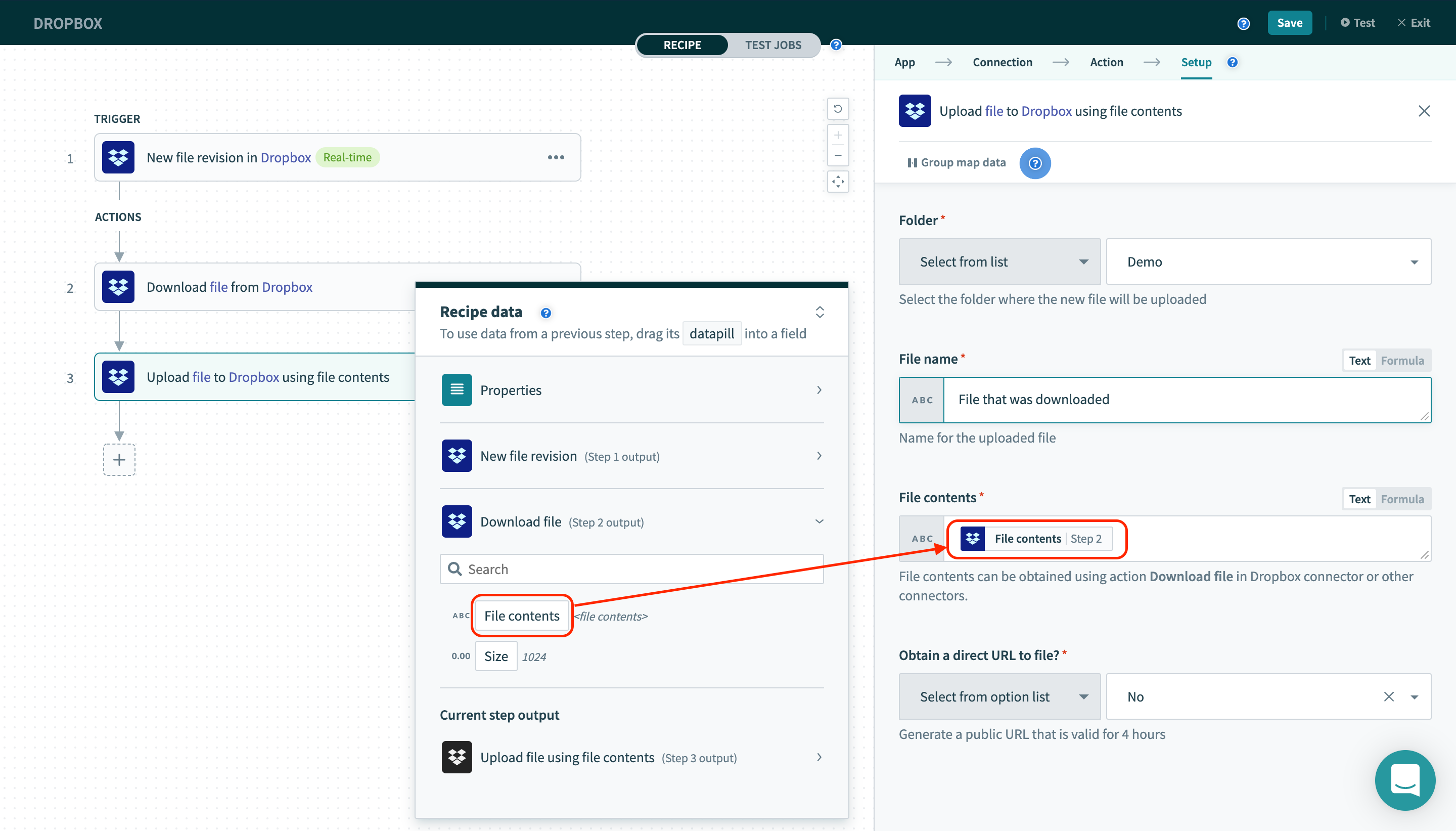 Download and upload file in dropbox
Input
| Field name | Description |
|---|---|
| File / file path | The file in Dropbox that you want to download the contents. |
Output
| Field name | Description |
|---|---|
| File contents | String contents of the file. This can be used to upload the file to another place, using actions such as Dropbox's Upload file using file contents. |
| Size | Size of the file in bytes. |
Last updated: