Excel - Get rows action
The Get rows action retrieves rows from a table in your Excel spreadsheet. Provide the exact Table name. This action may return a 404 Item not found error if no named table exists or the name doesn't match. The maximum file size supported is 50MB.
Use the Get cells action and specify the Worksheet and Range to return cells from a particular Excel sheet.
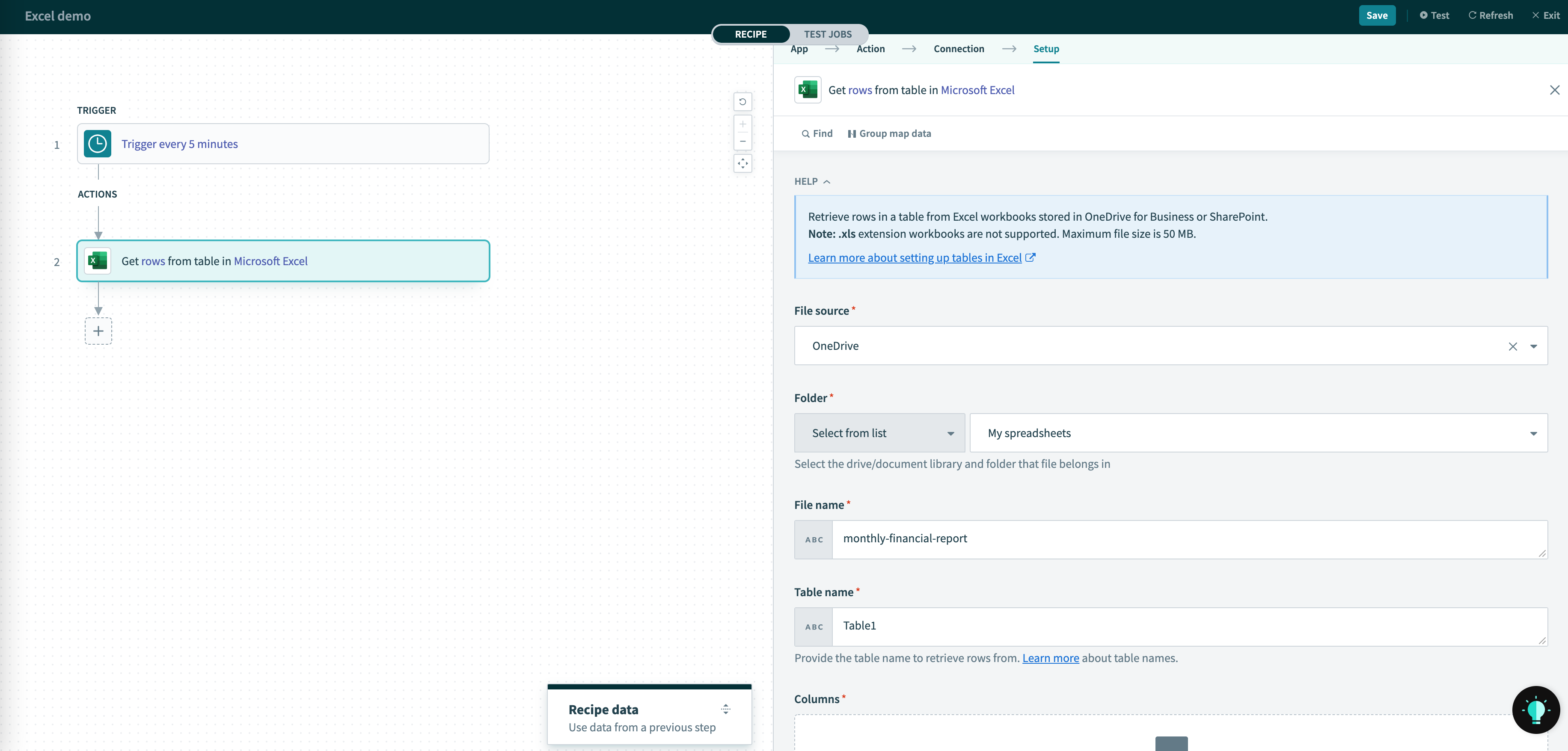 Get rows action
Input
| Input field | Description |
|---|---|
| File source | File source of the spreadsheet, either from OneDrive or SharePoint document library |
| Site Only if file source is Sharepoint | The SharePoint site that spreadsheet belongs in. |
| Folder | The spreadsheet's folder within the selected file source. Either select from the generated picklist or provide the drive and folder ID manually. |
| File name | File name of the spreadsheet to read from. |
| Table name | The table name to retrieve rows from. You can find this name from the List tables action. |
| Columns | The column names for this table. These are used to generate the datapills in this action's output. It does not need to match the column names in your worksheet. |
Output
| Output field | Description |
|---|---|
Rows | An array of rows of the cells extracted. The datapills within the row is determined the Columns input. |
Last updated: