Google Drive - List file permissions action (batch)
This action lists all permissions associated with a given file in Google Drive. Permission details include the file's ownership and whether the file is shared with additional users, groups, or domains, or is accessible to anyone.
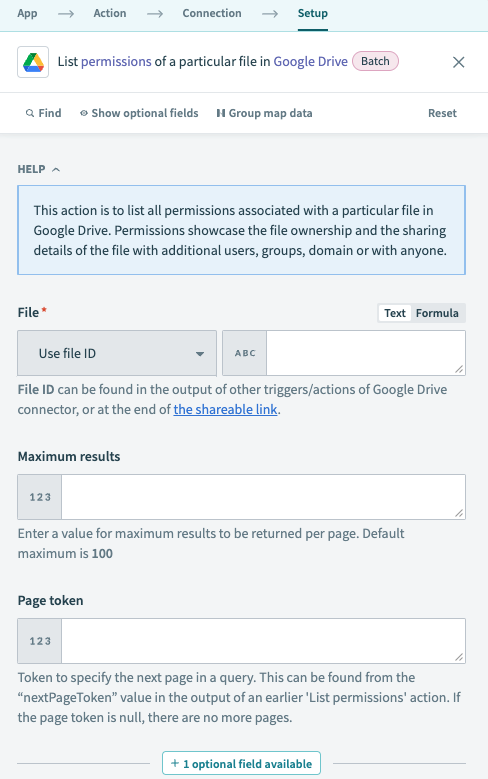 Google Drive List file permissions action
Input
| Input field | Description |
|---|---|
| File | The file with the permissions you plan to retrieve. Select a file or enter its ID. To find the file ID, right-click the file and select Share > Copy link. For example, if the URL is https://drive.google.com/file/d/123nyR2IjW_Rq84d3qEYRoq1/view, the file ID is 123nyR2IjW_Rq84d3qEYRoq1. Alternatively, you can find the file ID in the output of other Google Drive triggers and actions. |
| Maximum results | The maximum number of results to be returned per page. Default is 100. |
| Page token | Token to specify the next page of results. Use the nextPageToken value from the output of a previous List permissions action. If the page token is null, there are no further pages of results. |
| Use domain admin access? | Issues the request as a domain administrator, if the connected user is the admin of the domain owning a shared drive. This setting allows the domain admin to retrieve permissions for shared drive files owned by their domain even if they aren't a member of the given shared drive. Default is set to No. |
Output
| Output field | Description |
|---|---|
| Type | The type of grantee: user, group, domain, or anyone. |
| Permission ID | The ID of this permission. |
| Email address | The email address of the user or group that was granted this permission. |
| Domain | The domain this permission refers to. |
| Role | The role granted by this permission. |
| View | The view for this permission. |
| Allow file discovery | Indicates whether this permission allows the file to be discovered through search. This is only applicable to permissions granted to domain or anyone. |
| Display name | The human-readable name for the permission grantee. user: User's full name. group: Name of the Google Group. domain: Domain owning the shared drive. Not applicable to the type anyone. |
| Photo link | A link to the user's profile photo, if available. |
| Team Drive permission details | A list of permission details for the Team Drive. Contains the following output fields, in addition to List size and List index:
|
| Permission details | A list of permission details for the shared drive. Contains the following output fields, in addition to List size and List index:
|
| Deleted | Indicates whether the account associated with this permission has been deleted. This field only applies to user and group permissions. |
Last updated: