Sage Intacct - Update vendor action
This action updates the information attached to an existing vendor in your Sage Intacct instance.
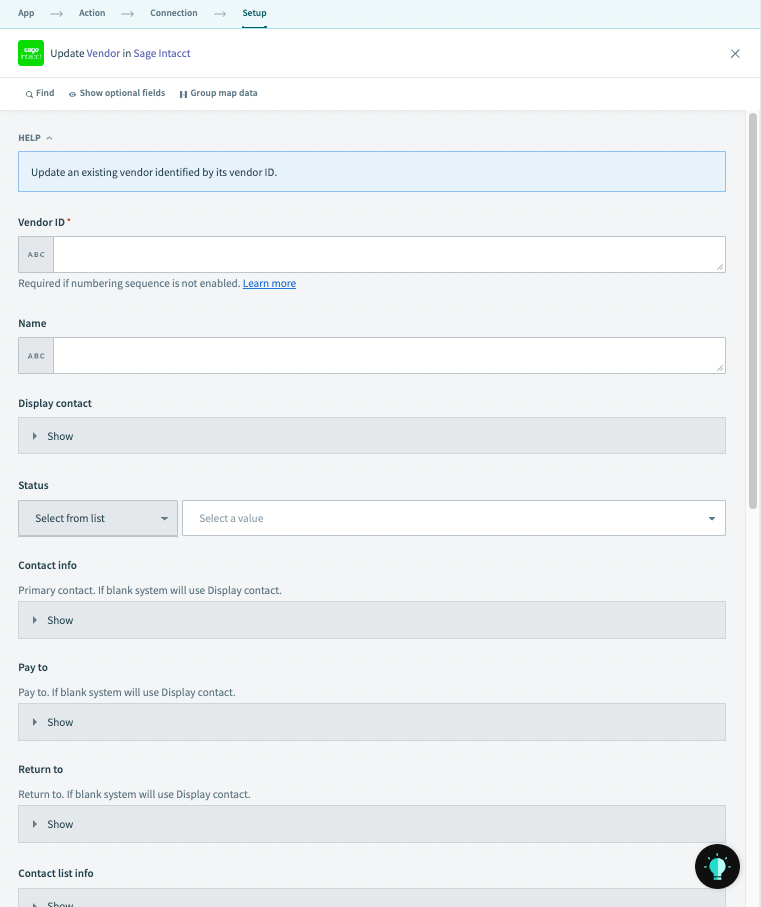 Update vendor action
Input
| Input field | Description |
|---|---|
| Vendor ID | The ID of the vendor. Required if numbering sequence is not enabled. |
| Name | Name of the vendor to be created. |
| Display contact | The display name of the vendor to be created. |
| Status | Status of the vendor. |
| Contact info | The primary contact of the vendor. If left blank, display contact will be used. |
| Pay to | The contact to whom payment is to be made. |
| Return to | The contact to whom return is to be made. |
| Contact list info | Contact list information pertaining to the vendor. |
| Vendor contacts | Vendor contacts information. |
| Vendor email templates | Email templates applicable to the vendor. |
| Vendor account locations | Vendor account locations information. |
| File payment service | Enable direct payments to this vendor using a bank file. |
| Vendor bank file payment details | The values you provide are validated if File payment service is set to Bank file. |
| Visibility | Visibility type of the vendor to be created. |
In addition to the above, we also support the addition of "display contact information under the list of optional fields available.
Output
| Input field | Description |
|---|---|
| Vendor ID | The ID of the vendor created. |
| Record no | Record number attached to the vendor. |
Last updated: