Jira Service Desk - Create customer request action
This action creates a customer request in your Jira Service Desk instance.
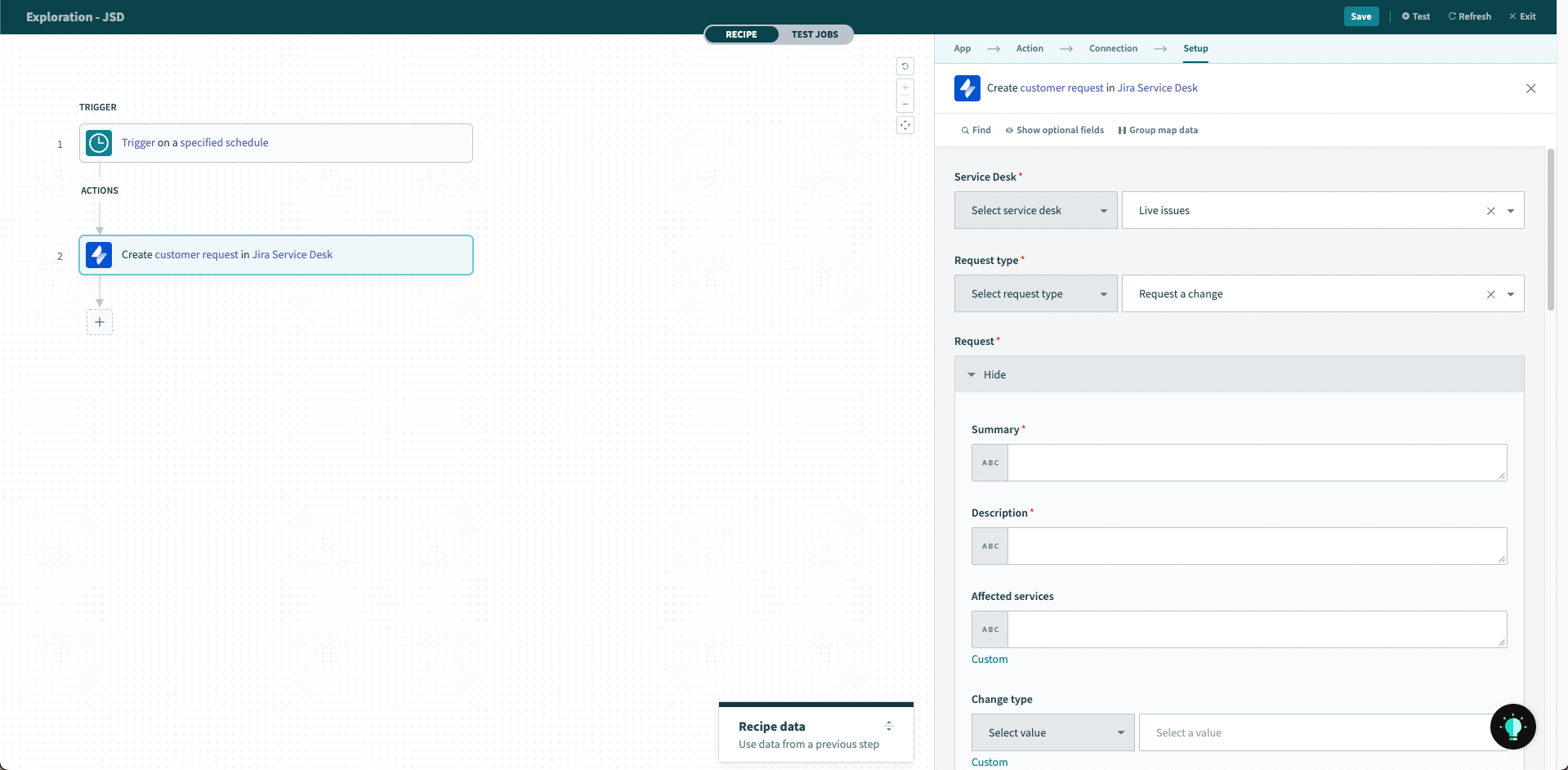 Create customer request action
Input
You will need to provide the service desk ID where the issue will be created. You will also need to select the type of request to be created. The list of available requests will be populated based on the service desk ID provided. The action will not be able to proceed if the service desk ID provided is invalid.
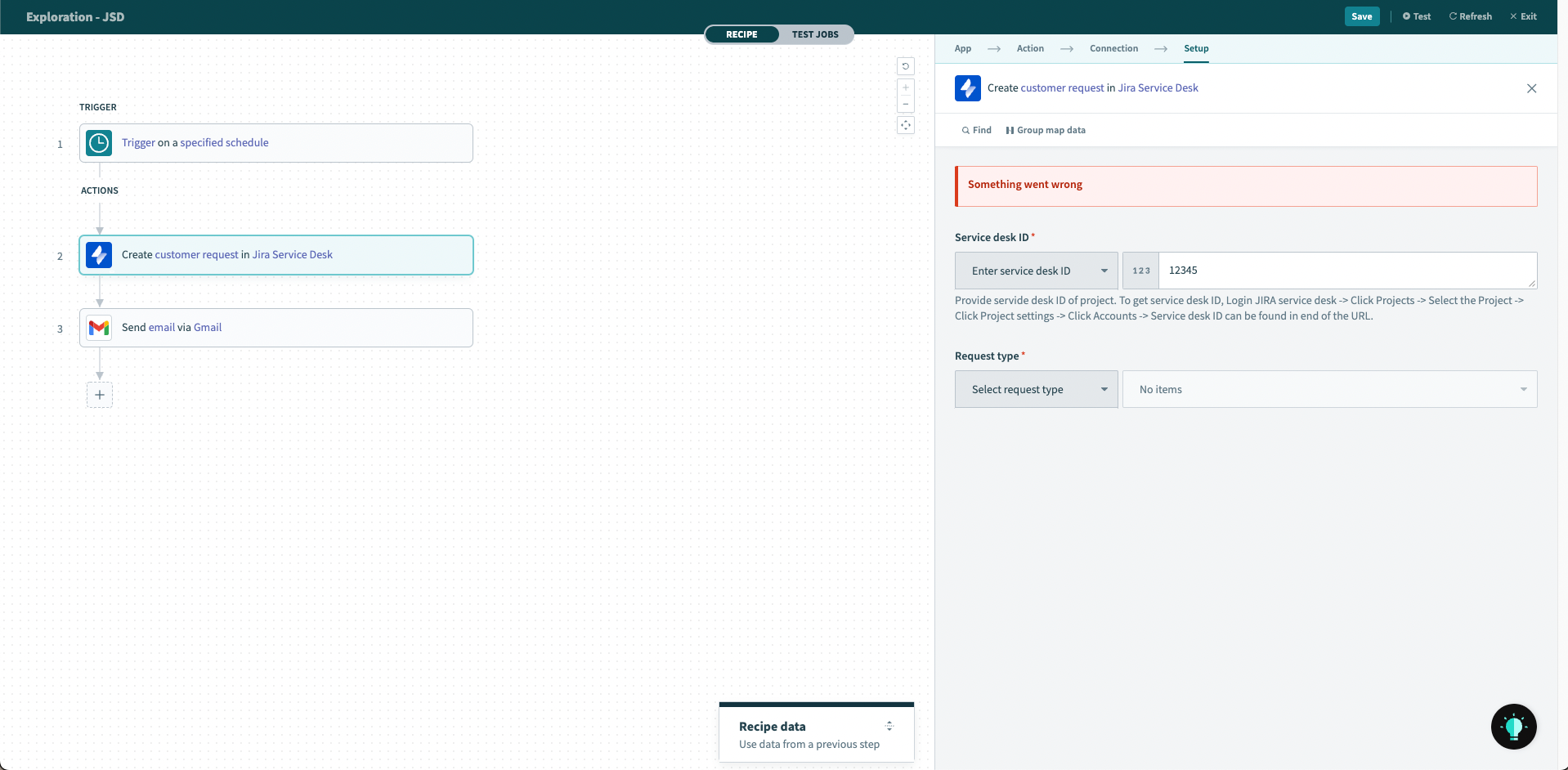 Invalid service desk ID
Once a request type is selected, Workato will populate the request fields based on the structure of the request set up on Jira Service Desk, including any custom fields attached to the request type. You may also define who the request was raised on behalf of, as well as add participants into the request.
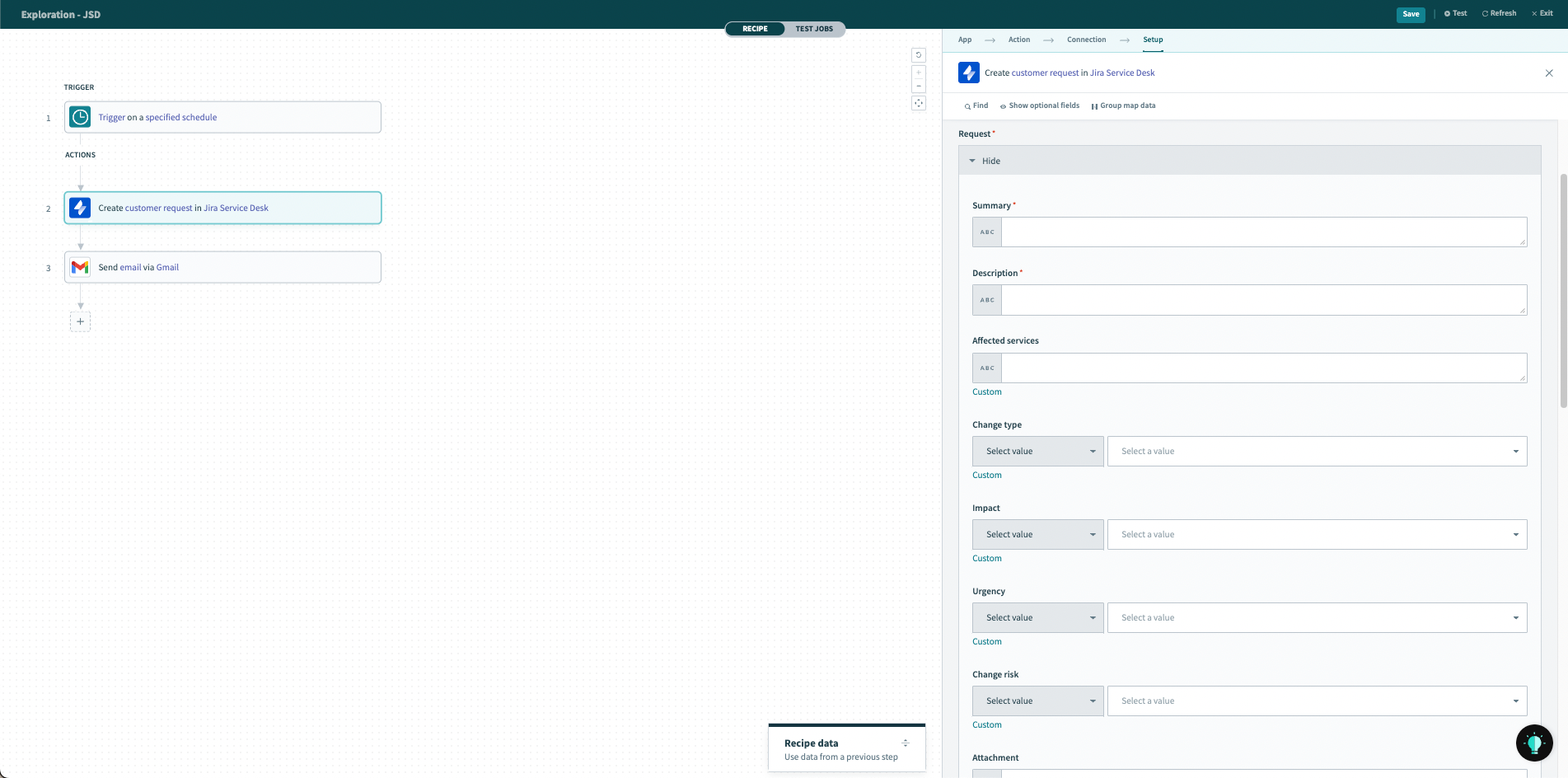 Request fields are populated automatically, including applicable custom fields
Output
The output of this action will be a datatree that contains information about the created Jira Service Desk request.
Find out more about Jira Service Desk request object.
Last updated: