SQL Server - Scheduled query trigger
Scheduled query trigger
This trigger will execute a SQL query at a user-defined schedule. The returned rows will be processed in batches. The maximum batch size is 1000 rows.
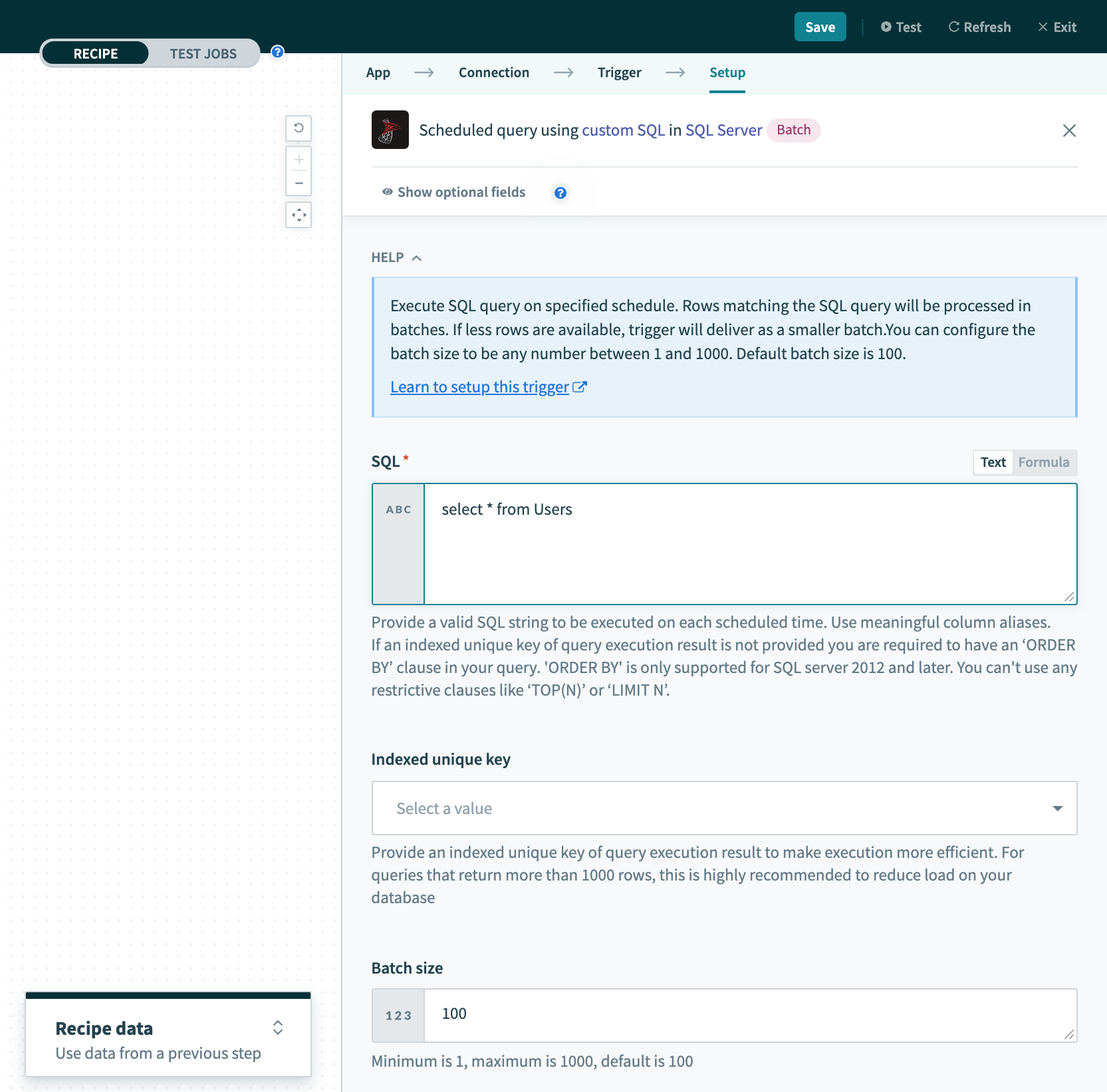 Scheduled query trigger
| Input field | Description |
|---|---|
| SQL | Provide a valid SQL string to be executed. This SQL string will be executed in your SQL Server instance. |
| Indexed unique key | Select a unique key column to uniquely identify rows. This list of columns will be generated from the SQL query above. Refer to Unique keys for more information. |
| Batch size | Configure the batch size for this trigger. The maximum batch size is 1000 and the default is 100. If there are fewer rows than the configured batch size, this trigger will deliver all rows as a smaller batch. |
| Trigger on | Select the schedule configuration. Choose from Specific interval or Specific date/time. |
| Schedule settings | Specify how often this SQL query will be run. |
| Output fields | You can manually configure the output for this SQL query with this step. If left blank, the output schema will be detected automatically. |
Output field
This trigger will return rows in batches. Refer to Single row vs batch actions/triggers for more information on working with batches of rows.
Last updated: