SFTP - Download file action
This action downloads a file from your SFTP server in binary mode. The file contents can be used in downstream recipe steps. Note that this action cannot be used to download entire folders.
To process this action, Workato splits the file contents into chunks and downloads them across separate requests in a technique called file streaming. The time it takes to process the action depends on the file size and the download speed.
If your SFTP server does not support multipart downloads, and the file size is 200 MB or less, set the Download file in one go option to Yes. Workato will fetch the entire file in a single request.
DOWNLOAD SMALL AND LARGE FILES
Workato unified the Download file and Download large file actions into a single action called Download file, which supports small and large files.
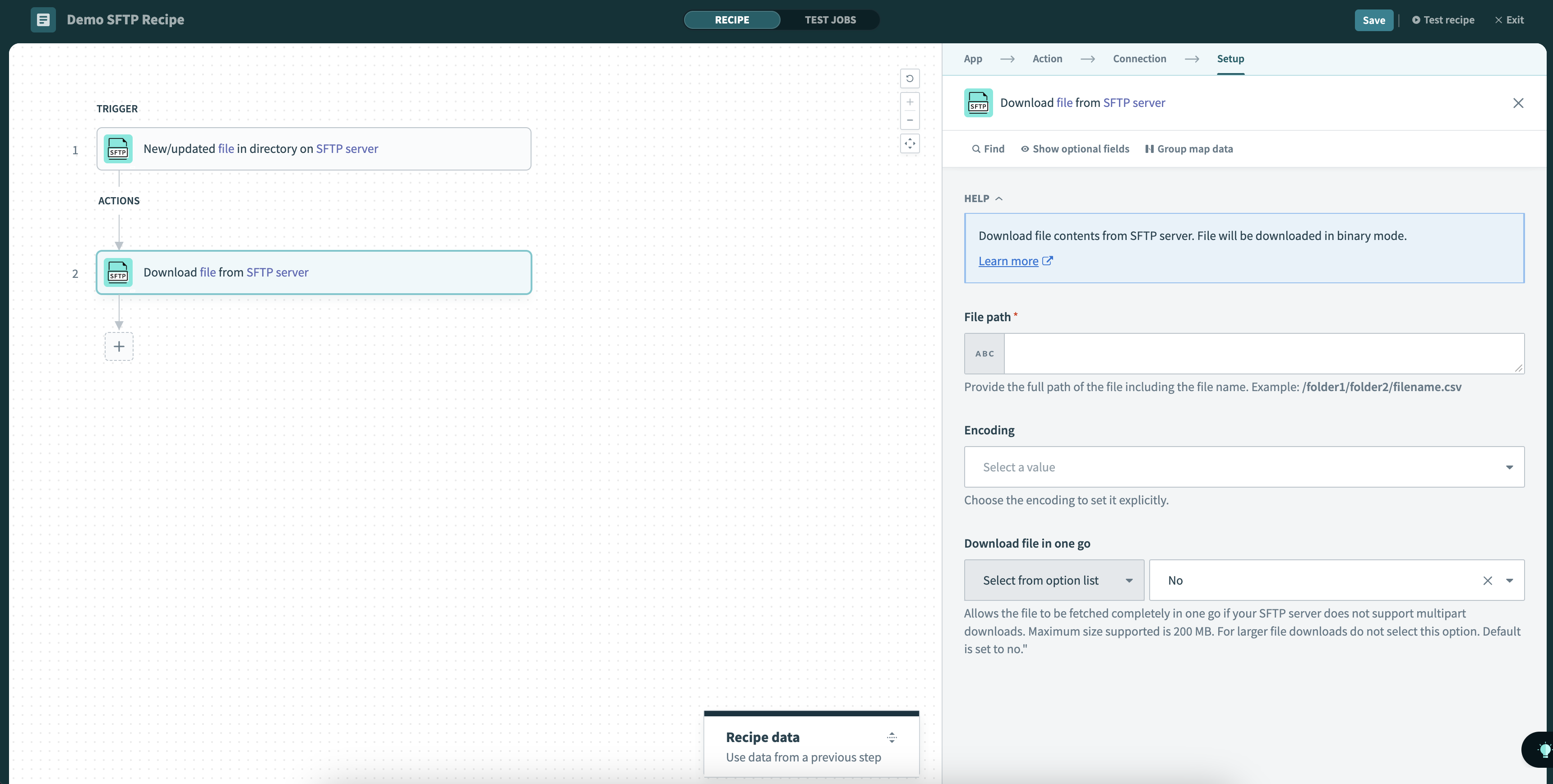 Download file action
Input
| Input field | Description |
|---|---|
| File path | Provide the full path of the file, including the file name and extension. Example: /folder1/folder2/filename.csv |
| Encoding | Choose the file encoding type. |
| Download file in one go | Allows the file to be fetched completely in a single request if your SFTP server does not support multipart downloads. Maximum size supported is 200 MB. Default is No. |
ENCODING DETECTION
Workato can't always determine the correct encoding when the Encoding field is left blank. The input is treated as a raw byte sequence. Select the correct encoding manually to avoid errors.
Output
| Output field | Description |
|---|---|
| File name | The name of the file. |
| File path | The complete path of the file. |
| File size | The size of the file in bytes. |
| File contents | The contents of the file. |
| File encoding | The encoding type of the file. |
Last updated: