Workday RaaS
Workday Reports-as-a-Service (RaaS) is a feature that exposes reports as web services. These reports must be configured as Advanced type reports to be web service enabled.
Custom Reports Setup
Custom Reports (advanced type) can be exposed as a Web Service to be used programmatically. Workato uses this web service to automate report run and to integrate report data from Workday to other applications.
How to find report URL
Find URL in Actions > Web Service > View URLs
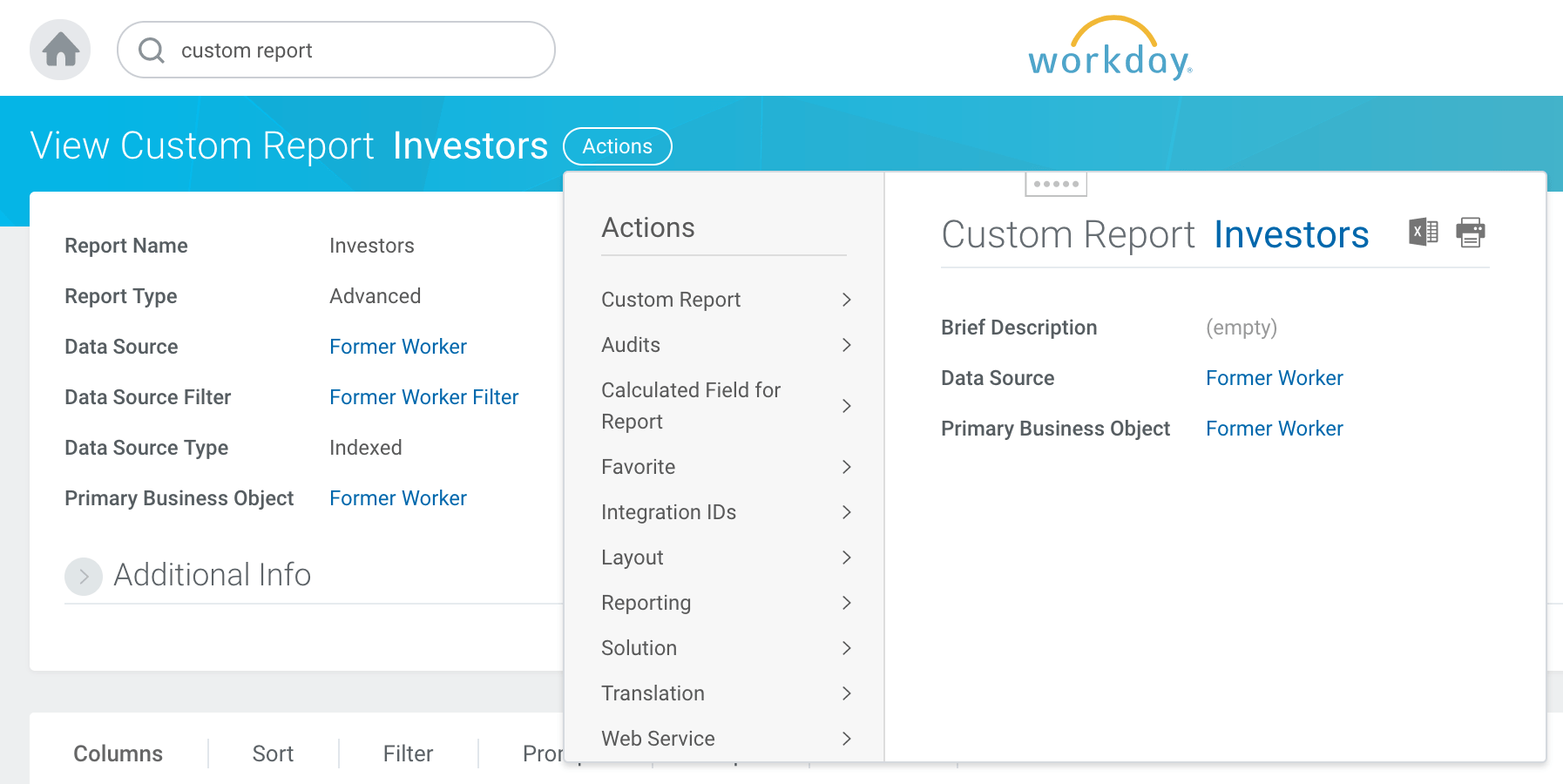 View Report URLs
Right-click JSON and choose "Copy URL"
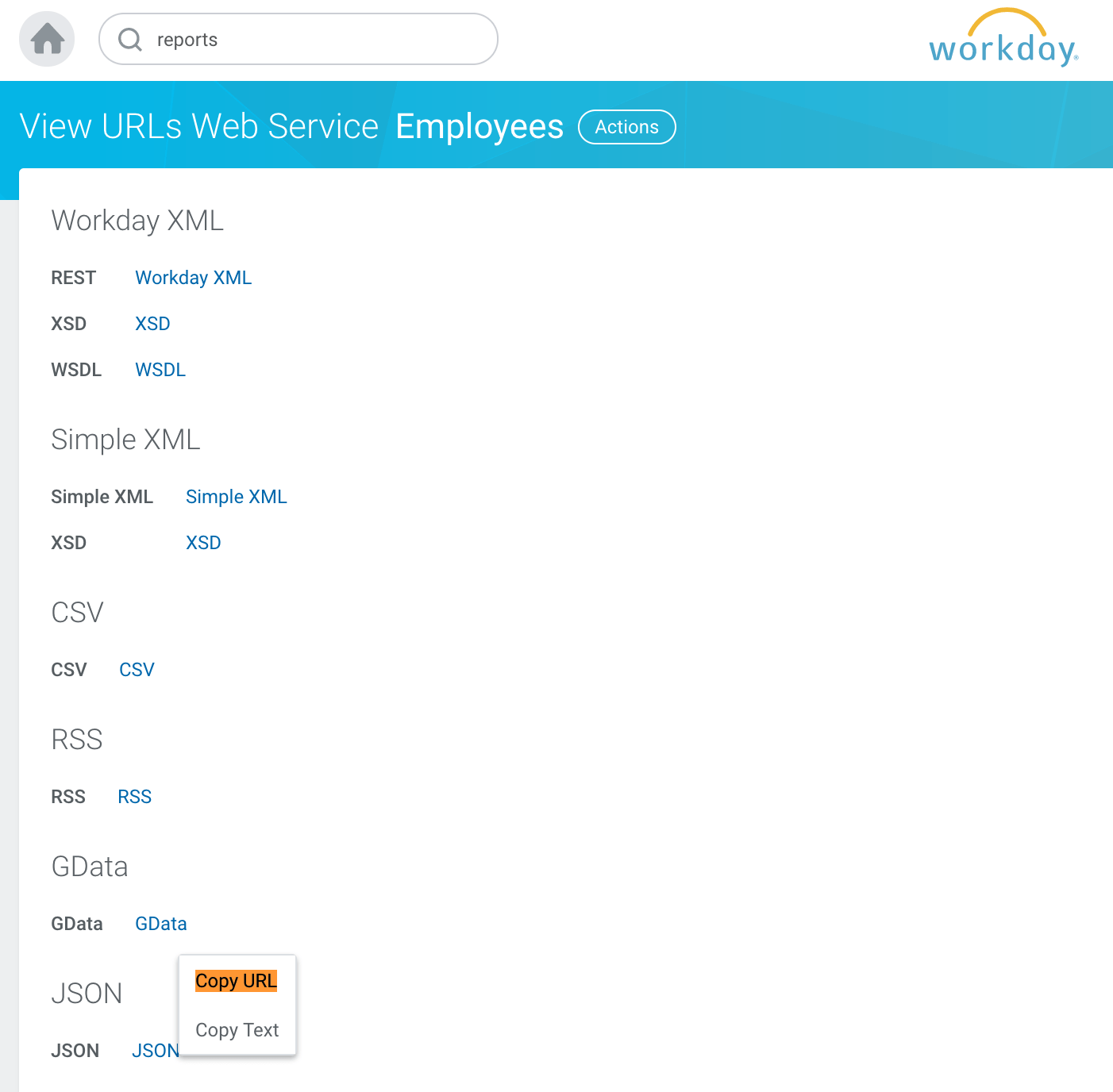 Copy RaaS JSON URL
JSON endpoint example
https://wd2-impl-services1.workday.com/ccx/service/customreport2/workato/workato/Investors?format=json&Worker_Type!WID=d588c41a446c11de98360015c5e6daf6&Base_Pay=0Filter parameters
Prompts behave like request parameters. In the UI, it is presented as input fields before generating the actual report.
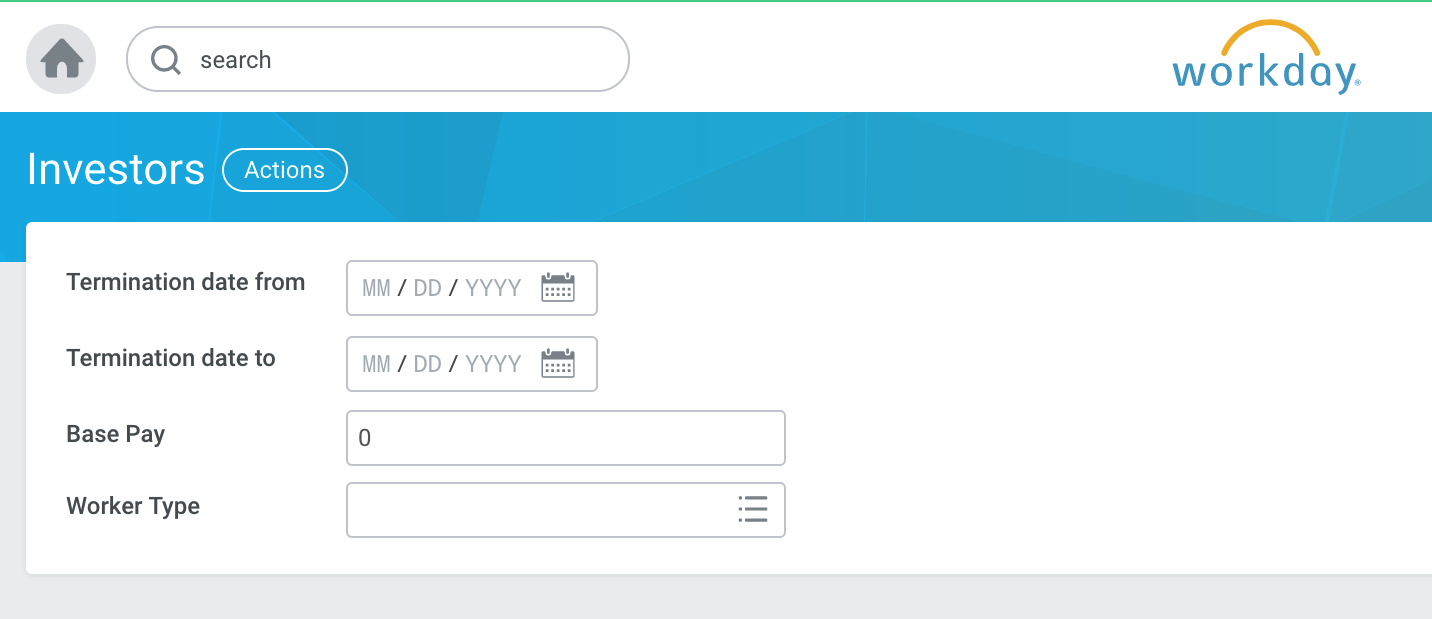 Raas prompts on Workday UI
As a REST endpoint, these prompts are passed as request parameters. To do so, you have to set the report type and configure prompts. You can also define filters for your prompts.
Report type
Switch to advanced type if not already. Only Advanced custom reports can be used in RaaS.
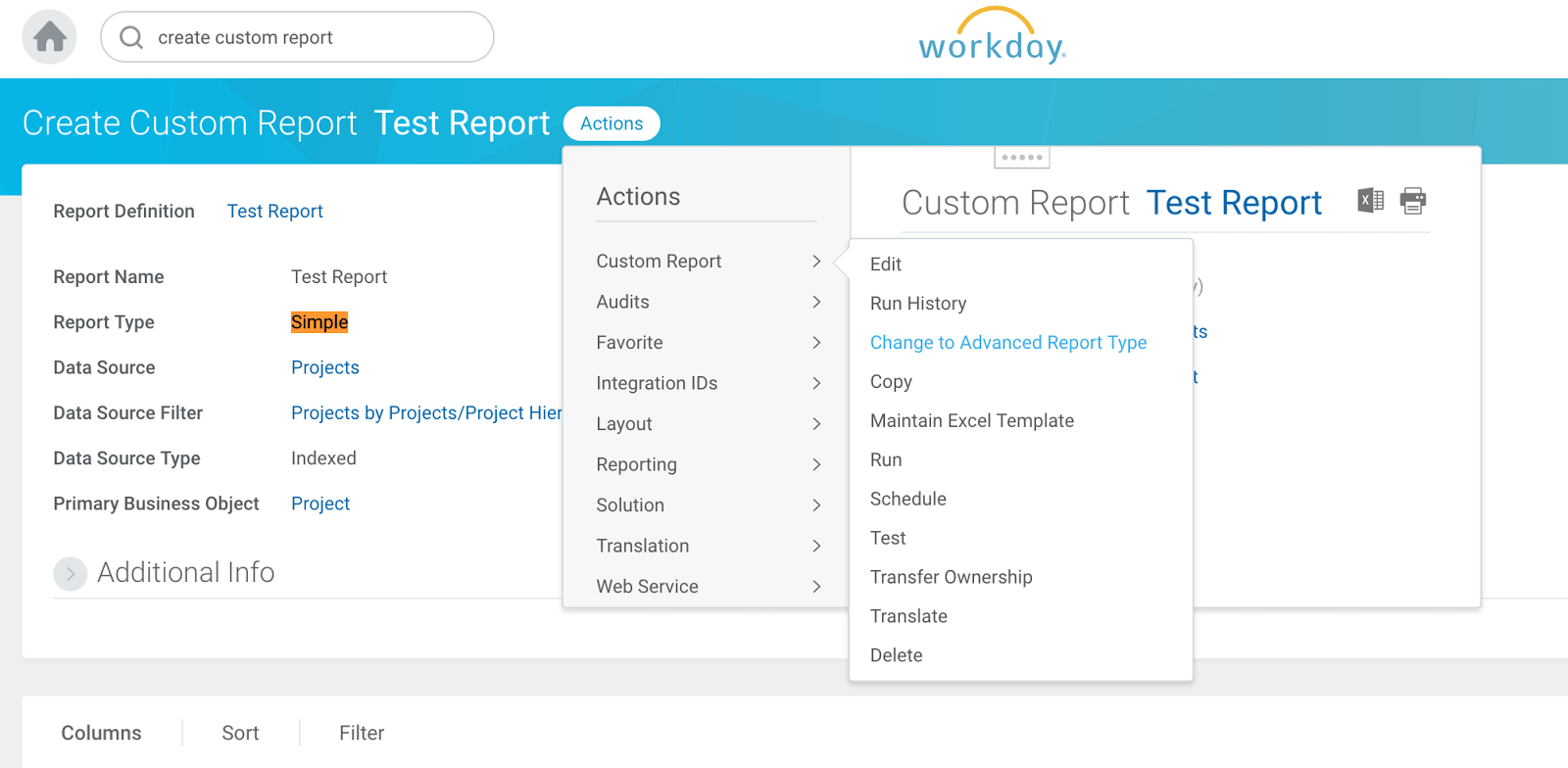 Use advanced report
Add prompts
Add all default prompts that are required of web-service-enabled reports. Add additional prompts as desired.
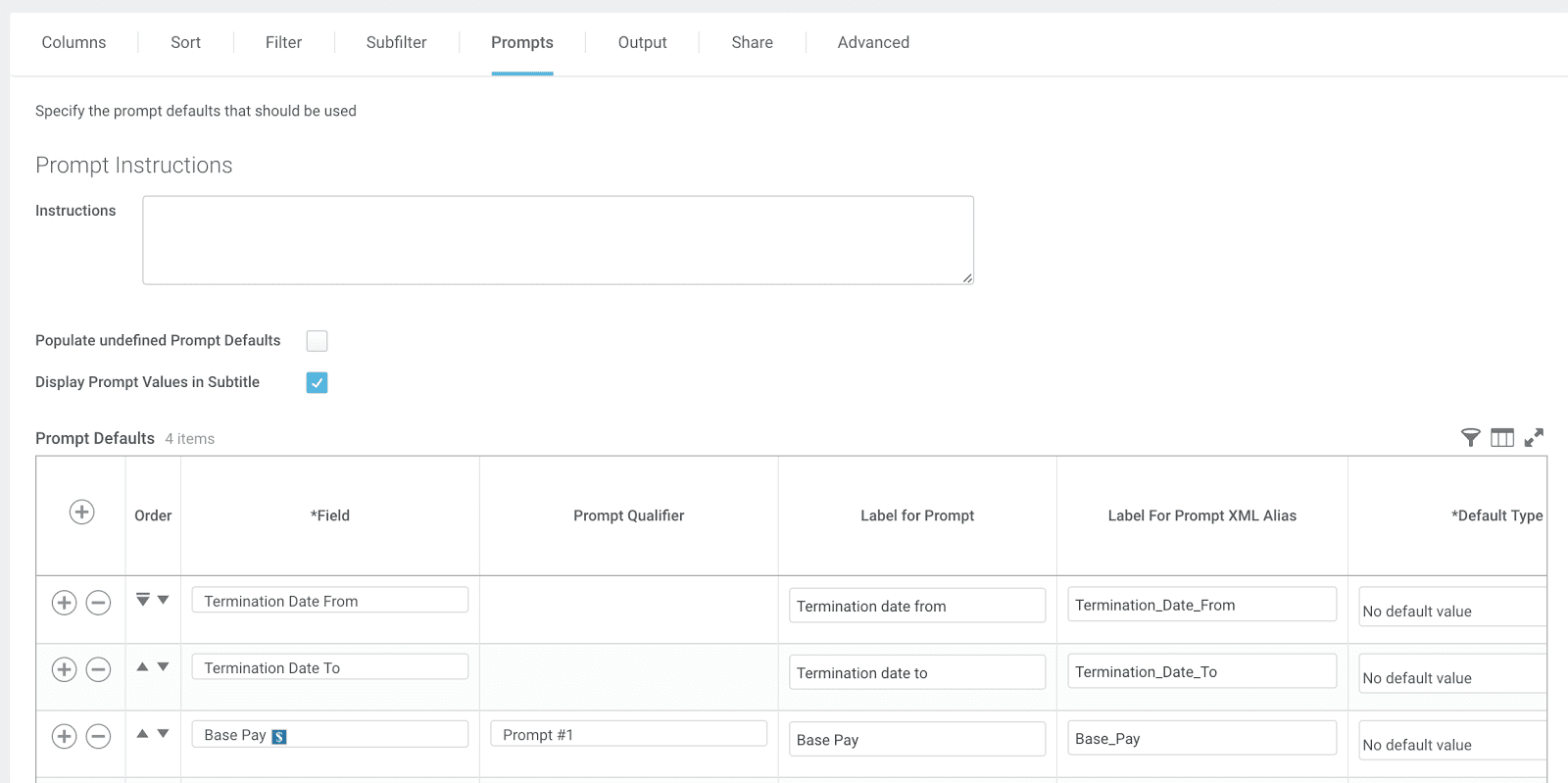 Add RaaS prompts
In this example, Base Pay is assigned to Prompt Qualifier as Prompt #1, which will be used in filters.
Add filters
Apply logic to filter prompt values.
Use values from Prompt to compare against report column values. Example, assign Prompt parameter Base Pay as Prompt #1.
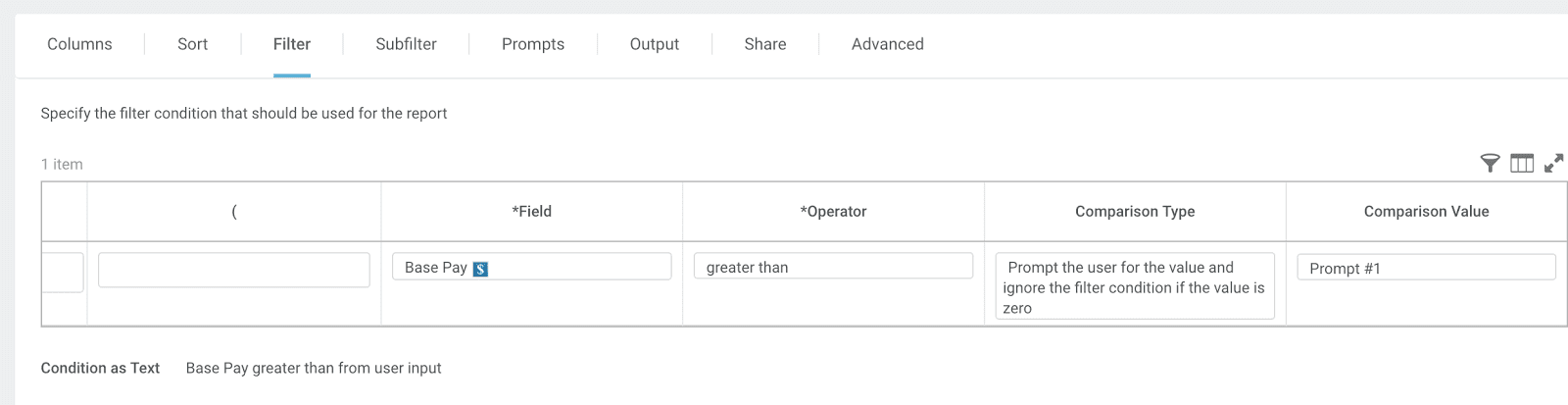 Add RaaS filters
When generating a report, Base Pay parameter will be checked. If a value is provided, only records with Base Pay greater than the provided value will be included in the report.
Limitations
Based on the Workday documentation, there is a limit of 2GB for advanced custom report enabled for web services and exposed for integrations.
Last updated: