Wrike - Get folder by id action
Folders are one of the main ways to organize and manage information on Wrike.
This action retrieves a single folder that matches a search by folder ID. Only results in your Wrike instance that match the criteria will be returned.
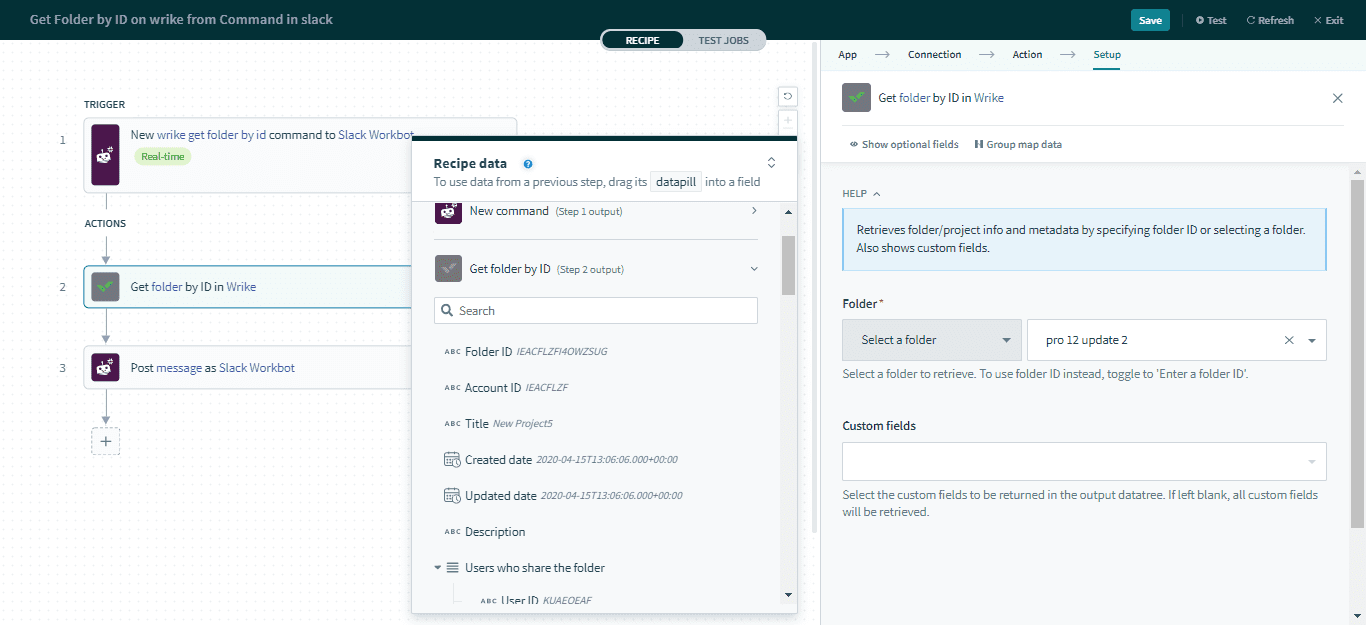 Get folder by ID action
| Input field | Description |
|---|
| Folder | Select a folder to retrieve. To use folder ID, toggle "Enter a folder ID". |
Output
| Output field | Description |
|---|
| Folder ID | The ID of the folder. |
| Account ID | The ID of the account. |
| Title | The title of the folder. |
| Updated date | The date this folder was updated. |
| Created date | The date this folder was created. |
| Description | The description of the folder. Will be blank if not specified. |
| Users who share the folder | The list of users who share the folder. | User ID | The ID of the user who shares this folder. | | List size | The size of the list, corresponding to the number of users retrieved. |
|
| Parent folder | The list of parent folders of this folder. | Folder ID | The folder ID of the parent folder. | | List size | The size of the list, corresponding to the number of parent folders retrieved. |
|
| Child folder | The list of child folders of this folder. | Folder ID | The folder ID of the child folder. | | List size | The size of the list, corresponding to the number of child folders retrieved. |
|
| Super parent folder | The list of super parent folder to this folder. | Folder ID | The folder ID of the super parent folder. | | List size | The size of the list, corresponding to the number of super parent folders retrieved. |
|
| Scope | The scope of the folder. |
| Has attachments | Indicates if the folder has attachments. |
| Permalink | The link to open the folder in a web workspace. This is only accessible if the user has the appropriate access. |
| Workflow ID | The ID of the folder workflow. |
| Metadata | The metadata of this folder. The metadata list size corresponds to the number of metadata entries retrieved. |
| Project | The project properties of this folder. | Author | The author who created the project. | | Owner ID | The list of IDs of project owners. | User ID | The user ID of the project owner. | | List size | The size of the list, corresponding to the number of project owners retrieved. |
| | Status | The status of the project. | | Start date | The date this project was started. | | End date | The date this project was ended. | | Created date | The date this project was created. | | Completed date | The date this project was completed. |
|
| Custom fields | Includes data from custom fields. |