Databricks
Databricks is an enterprise-grade platform that provides tools that enable you to build, deploy, share, and maintain data solutions at scale. The Databricks connector allows you to fetch data from Databricks and send it to other applications such as Amplitude, Netsuite, and more.
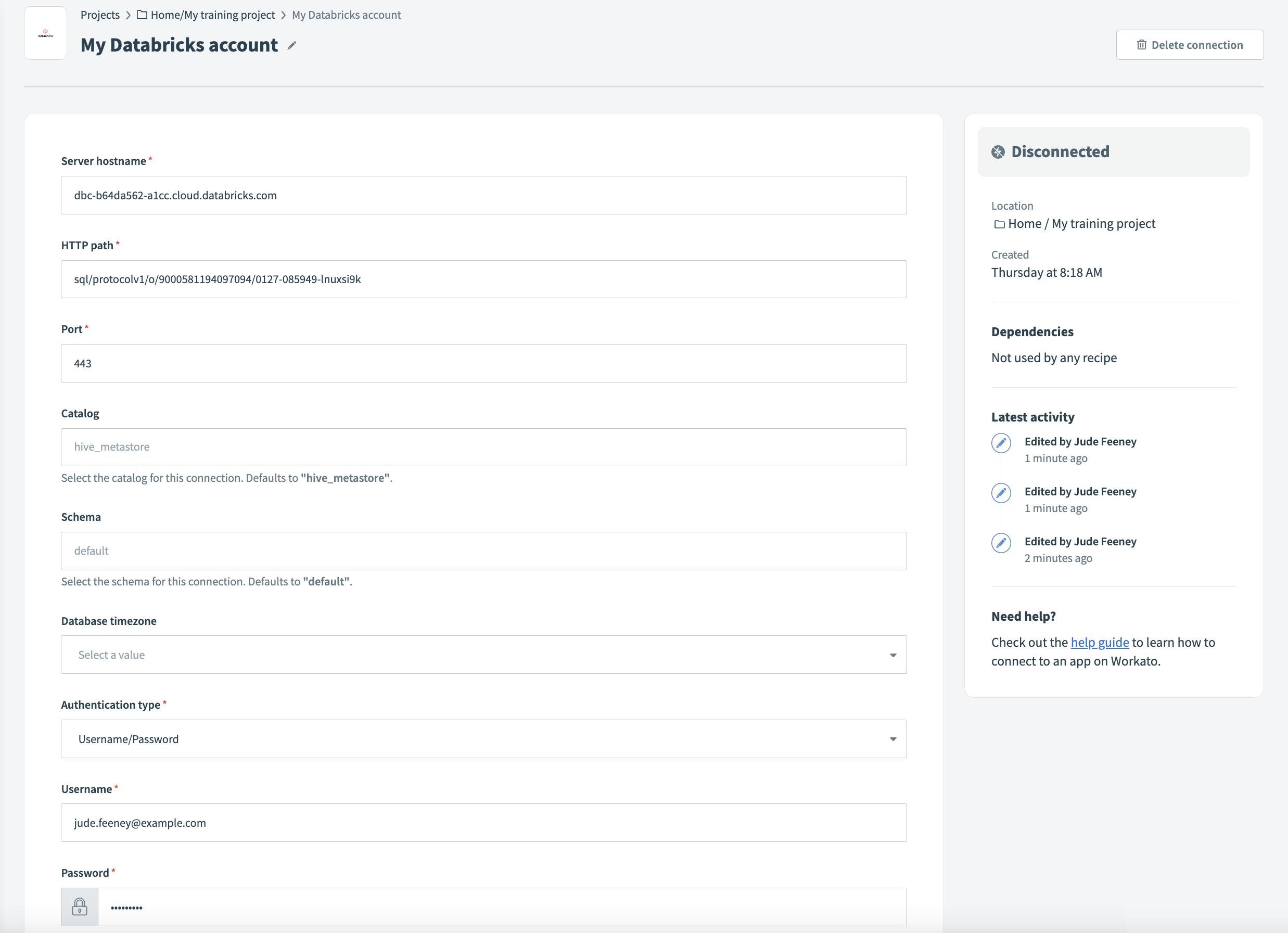 Connect to Databricks
How to connect to Databricks on Workato
Complete the following steps to establish a connection with Databricks in Workato:
Enter a Connection name to identify your Databricks account in Workato.
Use the Location drop-down menu to select the location where you plan to store the connection.
Enter the name of your server in the Server hostname field. For example, example.cloud.databricks.com.
Enter the HTTP path. For example, sql/protocolv1/o/3957355953478232/0710-102114-bfnouzcv.
Enter the Port your server uses. The default is 443.
Use the Catalog drop-down menu to select the catalog you plan to use for this connection. The default value is hive_metastore.
Use the Schema drop-down menu to select the schema you plan to use for this connection. The default value is default.
Use the Database timezone drop-down menu to select the timezone you plan to use. Workato uses this to convert timestamps during reads and writes.
Use the Authentication type drop-down menu to select the authentication method you plan to use. Configure the following fields based on your selected method:
Click Connect to establish the connection.
FURTHER READING
Learn how to use the Databricks connector by reading the following guides.
Last updated: