Conditions
Create IF conditions in your Workato recipes by defining three key components: a Data field, a Condition, and a Value. The Data field is the variable data from your app, for example, case status, or lead rating. The Value is the static value you plan to check against, such as Closed or Hot. Data fields and values are case sensitive.
This section covers fourteen available conditions, with trigger conditions as examples. You can also combine multiple conditions with the AND or OR operators to create complex logic.
Each condition is compatible with different data types. Using a condition with an invalid data type may prevent the recipe from starting or functioning correctly.
Video tutorial: how to work with invalid data types in conditions
If an invalid IF condition is set up for triggers, the recipe may:
- Throw a trigger error after starting, preventing it from picking up trigger events.
- Filter out all trigger events.
Where conditions can be used
You can use conditions in the following features to refine your workflow:
IF control statements: Use conditions within IF control statements to execute specific steps or actions based on your data.
While loop: Create conditions within a repeat while loop to repeat actions until a specific condition is met.
Trigger conditions: Set trigger conditions to filter which trigger events are processed by the recipe, ensuring only relevant events are picked up.
contains
The contains condition allows you to check if a data field contains a specified value within a sequence of conditional checks. This approach is useful when you must route or process data differently based on the presence of specific content. This condition is the inverse of the doesn't contain condition and is case-sensitive. You can adjust the case of both the data and value for case-insensitive comparisons as required.
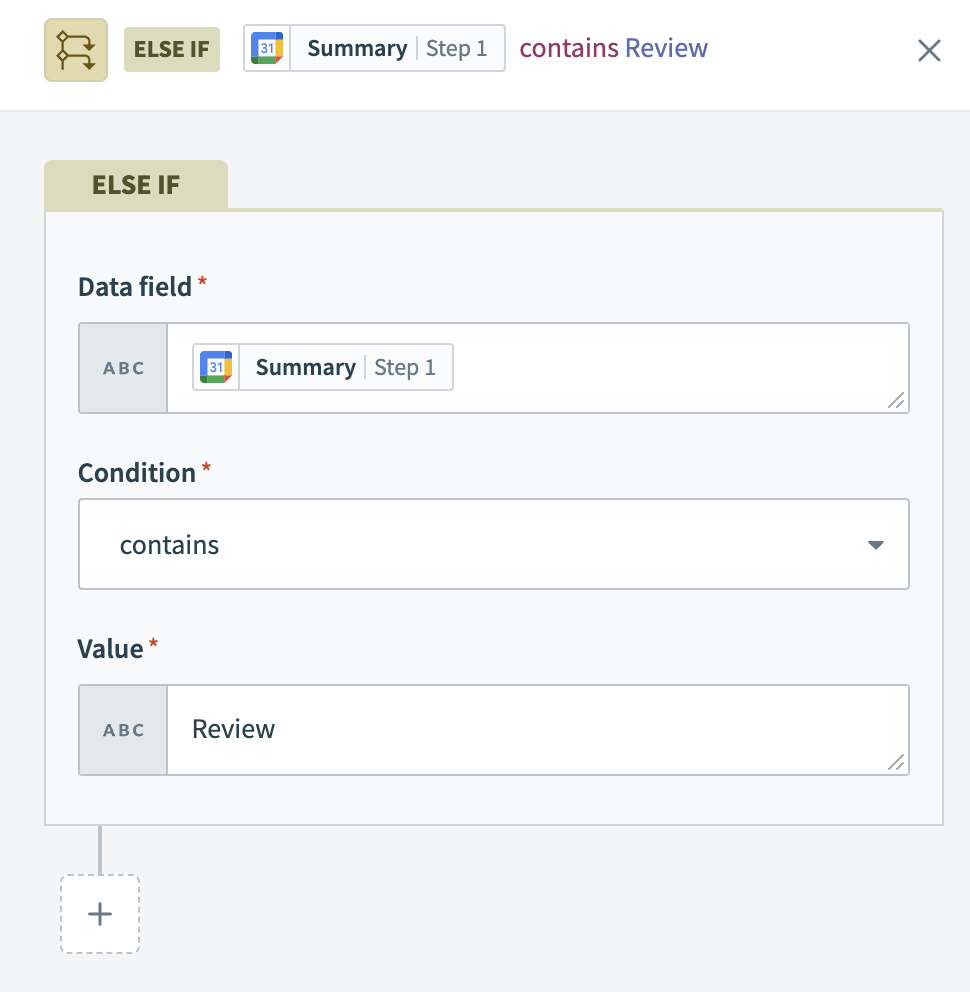 The control statement processes new Google Calendar events only if the event
 Summary contains the word Review.
Compatible data types
This condition is compatible with array and string data types.
Examples
| Data field | Condition/value | Picked up by recipe? |
|---|---|---|
UI bug | contains "bug" | Yes |
UI BUG | contains "bug" | No |
Instructions unclear | contains "bug" | No |
| "" | contains "bug" | No |
nil | contains "bug" | No |
12345 | contains 123 | No |
[1, 2, 3] | contains 1 | Yes |
[1, 2, 3] | contains [1, 3] | No |
["abc", "pqr", "xyz"] | contains "abc" | Yes |
["abc", "pqr", "xyz"] | contains ["abc", "pqr"] | No |
starts with
The starts with condition allows you to check if a data field string begins with a specified value in a sequence of conditions. This condition is the inverse of the doesn't start with condition and is case-sensitive. Verify that both the data and the value are in the same case (either lowercase or uppercase) to ensure accurate comparisons.
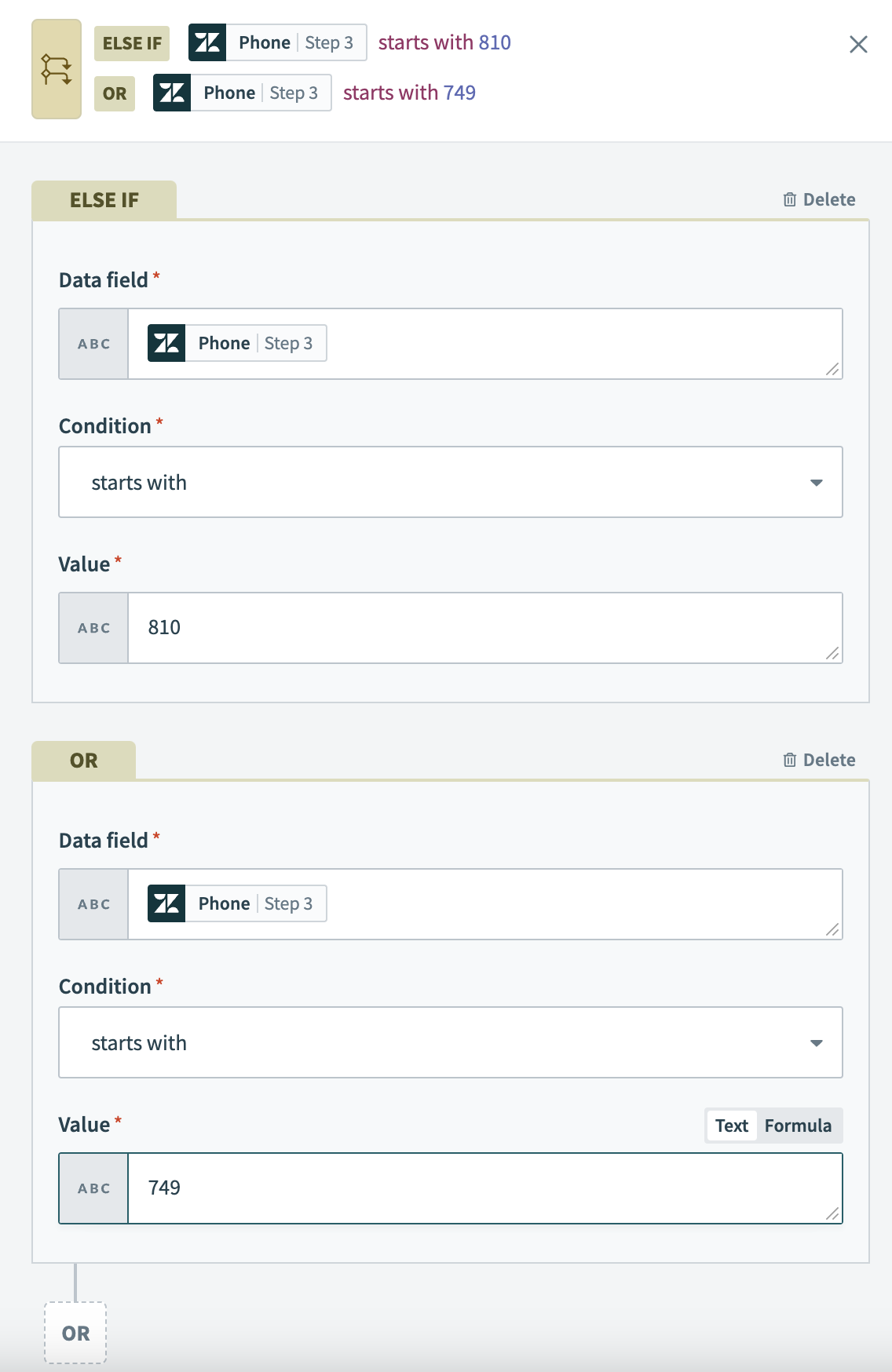 The control statement processes new Zendesk users whose phone numbers start with
 (810) or (749).
The starts with condition matches exact strings only, and does not recognize null values.
Compatible data types
This condition is only compatible with string data types.
Examples
| Data field | Condition/value | Picked up by recipe? |
|---|---|---|
(408) 555-6928 | starts with "(408)" | Yes |
408 555-6928 | starts with "(408)" | No |
(650) 555-2395 | starts with "(408)" | No |
| "" | starts with "(408)" | No |
nil | starts with "(408)" | No |
12345 | starts with 123 | Trigger error thrown |
<kbd>numeric_type_pill</kbd> | starts with 123 | Trigger error thrown |
<kbd>numeric_type_pill</kbd> | starts with "123" | Yes #if pill = 12345 |
Special non-string data type cases
Avoid comparing non-string data types using the starts with condition to prevent trigger errors. For example, comparing two number types directly results in an error.
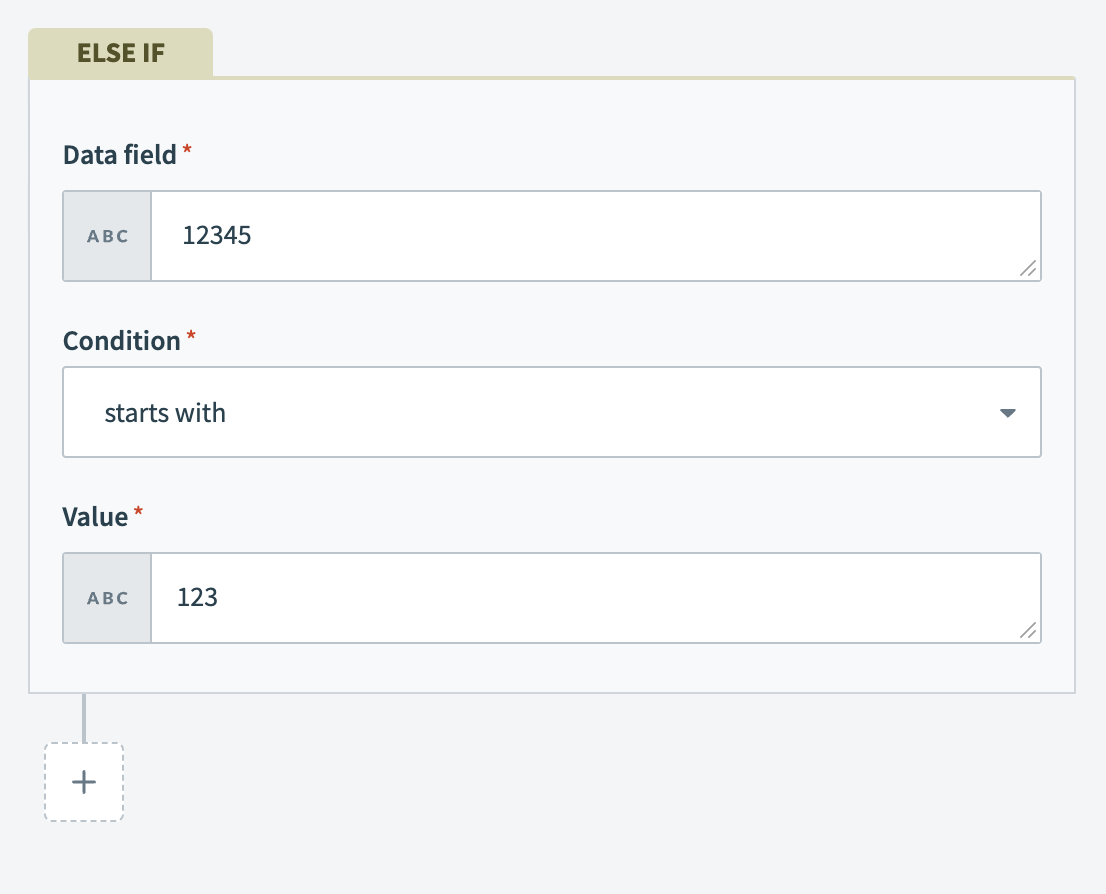 Trigger errors occur when comparing number types with the starts with condition.
In situations where the data field is a non-string datapill and the comparison value is a string, Workato automatically converts the datapill's value to a string for the comparison. The comparison evaluates to true if this converted value meets the condition.
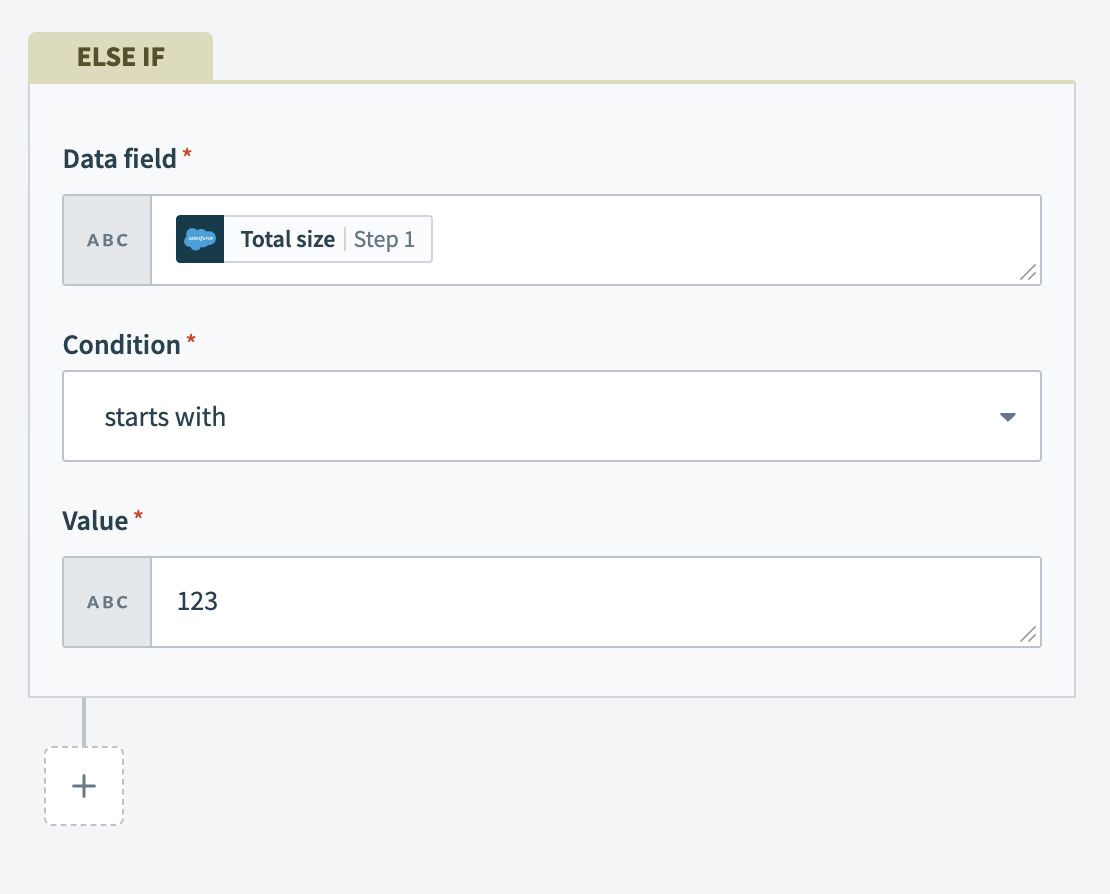 Non-string datapills are converted to a string for comparison if the value is a string
ends with
The ends with condition allows you to check if a data field ends with a specific value. This condition is the inverse of the doesn't end with condition and is case-sensitive. Verify that both the data and the value are in the same case (either lowercase or uppercase) to ensure accurate comparisons.
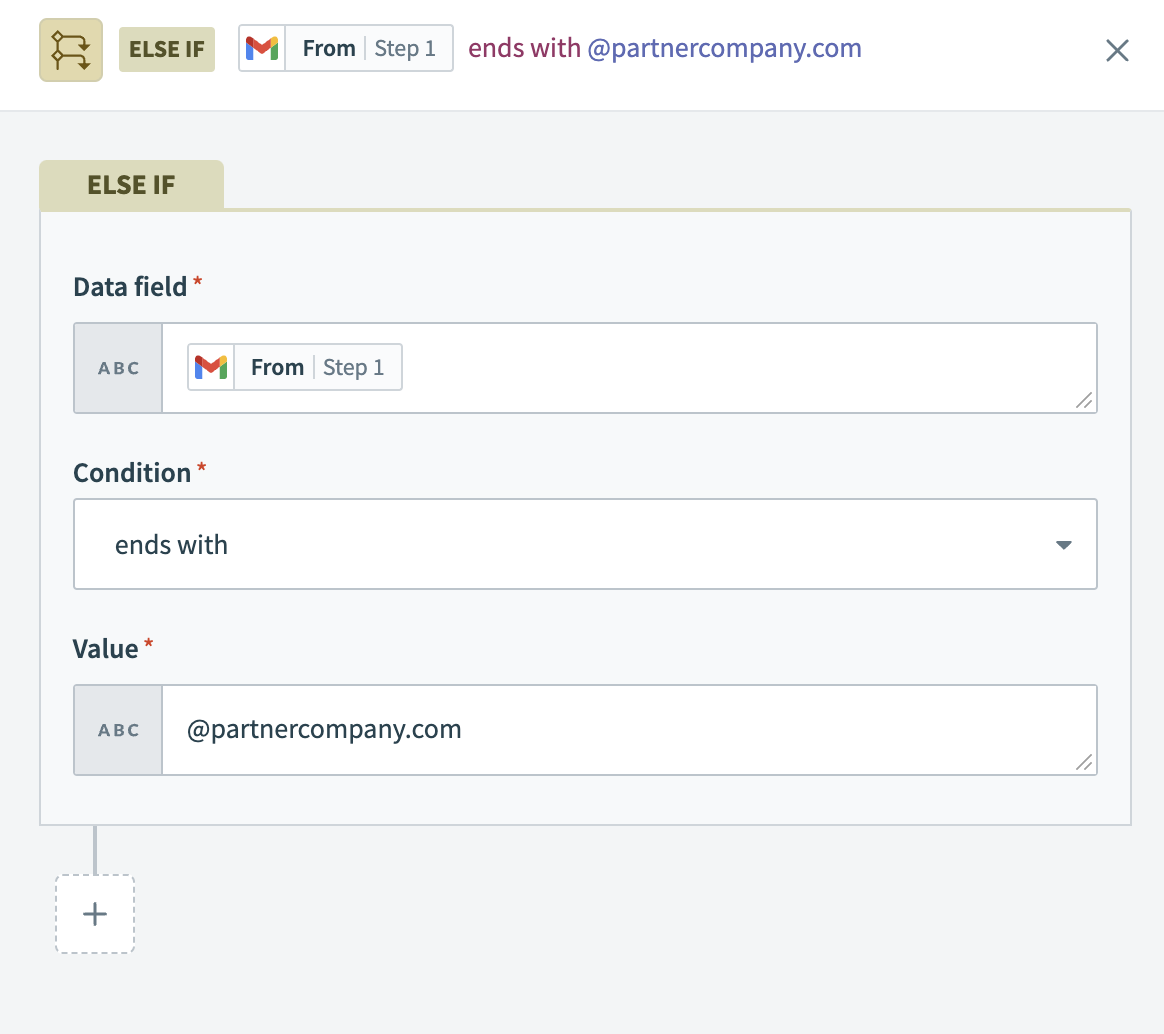 The control statement filters Gmail messages from senders whose email address ends with
 @partnercompany.com.
If the field you specify in your condition is left blank in the application you’re using, no event is picked up.
Compatible data types
This condition is only compatible with string data types.
Examples
| Data field | Condition/value | Picked up by recipe? |
|---|---|---|
(408) 555-6928 | ends with "6928" | Yes |
408 555-6928 | ends with "(6928)" | No |
(650) 555-2395 | ends with "6928" | No |
| "" | ends with "6928" | No |
nil | ends with "6928" | No |
12345 | ends with 345 | Trigger error thrown |
<kbd>numeric_type_pill</kbd> | ends with 345 | Trigger error thrown |
<kbd>numeric_type_pill</kbd> | ends with "345" | Yes #if pill = 12345 |
<kbd>numeric_type_pill</kbd> | ends with "345" | No #if pill = 123 |
Special non-string data type cases
Avoid comparing non-string data types using the ends with condition to prevent trigger errors. For example, comparing two number types directly results in an error.
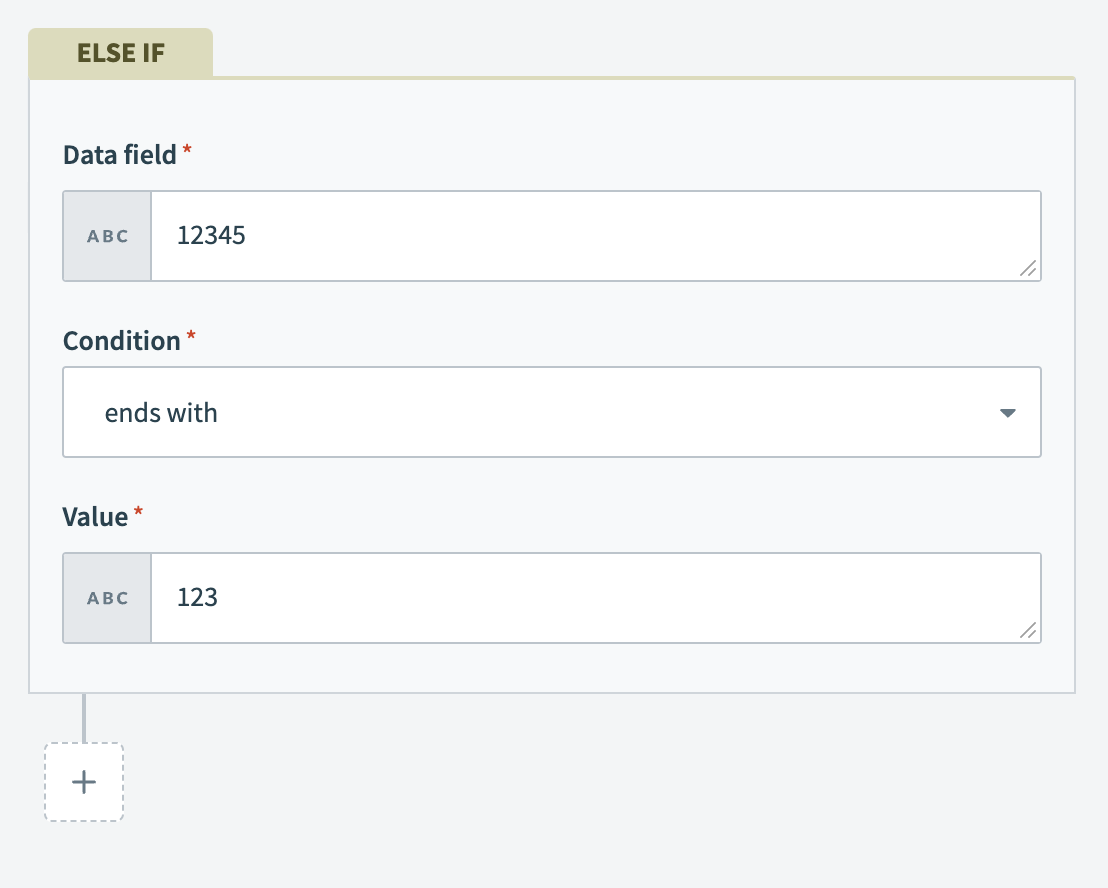 Trigger errors occur when comparing number types with the ends with condition.
In situations where the data field is a non-string datapill and the comparison value is a string, Workato automatically converts the datapill's value to a string for the comparison. The comparison evaluates to true if this converted value meets the condition.
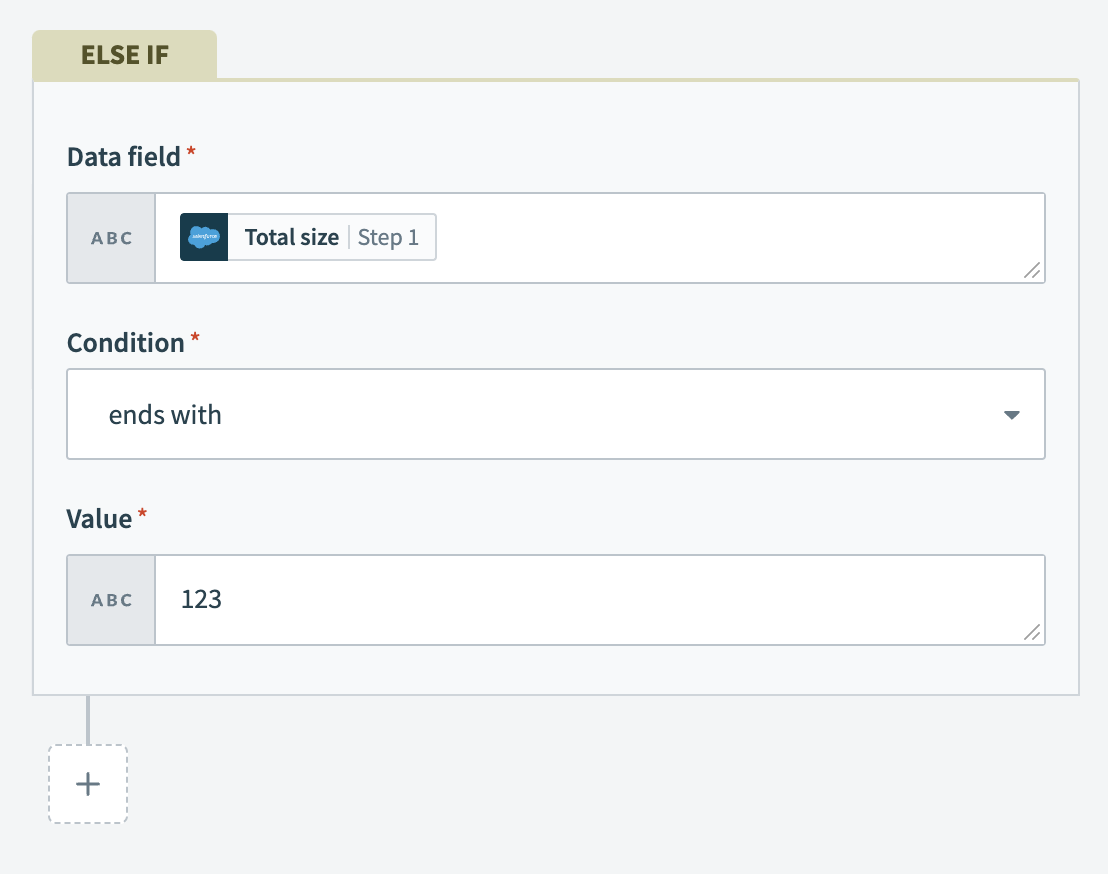 Non-string datapills are converted to a string for comparison if the value is a string.
does not contain
The doesn't contain condition allows you to define actions when specific values are absent in your data fields. This condition is the inverse of the contains condition and is case-sensitive. Verify that both the data and the value are in the same case (either lowercase or uppercase) to ensure accurate comparisons.
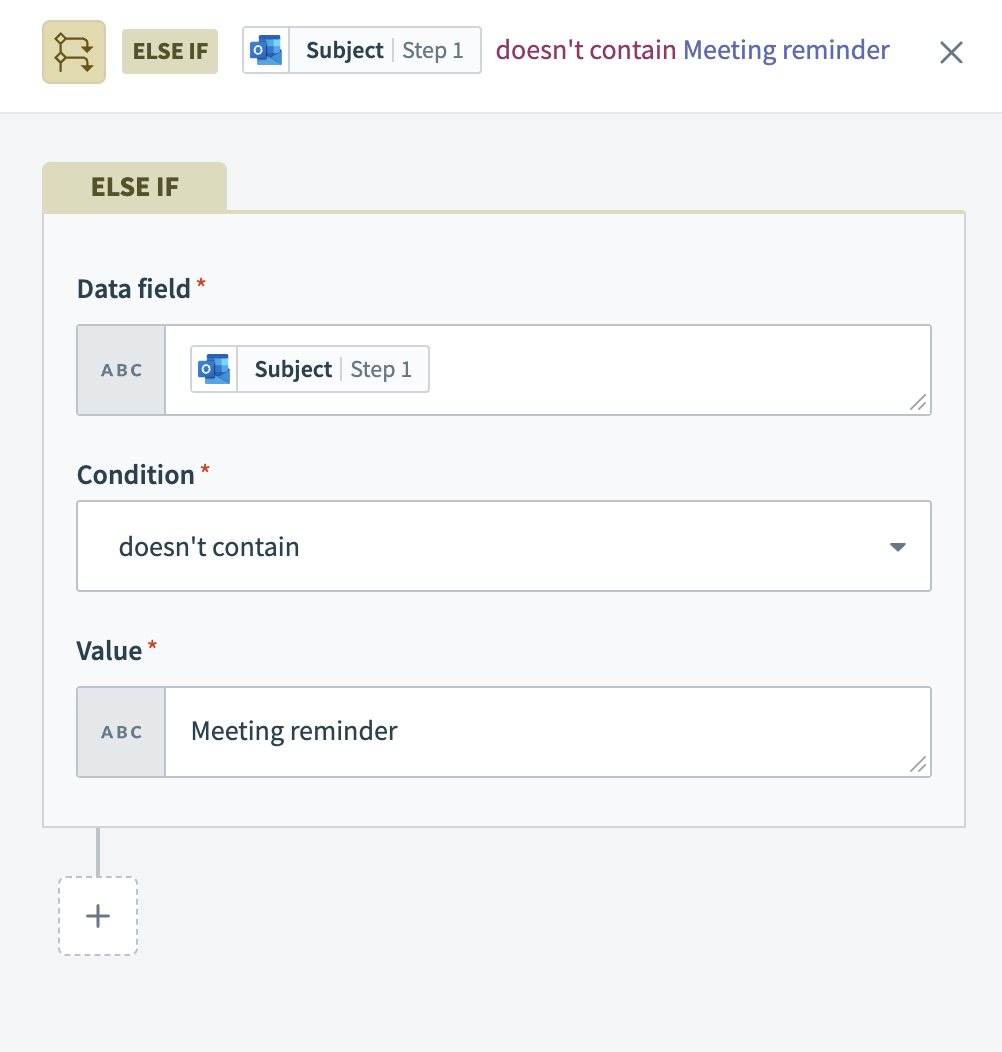 The control statement filters emails whose subjects do not contain
 Meeting reminder.
BLANK FIELDS
If the field you've specified is blank, the doesn’t contain condition does not trigger an event. You can prevent this from occurring by using a string formula with the is true or is present condition.
Compatible data types
This condition is only compatible with array and string data types.
Examples
| Data field | Condition/value | Picked up by recipe? |
|---|---|---|
UI bug | doesn't contain "bug" | No |
UI BUG | doesn't contain "bug" | Yes |
Instructions unclear | doesn't contain "bug" | Yes |
| "" | doesn't contain "bug" | Yes |
nil | doesn't contain "bug" | No |
12345 | doesn't contain 123 | No |
[1, 2, 3] | doesn't contain 1 | No |
[1, 2, 3] | doesn't contain [1, 3] | Yes |
["abc", "pqr", "xyz"] | doesn't contain "abc" | No |
["abc", "pqr", "xyz"] | doesn't contain ["abc", "pqr"] | Yes |
does not start with
The doesn't start with condition allows you to define actions when specific starting sequences are absent in your data fields. This condition is the inverse of the starts with condition and is case-sensitive. Verify that both the data and the value are in the same case (either lowercase or uppercase) to ensure accurate comparisons.
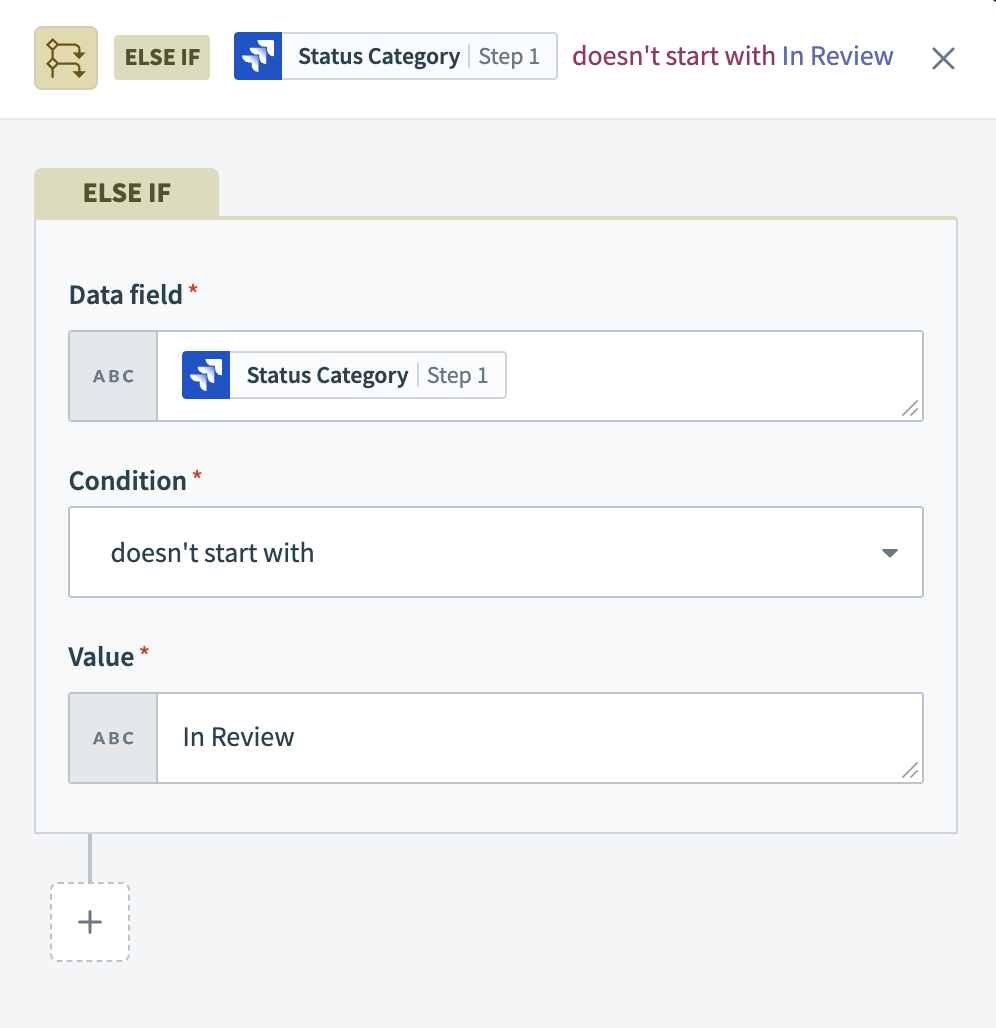 The control statement in the recipe processes Jira issues where the status category does not start with
 In Review.
BLANK FIELDS
If the field you've specified is blank, the doesn’t start with condition does not trigger an event. You can prevent this from occurring by using a string formula with the is true or is present condition.
Compatible data types
This condition is only compatible with string data types.
Examples
| Data field | Condition/value | Picked up by recipe? |
|---|---|---|
(408) 555-6928 | doesn't start with "(408)" or "(669)" | No |
408 555-6928 | doesn't start with "(408)" or "(669)" | Yes |
(650) 555-2395 | doesn't start with "(408)" or "(669)" | Yes |
| "" | doesn't start with "(408)" or "(669)" | Yes |
nil | doesn't start with "(408)" or "(669)" | No |
12345 | doesn't start with 123 | Trigger error thrown |
<kbd>numeric_type_pill</kbd> | doesn't start with 123 | Trigger error thrown |
<kbd>numeric_type_pill</kbd> | doesn't start with "123" | No #if pill = 12345 |
<kbd>numeric_type_pill</kbd> | doesn't start with "123" | Yes #if pill = 345 |
Special non-string data type cases
Avoid comparing non-string data types using the doesn't start with condition to prevent trigger errors. For example, comparing two number types directly results in an error.
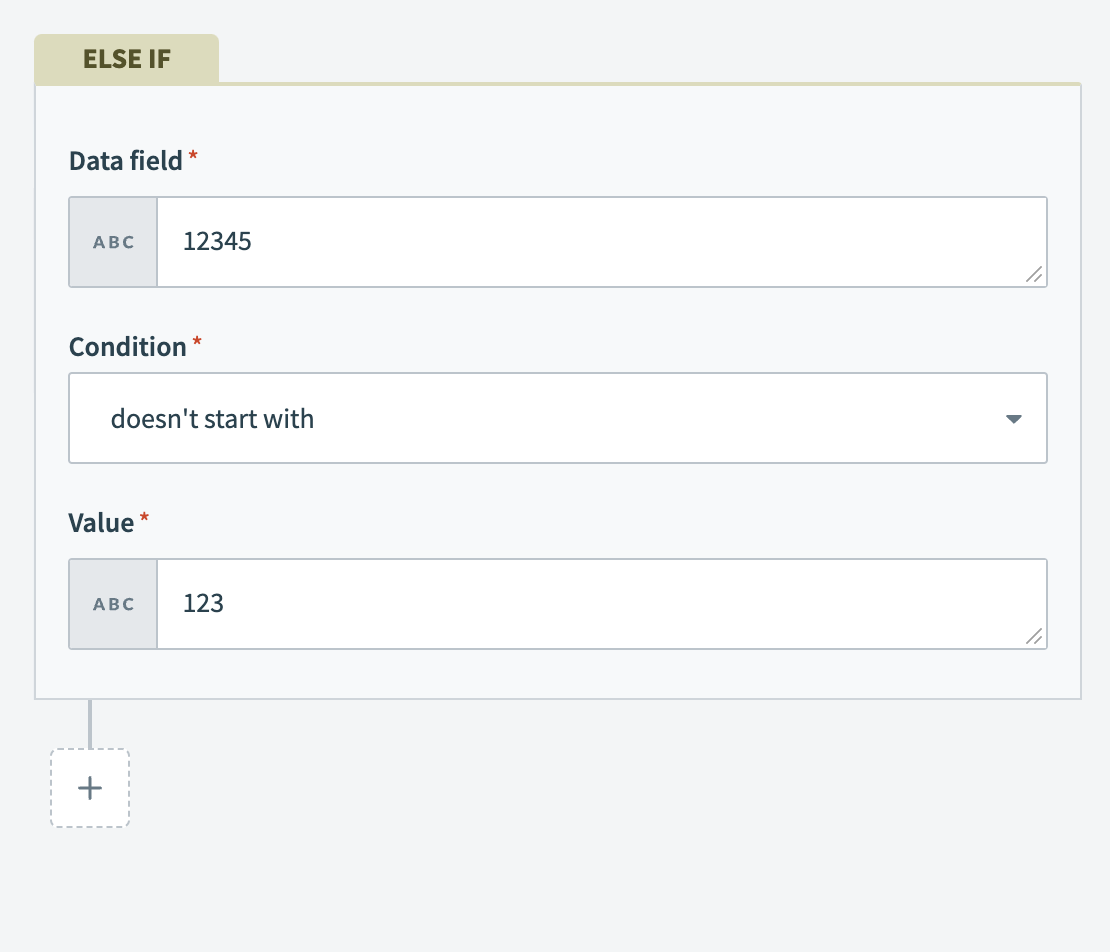 Trigger errors occur when comparing number types with the doesn't start with condition.
In situations where the data field is a non-string datapill and the comparison value is a string, Workato automatically converts the datapill's value to a string for the comparison. The comparison evaluates to true if this converted value meets the condition.
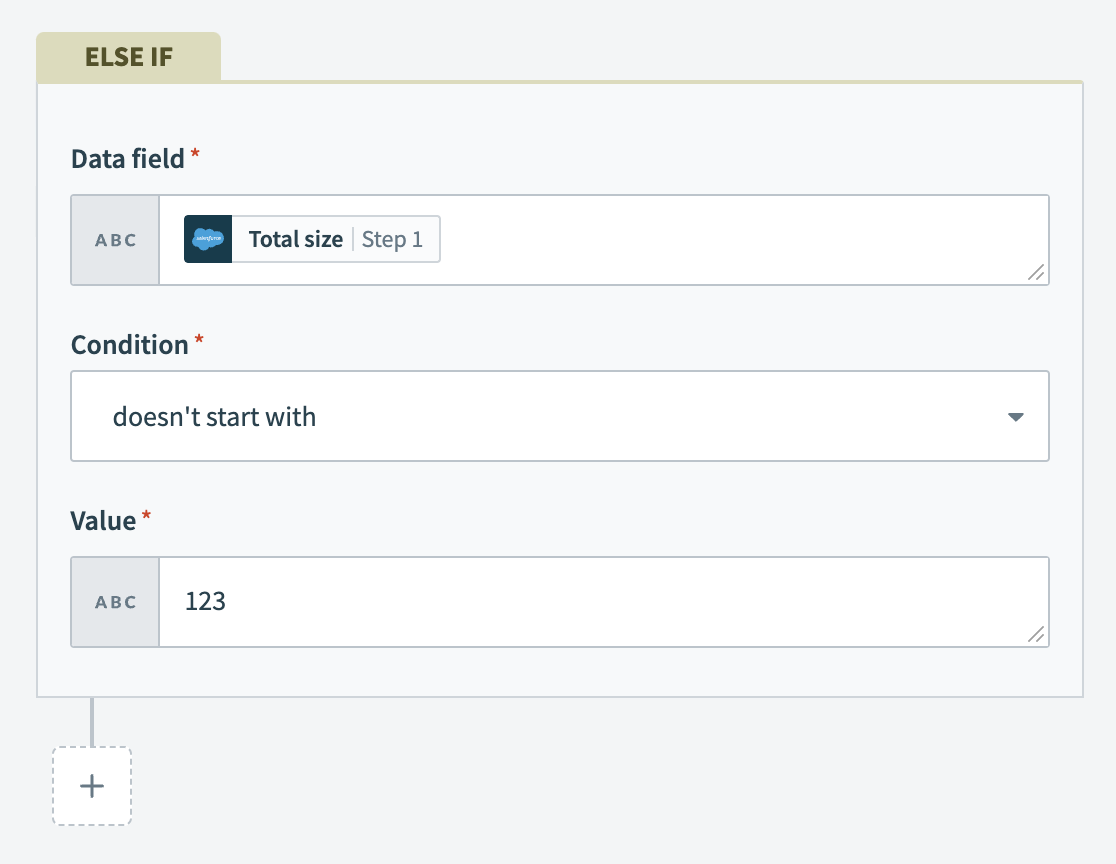 Non-string datapills are converted to a string for comparison if the value is a string.
If your trigger data is nil (or null), Workato does not pick up the trigger event, even if it technically meets the condition. For example, nil doesn't start with 345.
does not end with
The doesn't end with condition allows you to define actions for data fields that do not end with a specified value, following an initial IF condition. This is the inverse of the ends with condition and is case-sensitive. Verify that both the data and the value are in the same case (either lowercase or uppercase) to ensure accurate comparisons.
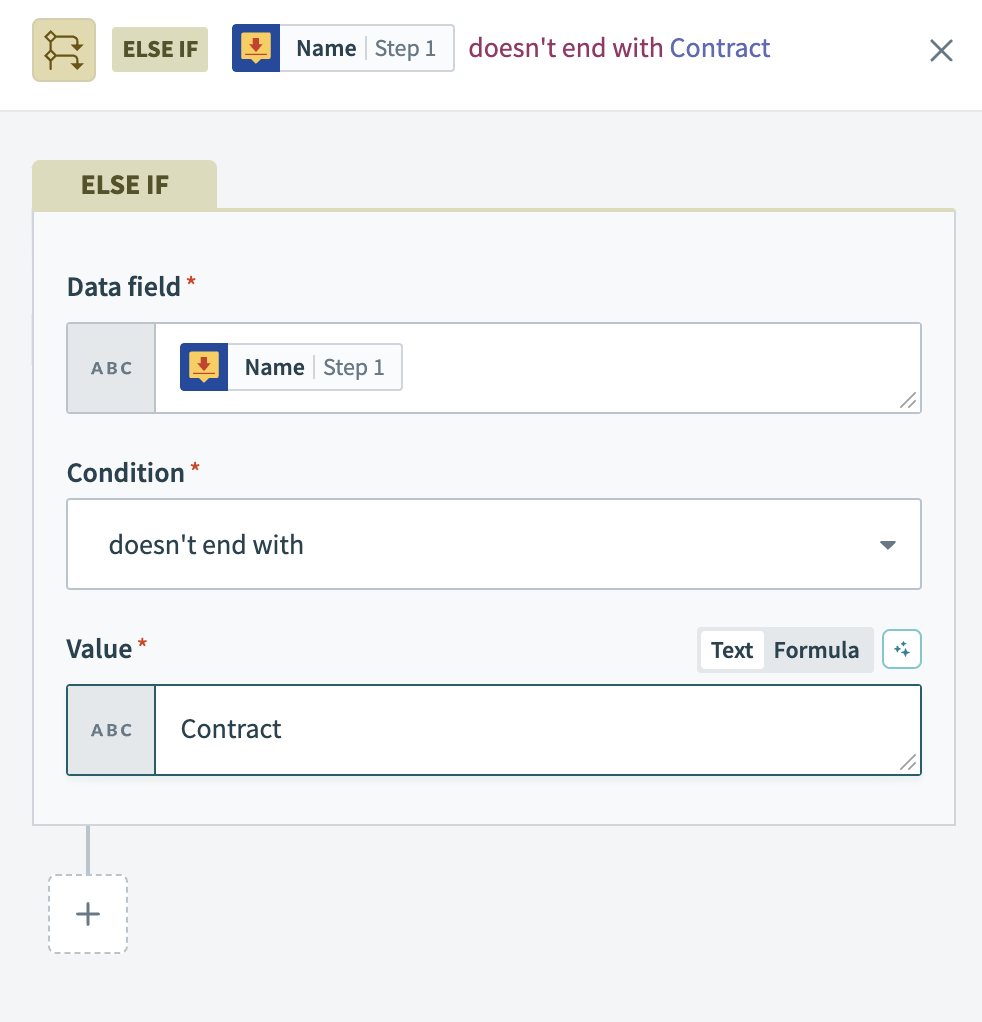 The control statement filters DocuSign documents whose titles do not end with
 Contract.
BLANK FIELDS
If the field you've specified is blank, the doesn’t end with condition does not trigger an event. You can prevent this from occurring by using a string formula with the is true or is present condition.
Compatible data types
This condition is only compatible with string data types.
Examples
| Data field | Condition/value | Picked up by recipe? |
|---|---|---|
(408) 555-6928 | doesn't ends with "6928" | No |
408 555-6928 | doesn't ends with "(6928)" | Yes |
(650) 555-2395 | doesn't ends with "6928" | Yes |
| "" | doesn't ends with "6928" | Yes |
nil | doesn't ends with "6928" | No |
12345 | doesn't ends with 345 | Trigger error thrown |
<kbd>numeric_type_pill</kbd> | doesn't ends with 345 | Trigger error thrown |
<kbd>numeric_type_pill</kbd> | doesn't ends with "345" | No #if pill =12345 |
<kbd>numeric_type_pill</kbd> | doesn't ends with "345" | Yes #if pill =123 |
Special non-string data type cases
Avoid comparing non-string data types using the doesn't end with condition to prevent trigger errors. For example, comparing two number types directly results in an error.
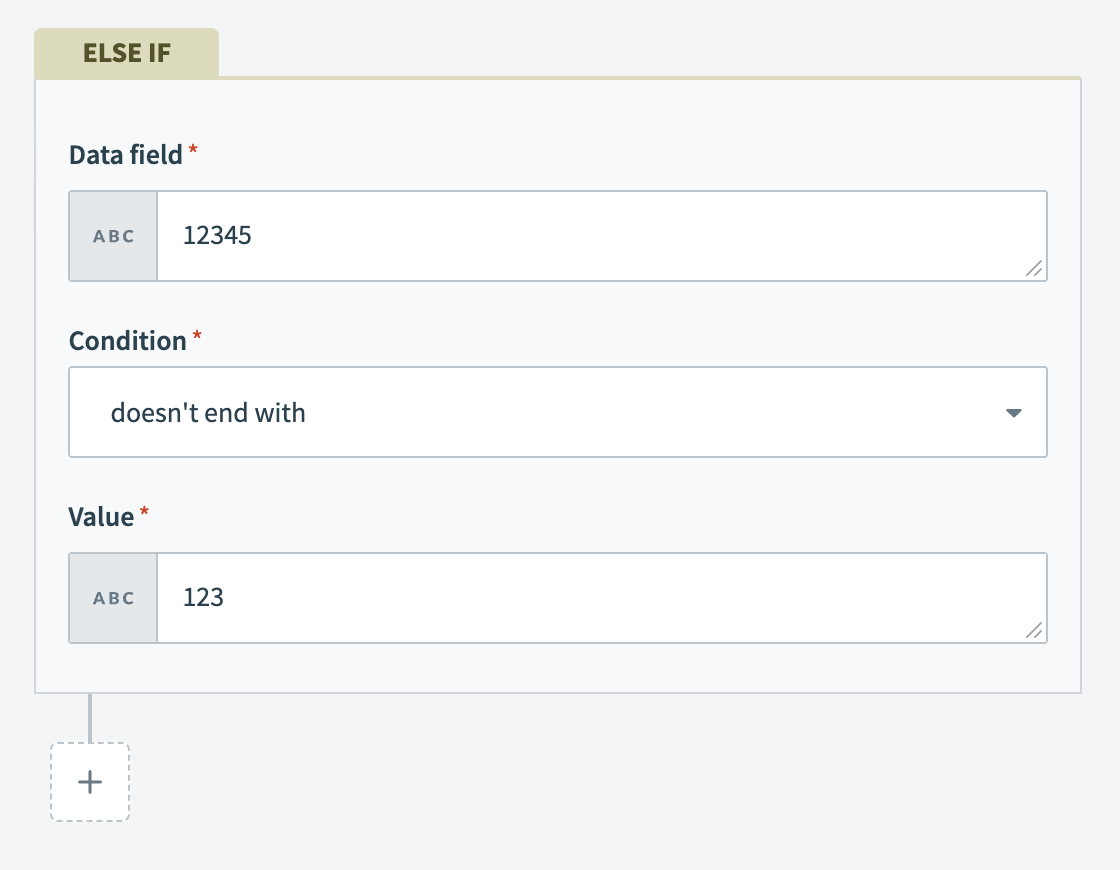 Trigger errors occur when comparing number types with the doesn't end with condition.
In situations where the data field is a non-string datapill and the comparison value is a string, Workato automatically converts the datapill's value to a string for the comparison. The comparison evaluates to true if this converted value meets the condition.
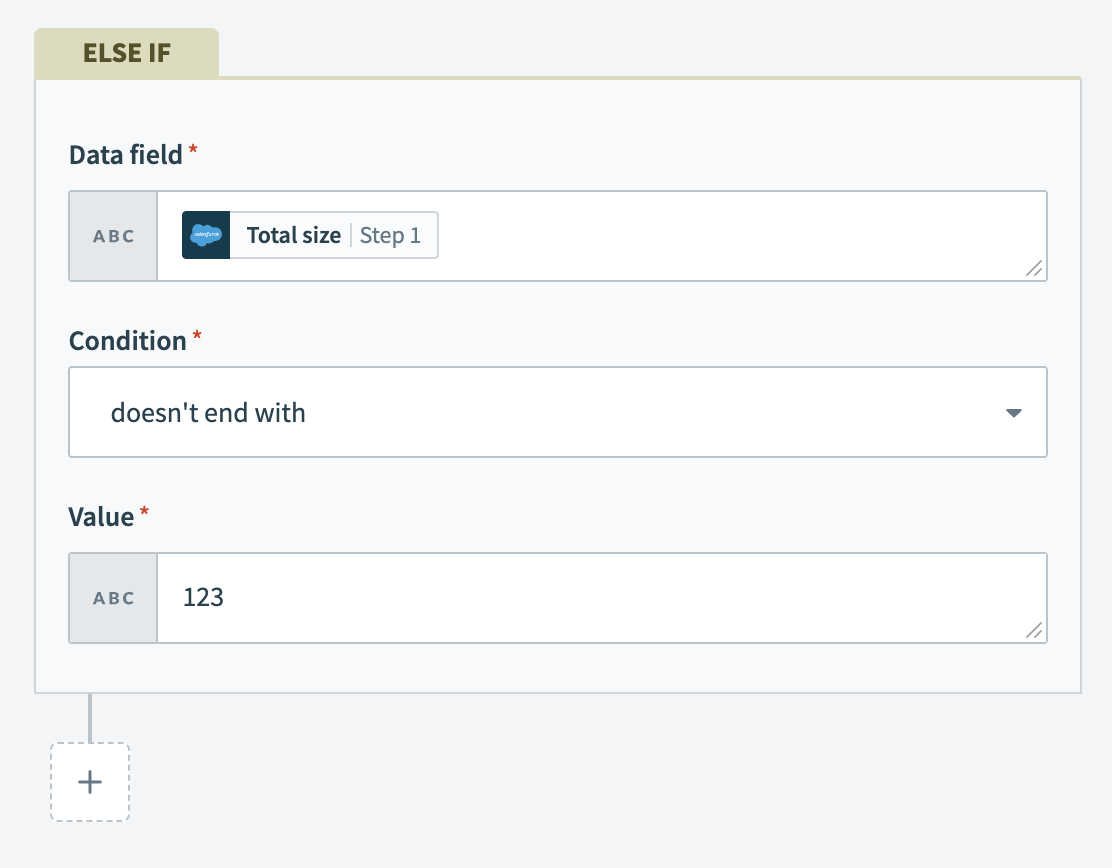 Non-string datapills are converted to a string for comparison if the value is a string.
If your trigger data is nil (or null), Workato does not pick up the trigger event, even if it technically meets the condition. For example, nil doesn't end with 345.
equals
The equals condition allows you to define actions for situations when a data field exactly matches a given value. This condition is crucial for processes that depend on exact matches. This condition is the inverse of the does not equal condition and is case-sensitive. Verify that both the data and the value are in the same case (either lowercase or uppercase) to ensure accurate comparisons.
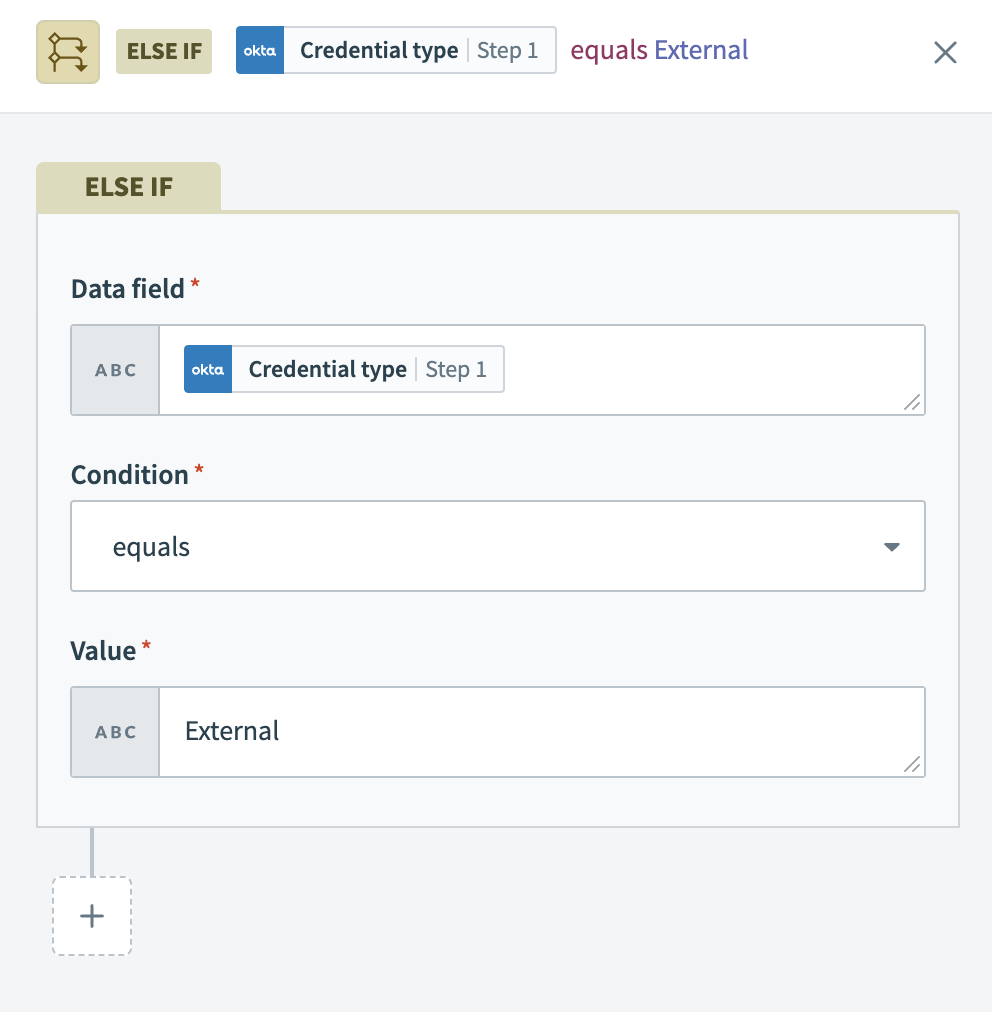 The control statement in the recipe processes new Okta events if the
 Credential type equals External..
Compatible data types
This condition is compatible with all data types, such as integers and floats, dates, and arrays.
Examples
| Data field | Condition/value | Picked up by recipe? |
|---|---|---|
Closed | equals "Closed" | Yes |
Closed | equals "closed" | No |
| "" | equals "Closed" | No |
| "" | equals null | No |
null | equals nil | Yes |
nil | equals "Closed" | No |
12345 | equals 12345 | Yes |
12345 | equals "12345" | Yes |
6 - 1 | equals 5 | Yes |
Closed.present? | equals true | Yes |
Closed".present? | equals "true" | No |
Closed".present? | equals 1 | No |
Special cases
Workato converts strings to float data types for comparisons with numeric values. When comparing a number and a string, if the string can be a float, Workato treats it as such for the comparison.
| Data field | Condition | Value | Result |
|---|---|---|---|
1234 | equals to | 1234 | Yes |
9.99 | equals to | 9.99 | Yes |
Floats have limited precision. Comparisons with strings containing more than 15 digits may not be accurate. Use formula mode for precise comparisons in these situations.
| Data field | Condition | Value | Result |
|---|---|---|---|
12345678901234567 | equals to | 12345678901234567 | No |
12345678901234568 | equals to | 12345678901234567 | Yes |
String to numeric coercion also recognizes base-8 notation which converts a 0123 to 83.
| Data field | Condition | Value | Result |
|---|---|---|---|
83 | equals to | 0123 | Yes |
This logic also applies to does not equal, greater than, and less than operations.
does not equal
The does not equal condition allows you to define actions for cases when a data field does not exactly match a specified value. This condition is crucial for identifying discrepancies or variations in data. This condition is the inverse of the equals condition and is case-sensitive. Verify that both the data and the value are in the same case (either lowercase or uppercase) to ensure accurate comparisons.
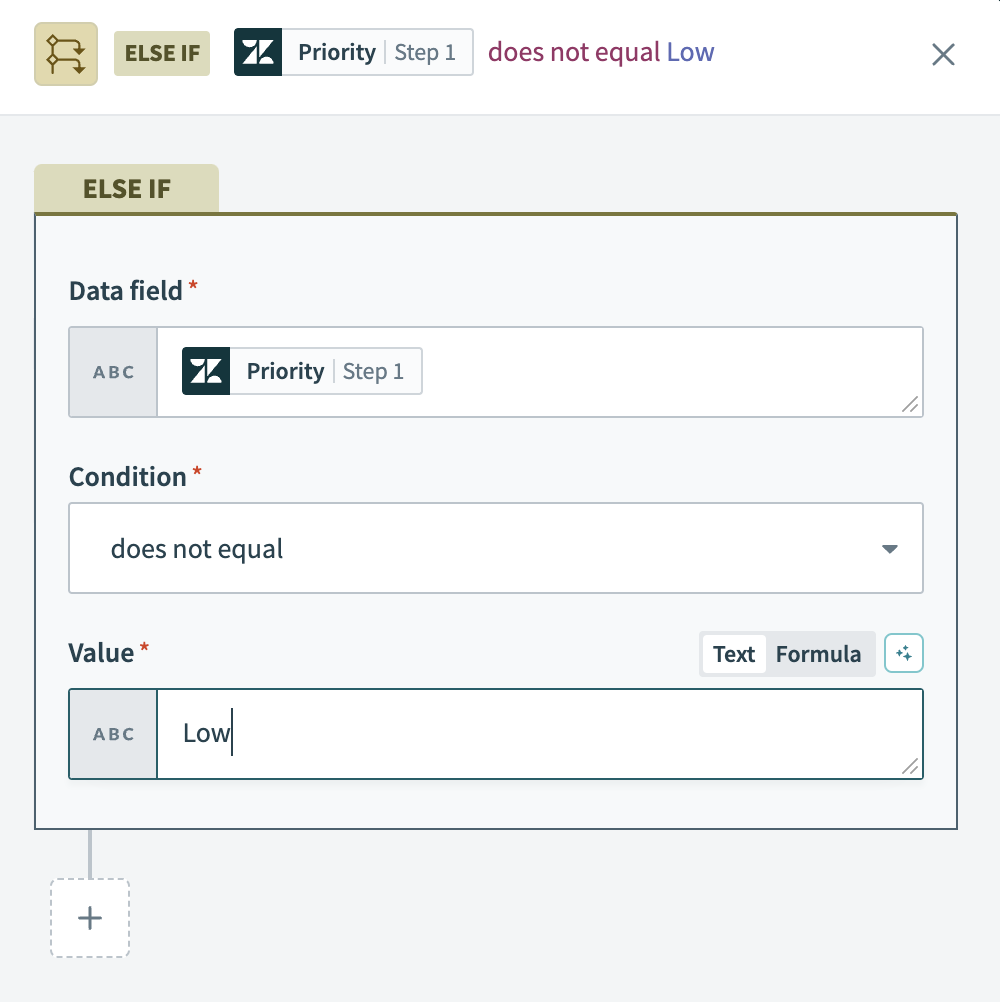 The control statement in the recipe processes new Zendesk tickets only when their
 Priority does not equal Low. This approach focuses on tickets with higher priority levels for immediate action.
Compatible data types
This condition is compatible with all data types, such as integers and floats, dates, and arrays.
Examples
| Data field | Condition/value | Picked up by recipe? |
|---|---|---|
Closed | does not equal "Closed" | No |
Closed | does not equal "closed" | Yes |
| "" | does not equal "Closed" | Yes |
| "" | does not equal null | Yes |
null | does not equal nil | No |
nil | does not equal "Closed" | Yes |
12345 | does not equal 12345 | No |
12345 | does not equal "12345" | No |
6 - 1 | does not equal 5 | No |
Closed.present? | does not equal true | No |
Closed".present? | does not equal "true" | Yes |
Closed".present? | does not equal 1 | Yes |
greater than
The greater than condition allows you to define actions for when a data field's value exceeds a specified number or date. This is particularly effective for prioritizing tasks or records based on numerical or date criteria. This condition is the inverse of the less than condition.
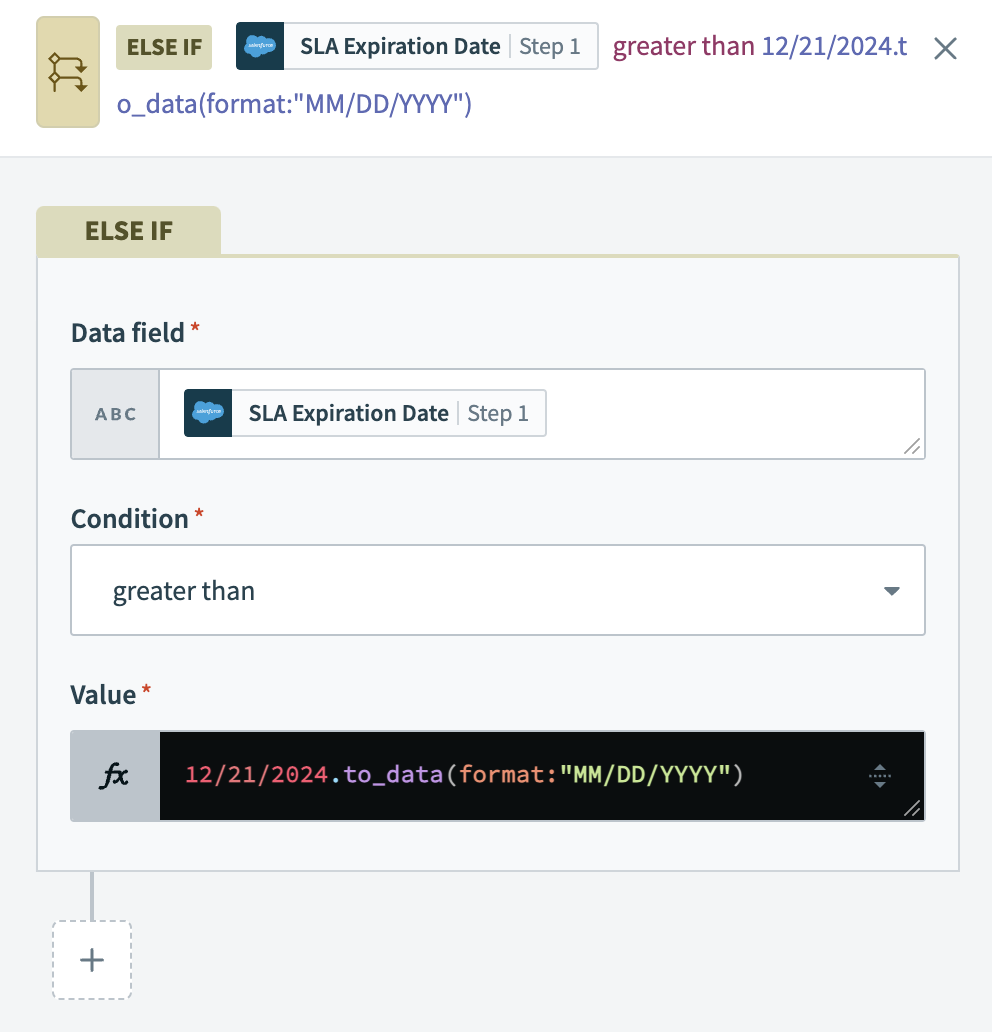 The control statement in the recipe processes new Salesforce accounts only if their
 SLA Expiration Date is greater than 12/21/2024. This approach ensures prioritization of accounts based on the urgency of their service agreements.
If value is set to a number and the data field is null, the recipe raises an error as a number cannot be compared with null. To address this, use an is present condition along with the greater than condition for reliable results.
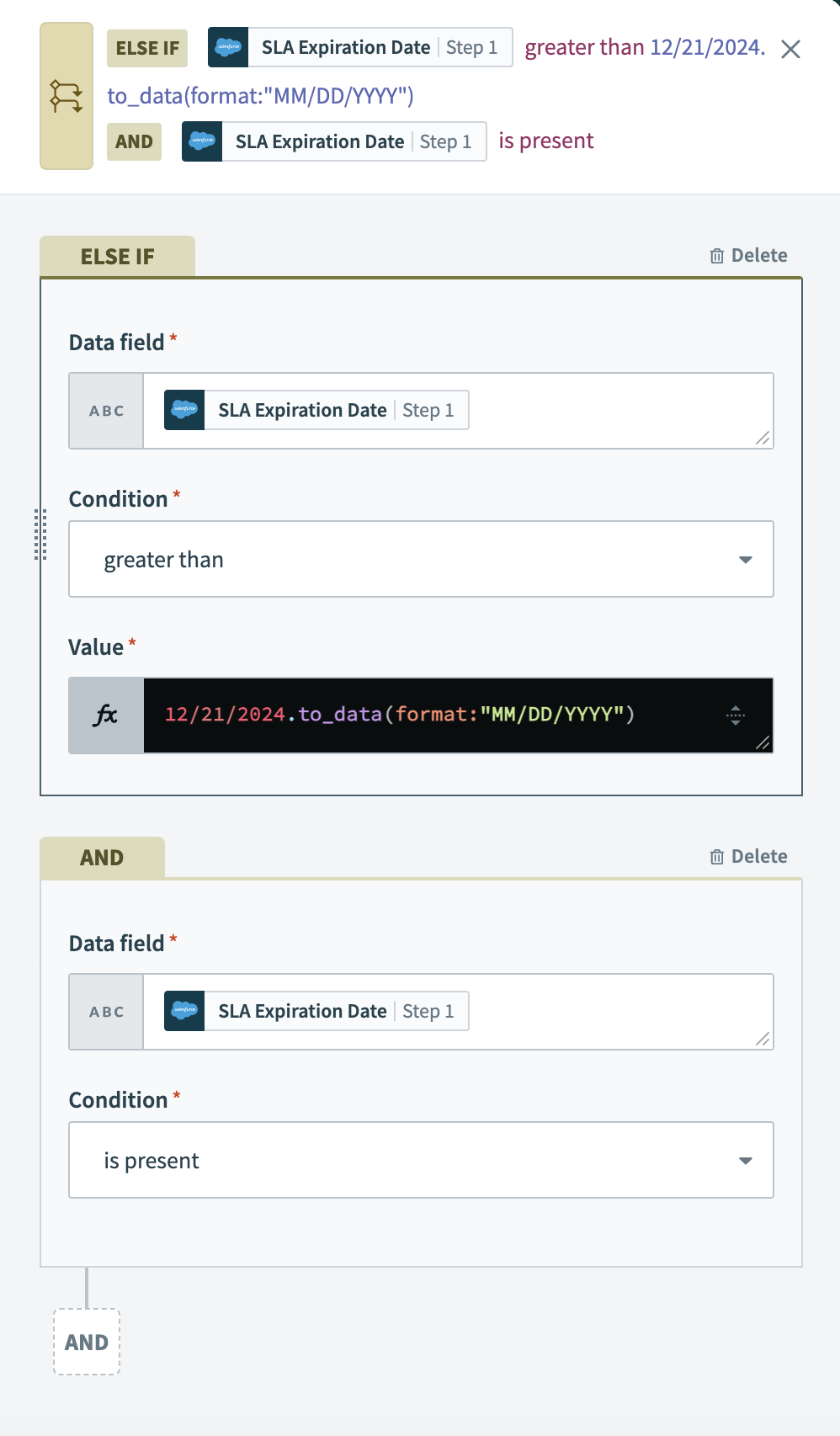 In addition to the ELSE IF condition, adding an is present condition ensures the recipe processes new Salesforce opportunities with an existing (non-null) SLA expiration field that is set to expire after
 12/21/2024.
Compatible data types
This condition is compatible with string, integer, and number data types.
Examples
| Data field | Condition/value | Picked up by recipe? |
|---|---|---|
2017-06-31T12:00:00.252805-07:00 | greater than "2017-12-31T12:00:00.252805-07:00" | No |
2017-06-30T12:00:00.252805-07:00 | greater than "2017-01-31T12:00:00.252805-07:00" | Yes |
2017-06-31 | greater than "2017-12-31" | No |
2017-06-31 | greater than "2017-01-31" | Yes |
5 | greater than 10 | No |
5 | greater than 1 | Yes |
1.5 | greater than 10.5 | No |
1.5 | greater than 1.23 | Yes |
abc | greater than "abcde" | No #ASCII value comparison |
abc | greater than "a" | Yes #ASCII value comparison |
nil | greater than "2017-01-31T22:00:00.252805-07:00" | Trigger error thrown |
2017-06-31 | greater than nil | Trigger error thrown |
nil | greater than 10 | Trigger error thrown |
1.5 | greater than nil | Trigger error thrown |
abc | greater than nil | Trigger error thrown |
less than
The less than condition allows you to define actions for when a data field's value is lower than a specified threshold, following an initial IF condition. This is essential for scenarios where ranking or filtering is based on lower numerical or date values. This condition is the inverse of the greater than condition.
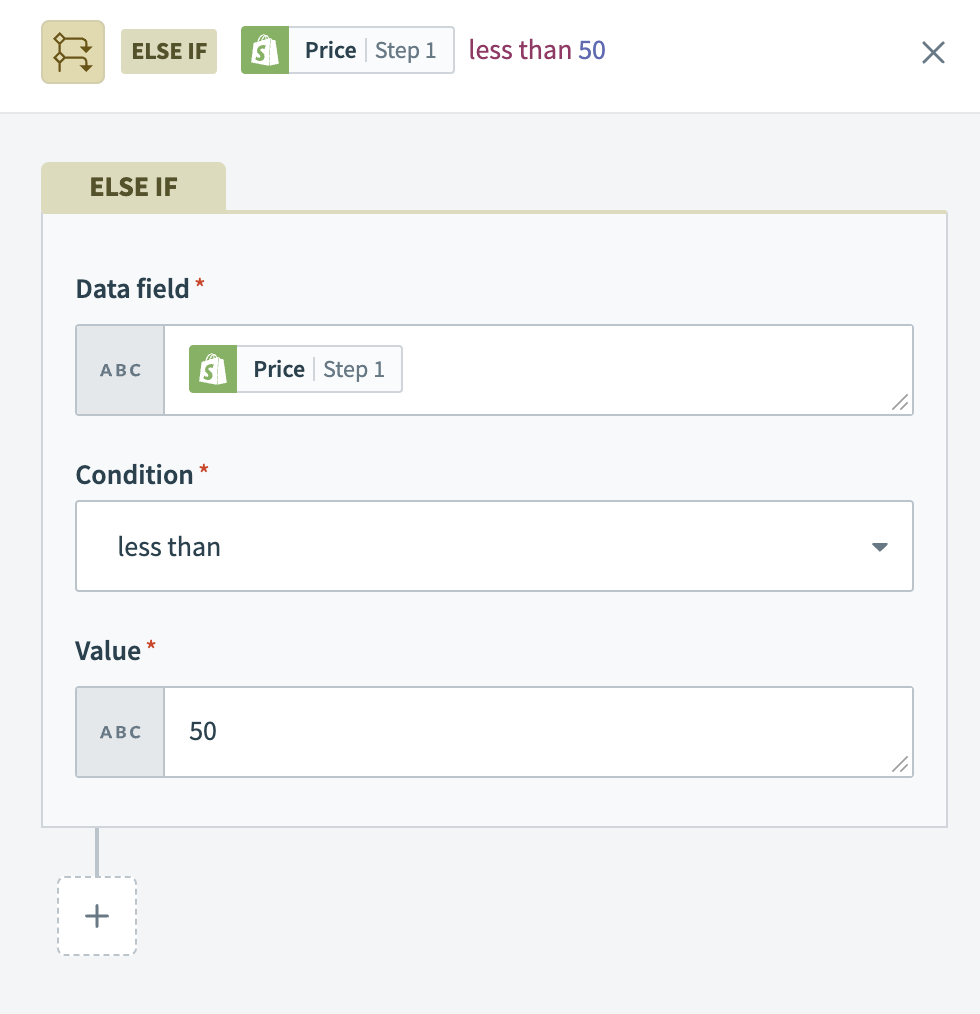 The control statement is applied to new Shopify product variants, processing only those whose variant
 Price is less than 50.
If the value is a number and the data field is null, the recipe throws an error, as you cannot compare a number with null. To resolve this, combine an is present condition with the less than condition.
Compatible data types
This condition is compatible with string, integer, and number data types.
Examples
| Data field | Condition/value | Picked up by recipe? |
|---|---|---|
2017-06-31T12:00:00.252805-07:00 | less than "2017-12-31T12:00:00.252805-07:00" | Yes |
2017-06-30T12:00:00.252805-07:00 | less than "2017-01-31T12:00:00.252805-07:00" | No |
2017-06-31 | less than "2017-12-31" | Yes |
2017-06-31 | less than "2017-01-31" | No |
5 | less than 10 | Yes |
5 | less than 1 | No |
1.5 | less than 10.5 | Yes |
1.5 | less than 1.23 | No |
abc | less than "abcde" | Yes #ASCII value comparison |
abc | less than "a" | No #ASCII value comparison |
nil | less than "2017-01-31T22:00:00.252805-07:00" | Trigger error thrown |
2017-06-31 | less than nil | Trigger error thrown |
nil | less than 10 | Trigger error thrown |
1.5 | less than nil | Trigger error thrown |
abc | less than nil | Trigger error thrown |
is true
The is true condition allows you to define actions for cases when a boolean data field is true, or when a formula evaluates to true. This condition is crucial for making decisions based on binary data or specific formula outcomes. This condition is the inverse of the is not true condition.
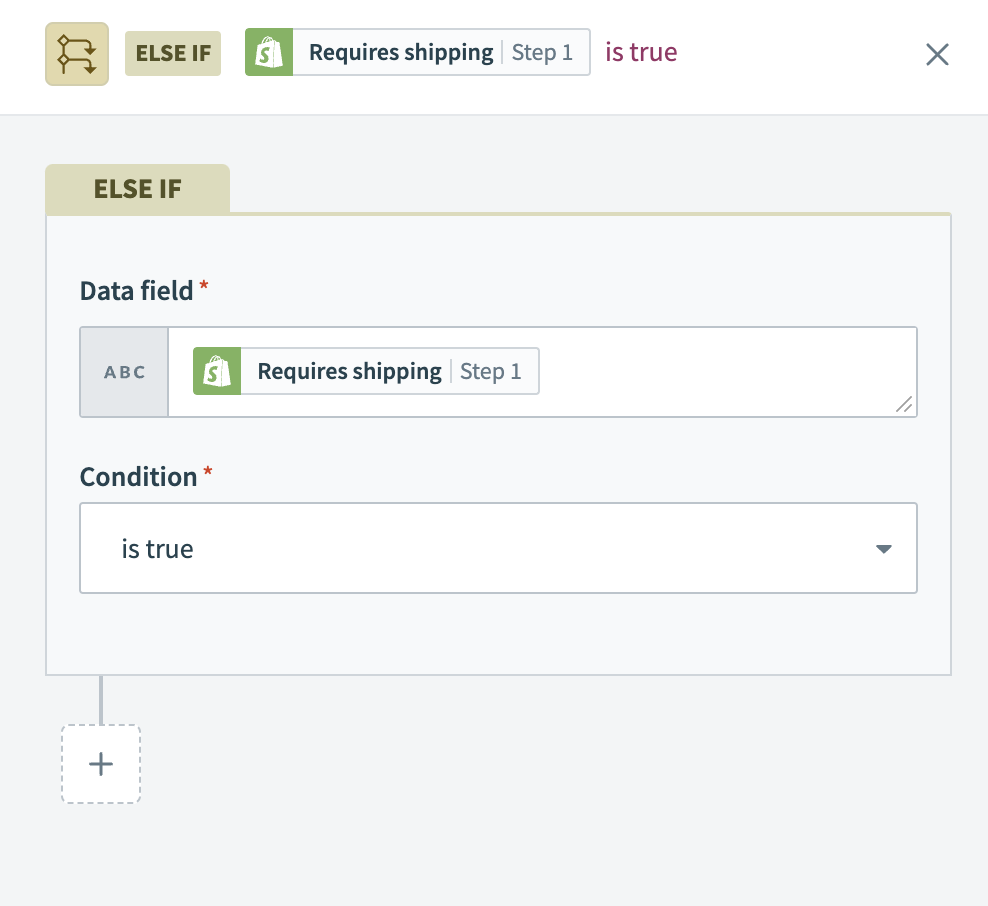 The control statement processes new Shopify product variants only if the variant's
 Requires shipping field is marked as true.
Additionally, you can use the is true condition to assess formulas. For example, you can convert string type datapills through string formulas into conditions that evaluate to a boolean.
Compatible data types
This condition is only compatible with boolean data types. You can use this condition to check against a boolean datapill, or check against a formula that evaluates to true or false.
Examples
| Data field | Condition/value | Picked up by recipe? |
|---|---|---|
<kbd>pill</kbd>.present? | is true | No #if pill has a nil or null value or is an empty string "" |
<kbd>pill</kbd>.present? | is true | Yes #if pill has a value |
Advanced Solutions".include?("Solutions") | is true | Yes |
Advanced Solutions".include?("solutions") | is true | No |
is not true
The is not true condition allows you to define actions for when a boolean data field is not true or when a formula evaluation results to false. This is the inverse of the is true condition and is crucial for workflows that depend on negative or false evaluations.
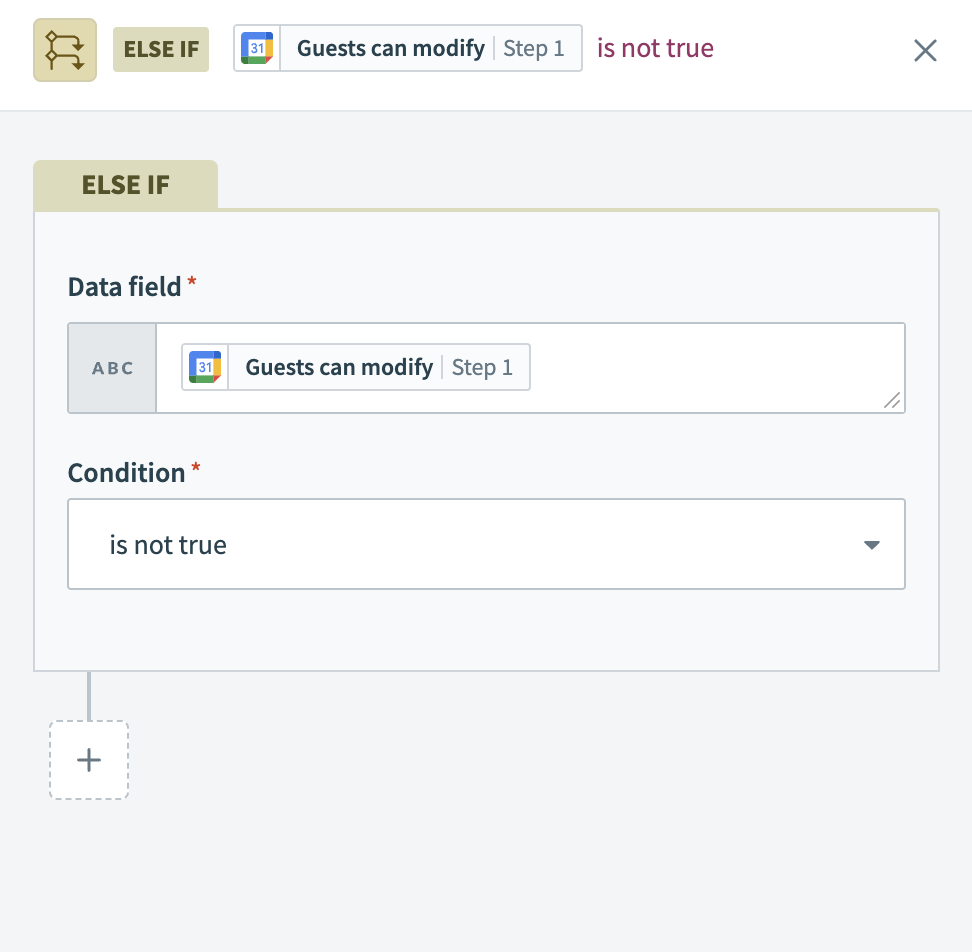 The control statement processes new Google Calendar events only when the
 Guests can modify option is not set to true. This ensures the recipe selectively targets events where guests have restricted modification rights.
Additionally, you can use the is not true condition to verify if a formula in the trigger data input field results in false. For example, you can convert string type datapills into boolean conditions using string formulas, allowing for precise evaluations.
Compatible data types
This condition is only compatible with boolean data types. You can use this condition to check against a boolean datapill, or check against a formula that evaluates to true or false.
Examples
| Data field | Condition/value | Picked up by recipe? |
|---|---|---|
<kbd>pill</kbd>.present? | is not true | No #if pill has a nil or null value or is an empty string "" |
<kbd>pill</kbd>.present? | is not true | No #if pill has a value |
Advanced Solutions".include?("Solutions") | is not true | No |
Advanced Solutions".include?("solutions") | is not true | Yes |
is present
The is present condition allows you to define actions based on the presence of data in a specific field. This condition is crucial for workflows that respond to the presence of data rather than its value. If the data field is null or an empty string, the condition does not trigger. This condition is the inverse of the is not present condition.
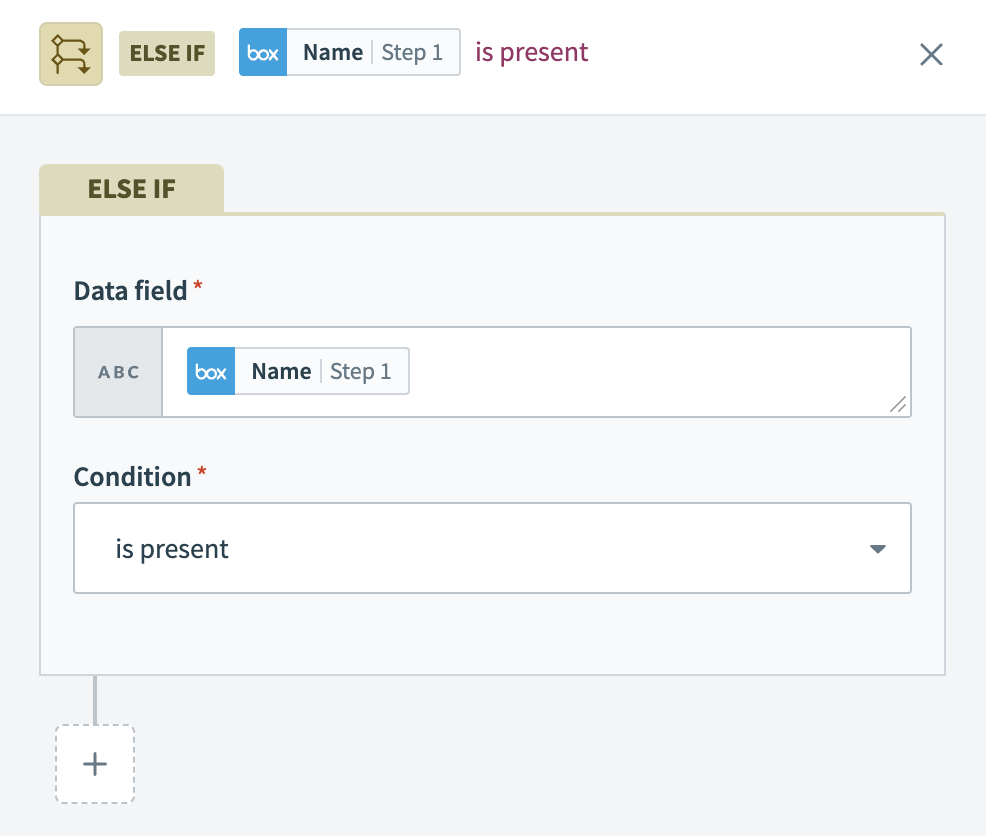 The control statement processes new Box files only when a file
 Name is present. This is particularly useful for ensuring that only files with names are considered for further actions in the recipe.
Compatible data types
This condition is compatible with all data types, such as integers and floats, dates, and arrays.
Examples
| Data field | Condition/value | Picked up by recipe? |
|---|---|---|
Advanced Solutions | is present | Yes |
12345 | is present | Yes |
| "" | is present | No |
nil | is present | No |
is not present
The is not present condition allows you to define actions for when a data field is empty or null. This condition is essential for workflows that rely on the absence of data to trigger specific actions. The condition does not activate if there is data present in the field. This condition is the inverse of the is present.
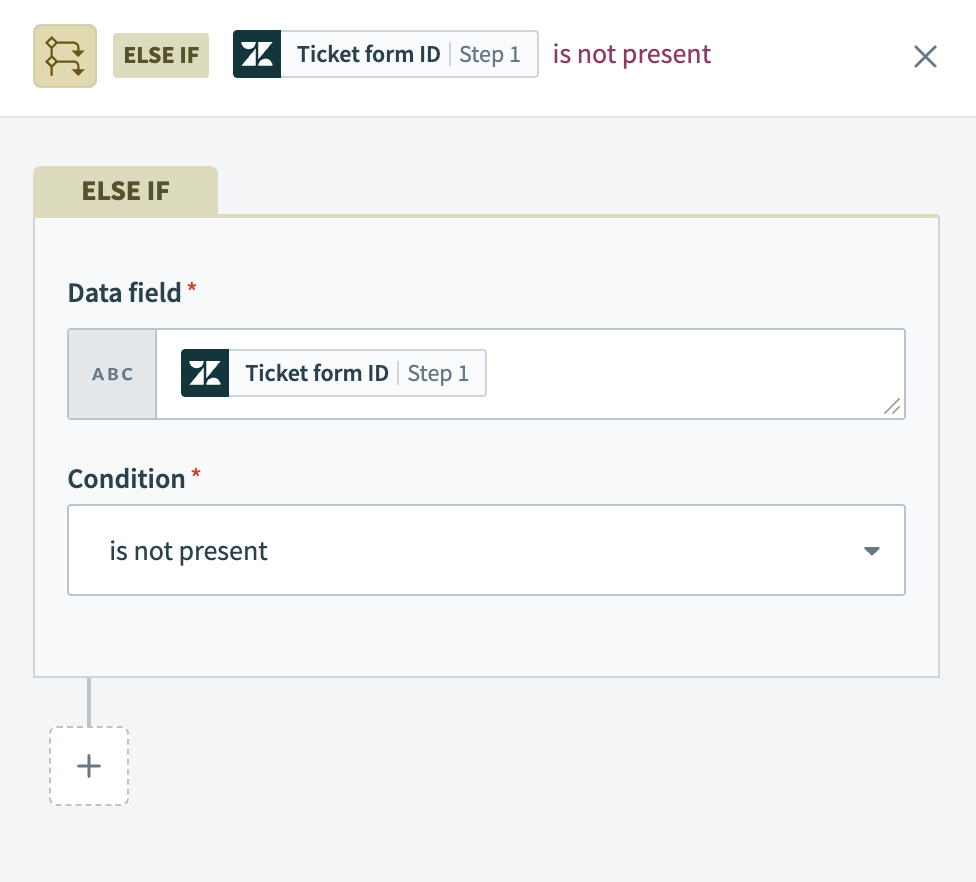 The control statement processes new Zendesk tickets only if no
 Ticket form ID is assigned to them.
Compatible data types
This condition is compatible with all data types, such as integers and floats, dates, and arrays.
Examples
| Data field | Condition/value | Picked up by recipe? |
|---|---|---|
Advanced Solutions | is not present | No |
12345 | is not present | No |
| "" | is not present | Yes |
nil | is not present | Yes |
Last updated: