Workato FileStorage - Get file contents action
This action returns the contents of a file stored in Workato FileStorage. Like the Create file and Append file actions, you can pair this action with streaming or non-streaming upload and bulk actions.
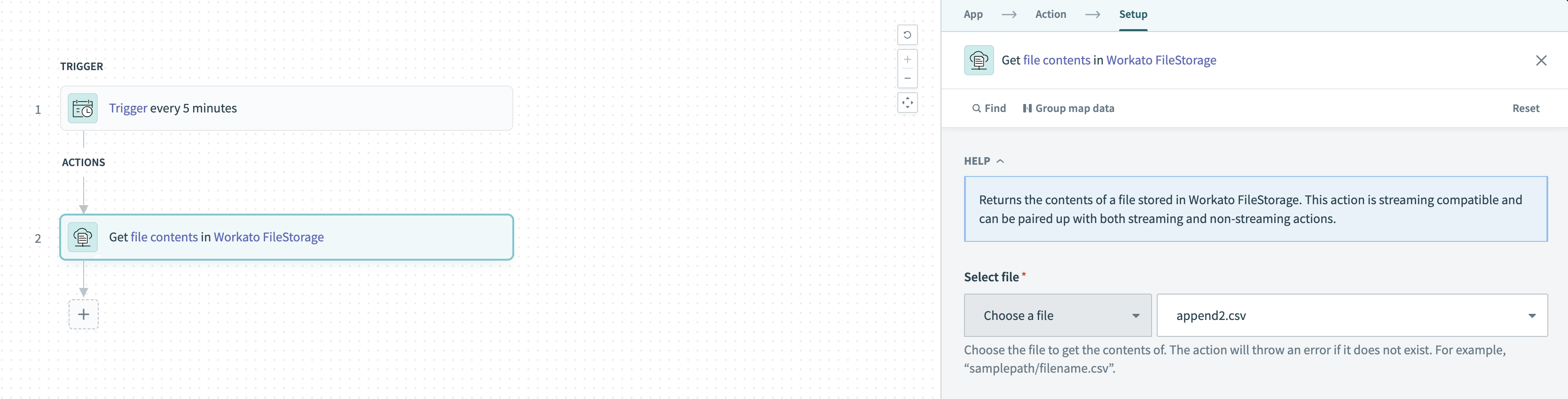 Get contents of file in FileStorage action
FILE AND DIRECTORY ACCESS
Currently, all users in a workspace can access all FileStorage files and directories in the workspace when they use the FileStorage connector. Workato does not restrict access based on role unless the files are accessed from the FileStorage UI.
Input
| Field | Description |
|---|---|
| Enter file path/Select file | Choose a file or enter the full path of the file whose contents you plan to fetch (for example: samplepath/filename.csv). If the file does not exist at the provided path, Workato returns an error. |
Output
| Field | Description |
|---|---|
| File name | The name of the stored file. |
| File path | Complete path of the stored file. |
| File contents | Reference to the contents of the file that can be passed to downstream actions for processing and storing. |
| File size (bytes) | The size of the file in bytes. |
| File creation time | The timestamp when the file was created. |
| Last modified time | The timestamp when the file was last modified. |
Last updated: