Getting started
This section provides essential resources and guidance for getting started with the Workato platform. Browse documentation on this site or search docs directly within the platform using AssistIQ, complete hands-on training through Workato Academy, and explore additional resources to build your integrations.
Workato basics
WORKATO ACADEMY
Explore Workato Academy to gain hands-on experience with the Workato platform. Complete the Workato Foundations courses to learn how to use Workato effectively in your workflows. Get started.
AssistIQ
AssistIQ in the Workato UI contains useful links and other resources, including:
- Documentation: Search the docs site and view results within AssistIQ. You can un-dock the window, move it, and resize it.
- Recommended for you: Learn about recent releases and read articles recommended for you based on your usage of Workato.
- More ways to learn: Register for an upcoming event with one click.
- Resources: Access the Workato Academy, Product Hour, and more.
- Featured: View newsletters, product news, and other important announcements.
- Share an idea: Submit feedback and feature requests and upvote suggestions from other Workato users.
- Chat with us: Start a live chat with Workato's customer support team.
FEATURE AVAILABILITY
ACCESS ASSISTIQ
Hover over the AssistIQ icon in the bottom-right corner of the Workato UI to display the entire button.
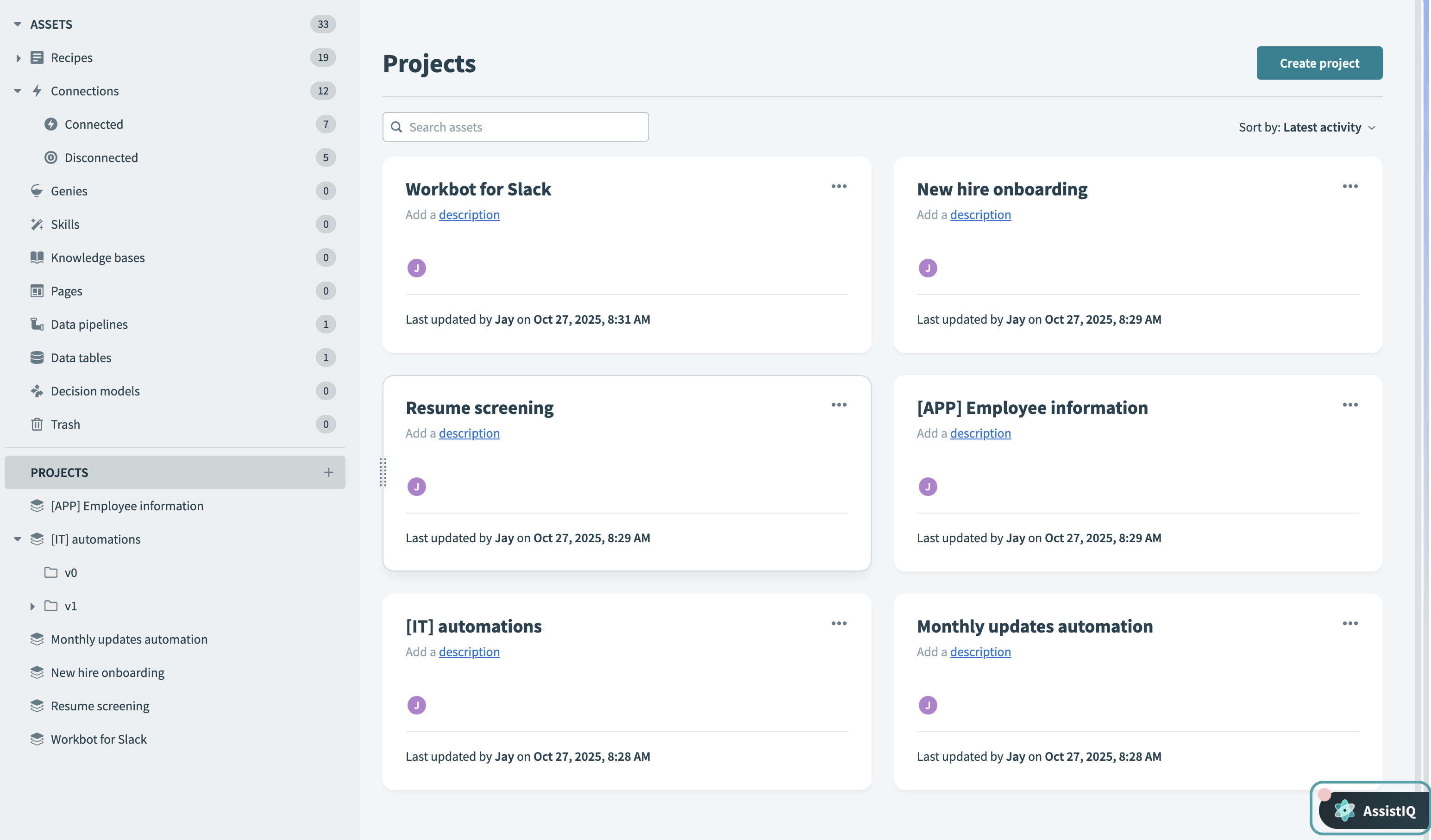 AssistIQ button
Select the button to open AssistIQ.
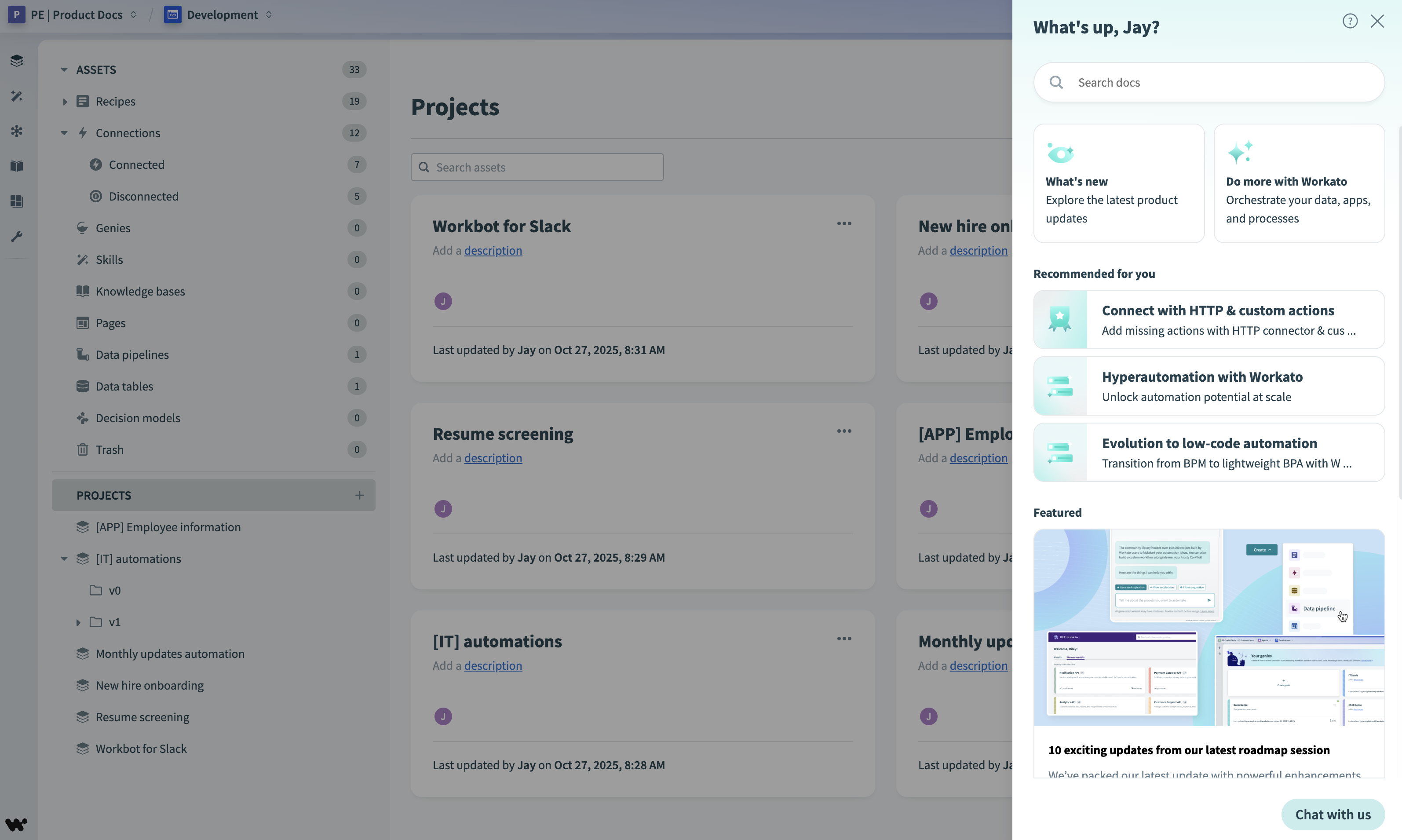 AssistIQ content
Optional: Enter a search query in the Search docs field. You can un-dock, move, and resize the results window.
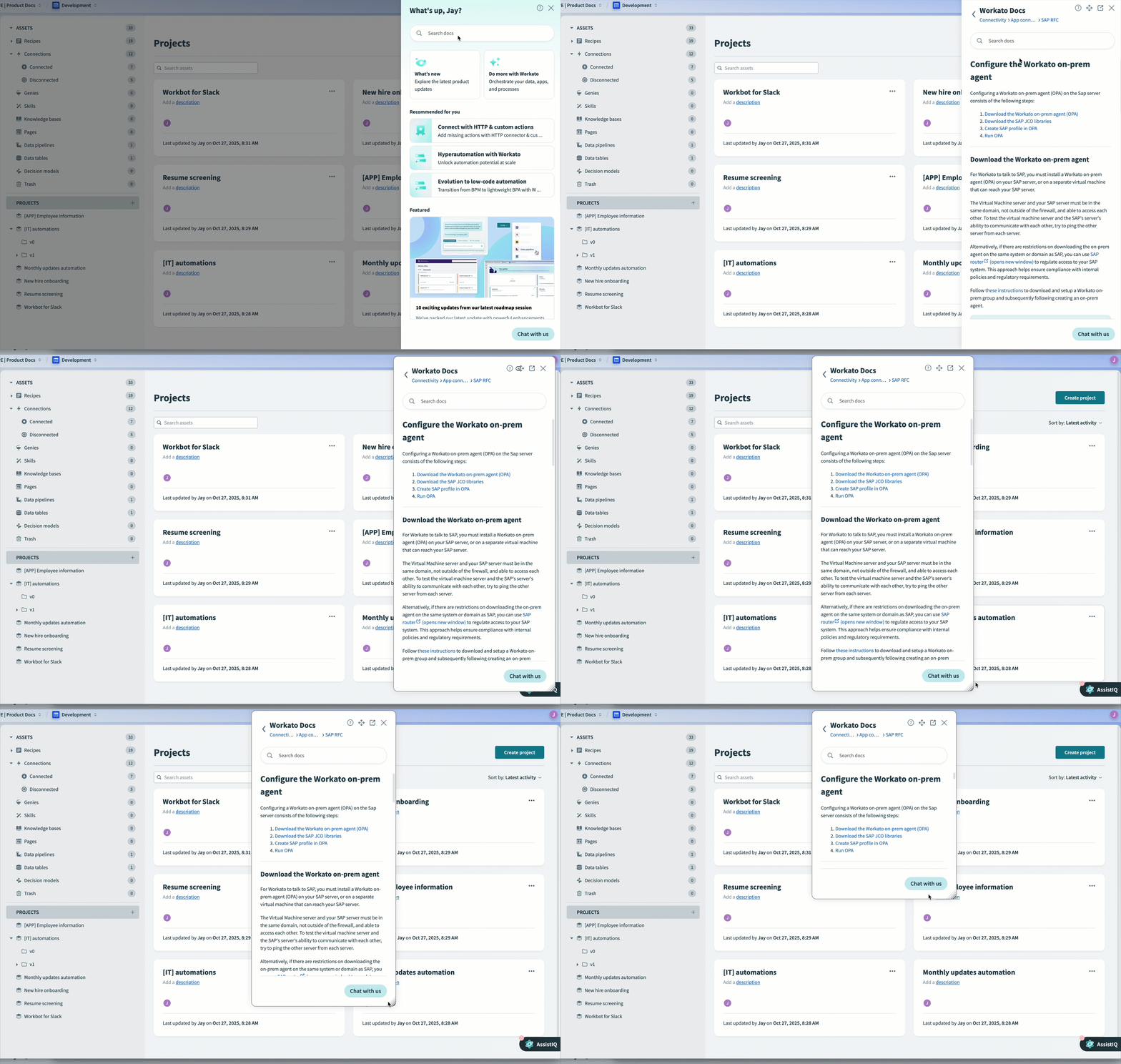 Un-dock, move, and resize the docs in AssistIQ
Last updated: