View Test case
This article contains useful information about viewing and understanding a test case.
To view a test case, select a recipe and navigate to Test cases.
Mock badge
Workato applies a Mocked badge to every step you mock in your test case.
 Mock badge
Check badge
Workato applies a {N} checks badge to every step in your test case that has checks, where {N} is a variable equal to the number of checks applied to the step.
 Check badge
Mock and check badges
Workato applies a Mocked | {N} checks badge to steps in your test case that are mocked and have checks.
 Check and mock badges
View step input config
You can view the step input config for each step in your test case.
1
To view the config, select a step.
2
Select the Input tab from the right panel.
3
View/modify the fields that appear.
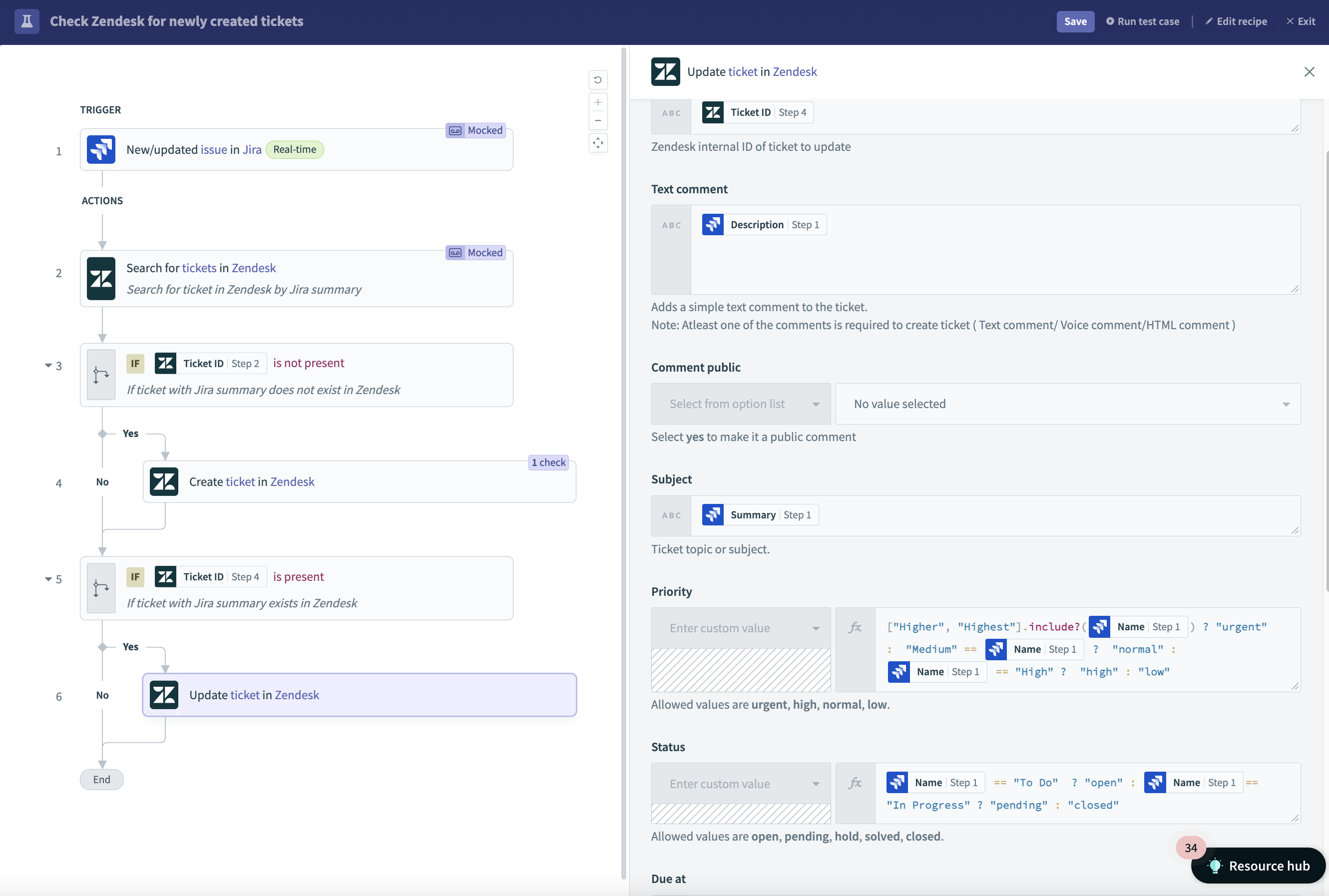 View step input
FURTHER READING
- Learn how to Run a test case.
Last updated: