SFTP - New/updated file in directory trigger
This trigger is activated when a file is created or updated in the specified directory. The trigger watches the first-level directory only.
You can use the Download file action to fetch the contents of the new or updated file.
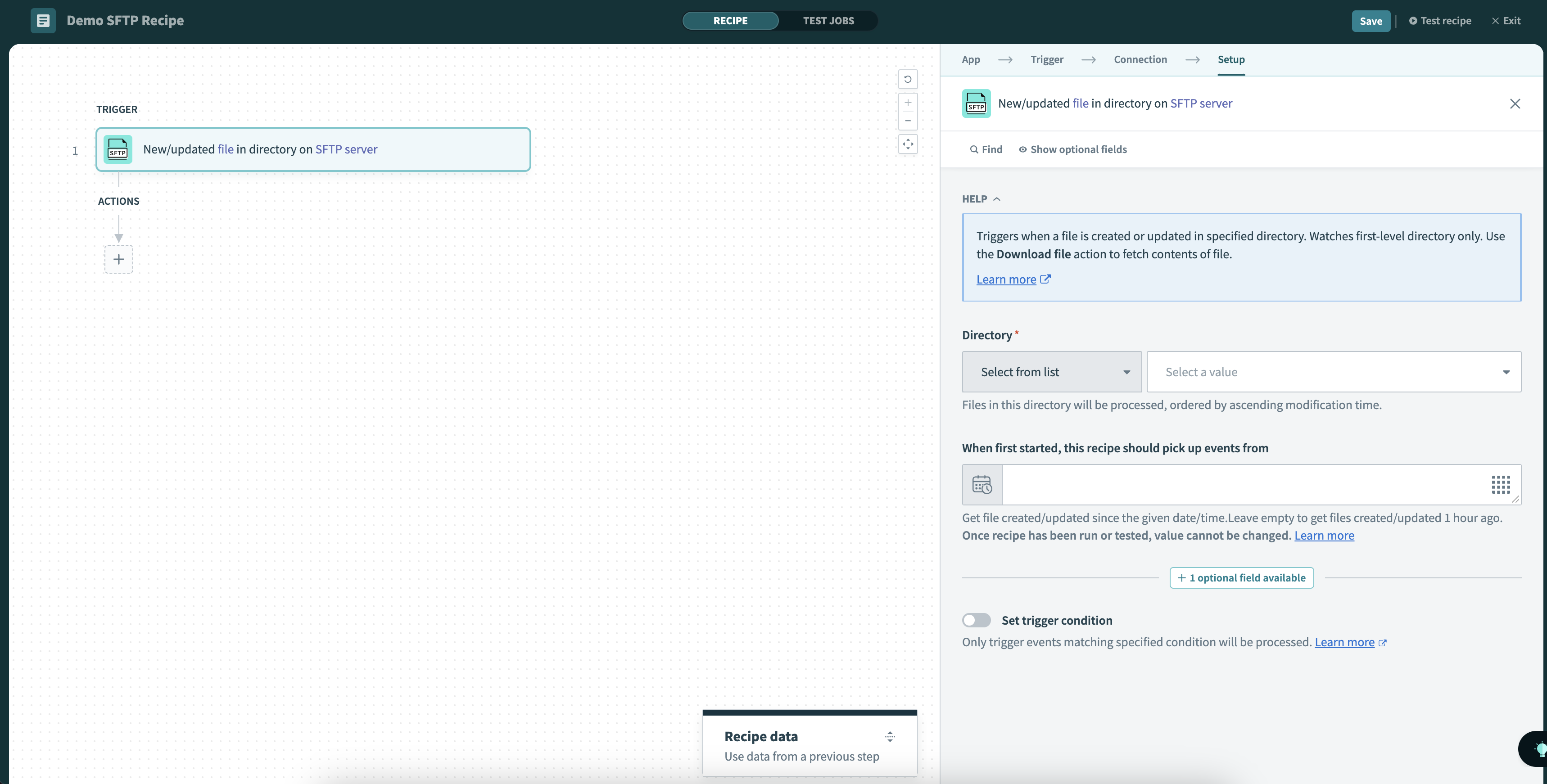 New/updated file in directory trigger
Input
| Input field | Description |
|---|---|
| Directory | Select the folder that you want to track. You can choose from the drop-down menu or enter the folder path directly. Files in this directory are processed from oldest to newest, based on when they were modified. |
| When first started, this recipe should pick up events from | The recipe will process files created or updated after this time. If left blank, the default date will be set to 1 hour before the recipe is first started. Once the recipe has been run or tested, the value cannot be changed. Refer to Triggers to learn more about this input field. |
Output
| Output field | Description |
|---|---|
| File path | The file path. |
| Name | The name of the file. |
| Symlink | Whether this file contain links to other files. |
| Size | The size of the file. |
| Owner | The designated owner of the file. |
| Group | The group that this file belongs to. |
| Permissions | The permissions enabled on this file. |
| Last accessed time | The last time this file was accessed. |
| Last modified time | The last time this file was modified. |
Last updated: