AgentX Support - Customize guides
AgentX Support allows you to customize guides to align with your brand identity. You can access this page by going to Guide > UI.
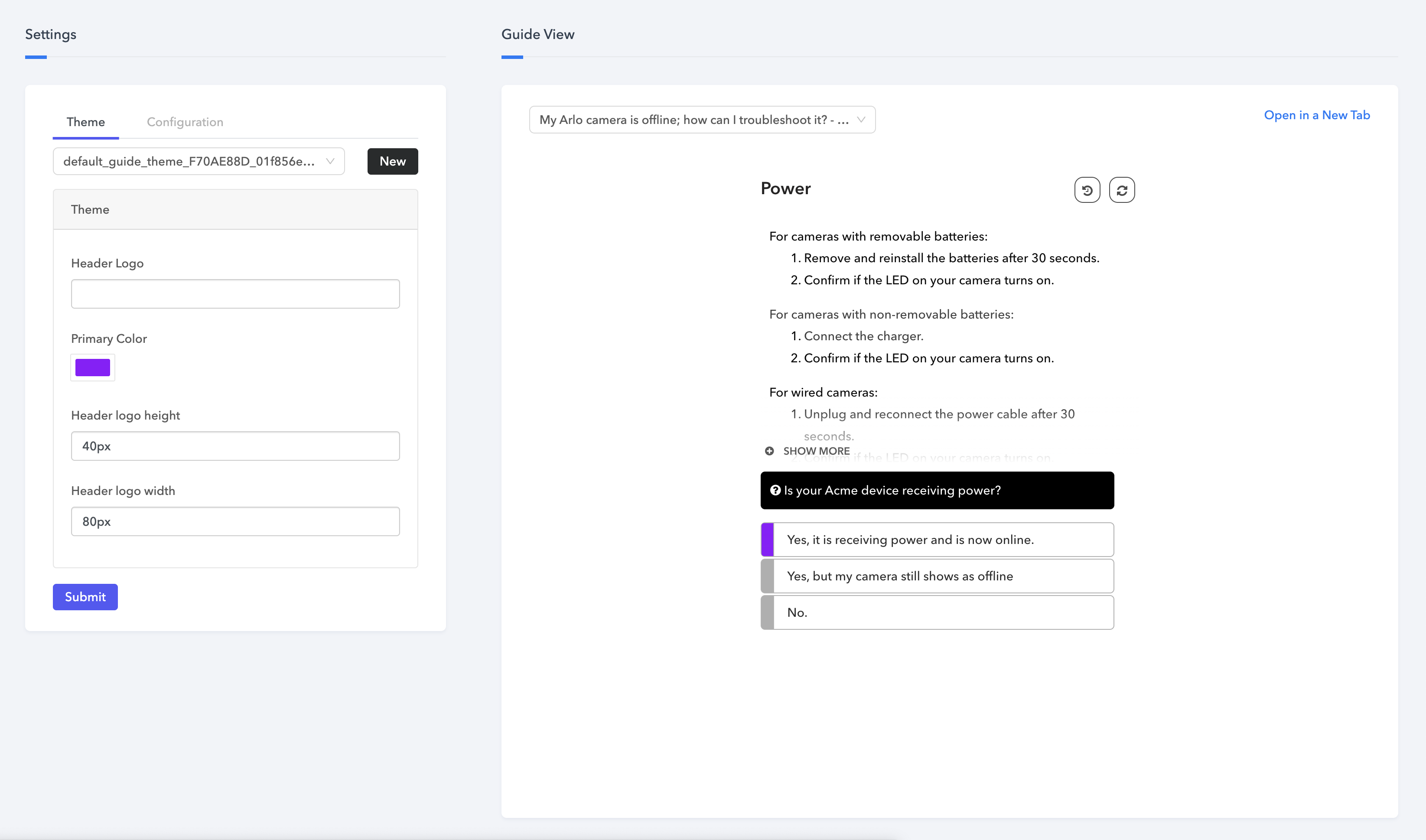 Customize guides
This page includes two main sections:
- Settings: Configure theme options and add custom styling and scripts.
- Guide view: Preview the theme as it appears in your guide.
Settings
Theme
The Theme tab allows you to create new themes or select existing ones to apply to your guide.
| Field | Description |
|---|---|
| Header Logo | Displays during guide loading and at the top of the interface. Provide a logo URL to enable this. |
| Primary Color | Sets the guide's primary color, which affects all clickable elements. You can choose a color directly or define it using a HEX code, RGBA, or a color spectrum. |
| Header logo height | Sets the height of the header logo in pixels. |
| Header logo width | Sets the width of the header logo in pixels. |
Create a custom theme
Complete the following steps to create a custom theme for a guide:
Go to Guide > UI.
Click New.
Enter a name for your custom theme.
Configure theme settings.
Click Submit.
Configuration
The Configuration tab contains the following sections:
Launcher
Enable or disable the following launcher options:
| Field | Description |
|---|---|
| Show History | Displays a user's navigation path through the guide. Disabling this hides the option to view past steps. |
| Show Header | Toggles the visibility of the header. |
| Show Restart | Shows or hides the Start Over button, allowing users to restart the guide at any point. |
| Continue on end | Adds a Back button at the end of the guide, letting users revisit and adjust earlier choices. |
External styling
Use this section to add custom styling:
| Field | Description |
|---|---|
| CSS styles | Opens an editor for entering custom CSS. Changes are applied upon saving. |
| Stylesheets | Add external stylesheet URLs. Multiple stylesheets can be included. |
External scripts
Embed JavaScript directly or through external URLs to extend guide functionality.
| Field | Description |
|---|---|
| Inline Script | Add custom JavaScript directly. |
| Scripts | Reference external scripts through URL. |
Guide view
Use the Guide view section to preview how your theme looks when applied to any existing guide.
Last updated: