BILL
BILL is a cloud-based software platform that automates and simplifies financial processes for small and mid-sized businesses.
API version
The BILL connector uses the BILL v2 API.
How to connect to BILL
The BILL connector uses basic authentication to authenticate with BILL.
Complete the following steps to set up your BILL connection:
Enter a Connection name that identifies which BILL instance Workato is connected to.
Enter your BILL account email in the User name field.
Enter your BILL account's Password.
Enter your BILL account's Organization ID. To learn how to retrieve your account's Organization ID, see BILL's API sign up process guide.
Select whether your BILL account uses the Production or the Sandbox environment in the Environment field.
Click Connect. 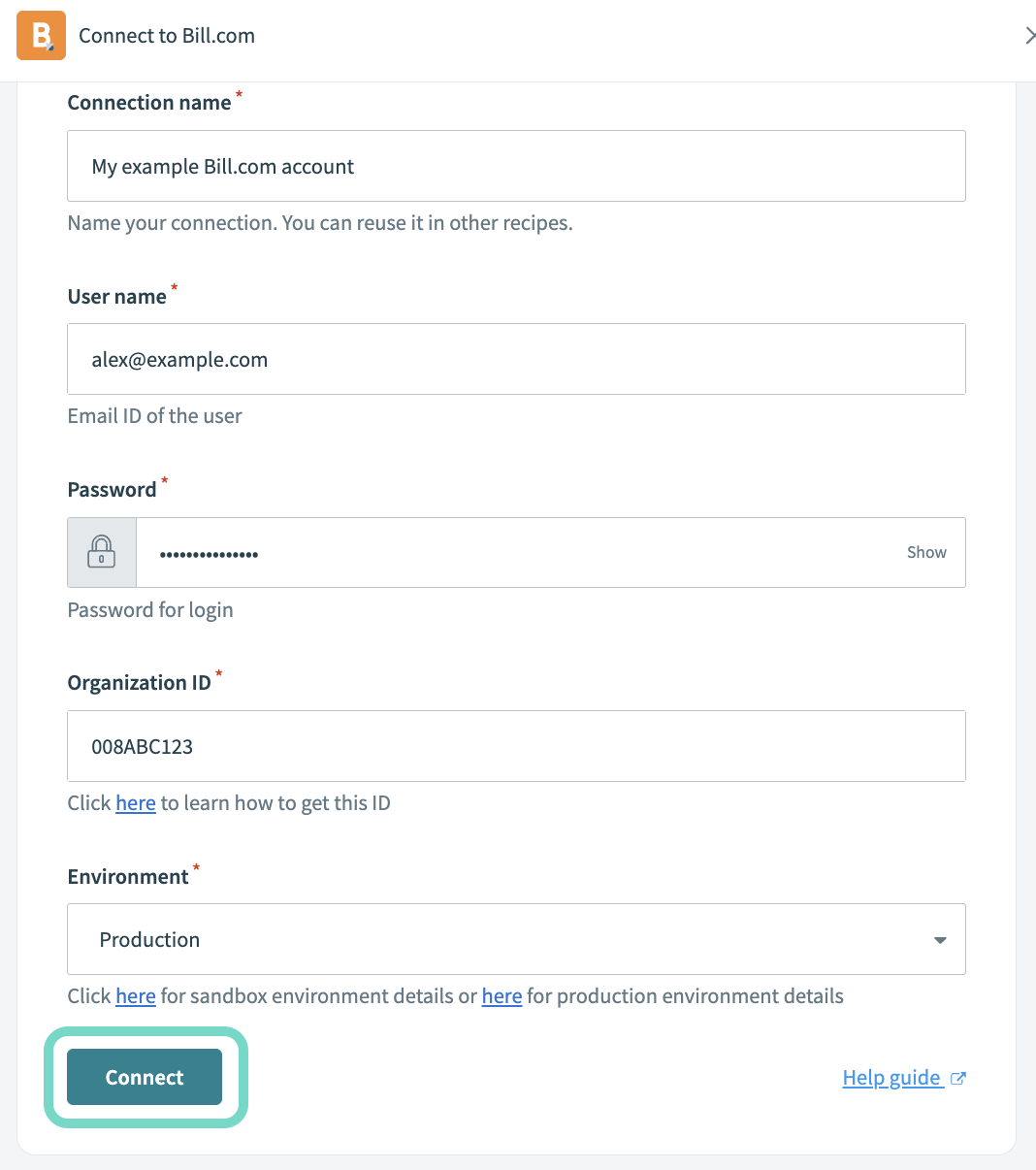 Completed BILL connection fields and the Connect button
Last updated: