Eventbrite - New attendee registered for event trigger
The New attendee registered for event trigger activates when a new attendee registers for an event in Eventbrite. This trigger fetches the latest attendee information, limited to the first 50 events displayed in the picklist. You can use the Event field to search for all events.
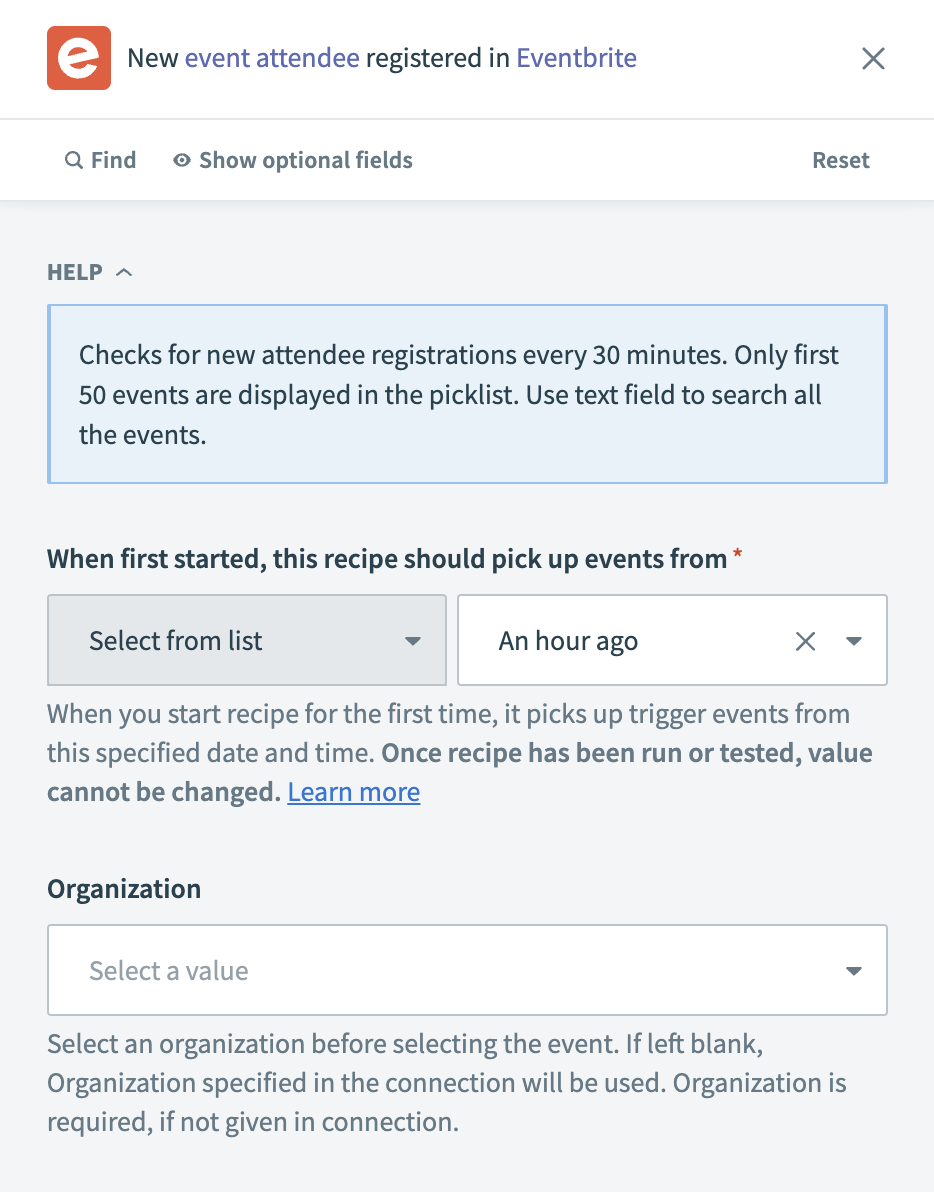 Eventbrite - New attendee registered for event trigger
Input
| Input field | Description |
|---|---|
| Trigger poll interval | Set the frequency at which Workato checks for new attendee registrations. This field defaults to every 30 minutes if not specified. |
| When first started, this recipe should pick up events from | Choose the start date and time for data retrieval. After you test or run the recipe, you cannot change this value. Refer to Triggers to learn more about this input field. |
| Organization | Select the organization associated with the event. If left blank, the organization set in the connection is used. |
| Event | Choose the specific event to monitor for new attendee registrations. If left blank, Workato fetches attendees for all events owned by the connected Eventbrite user. |
Output
| Output field | Description |
|---|---|
| Event | The name or details of the event. |
| Costs | The cost associated with the attendee's ticket. |
| Resource URL | The URL for the attendee resource on Eventbrite. |
| Variant ID | The variant ID of the attendee's ticket. |
| Cancelled | Indicates if the attendee's ticket has been cancelled. |
| Refunded | Indicates if the attendee's ticket has been refunded. |
| Affiliate | The affiliate code if the ticket was purchased through an affiliate. |
| Guestlist ID | The ID for the guestlist the attendee is on. |
| Invited by | Who invited the attendee, if applicable. |
| Ticket class name | The name of the ticket class the attendee has registered for. |
| Event ID | The unique identifier for the event. |
| Order ID | The unique identifier for the order. |
| Order | Details about the order. |
| Date changed | The date and time when the attendee's registration was last modified. |
| Date created | The date and time when the attendee registered for the event. |
| ID | The unique identifier for the attendee. |
| Checked In | Indicates if the attendee has checked into the event. |
| Status | The registration status of the attendee. |
| Ticket ID | The unique identifier for the attendee's ticket. |
| Ticket type | The type of ticket the attendee has. |
| The email address of the attendee. | |
| Quantity | The number of tickets the attendee has registered for. |
| Profile | The attendee's profile information. |
| Barcodes | The barcode associated with the attendee's ticket. |
Last updated: