Google Vault - Add accounts to hold action
The Add accounts to hold action enables you to add accounts to an account-based hold in Google Vault.
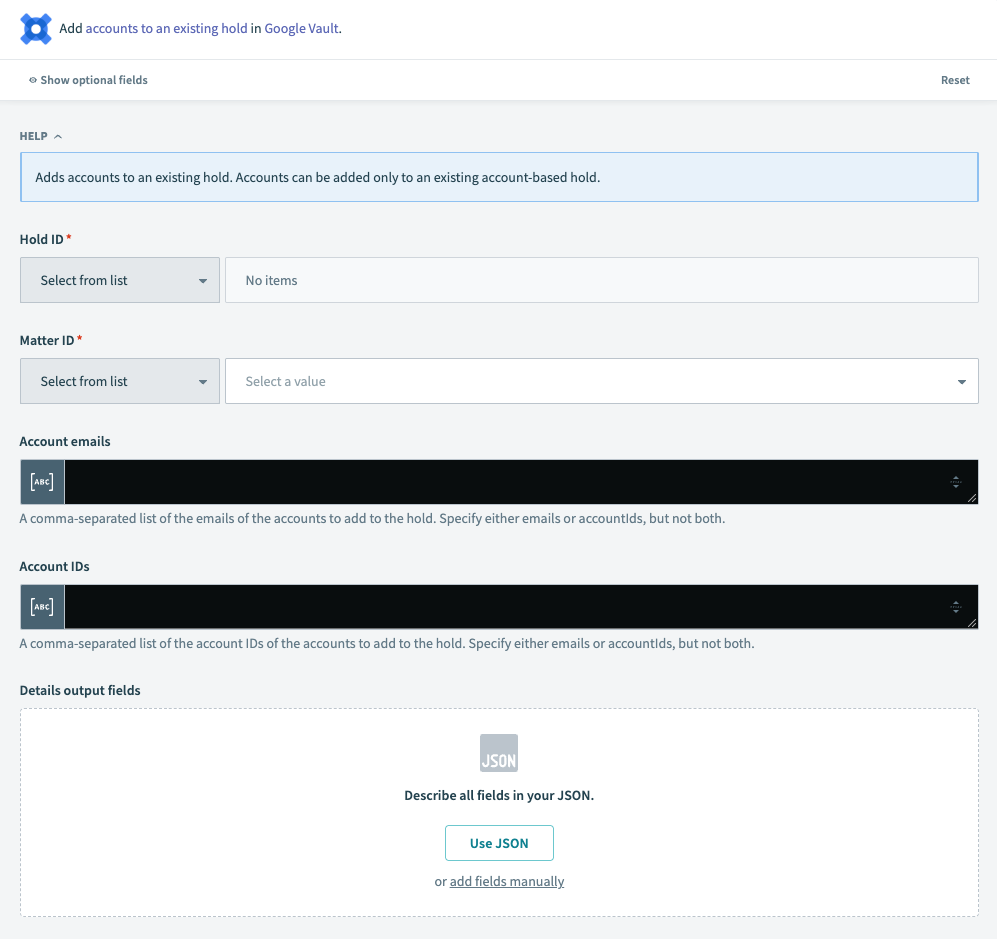 Google Vault Add accounts to hold action
Input
| Input Field | Description |
|---|---|
| Hold ID | Use the Hold ID drop-down menu to select a hold from Google Vault, or enter the ID manually |
| Matter ID | Use the Matter ID drop-down menu to select a hold from Google Vault, or enter the ID manually |
| Account emails | Enter a comma-separated list of email addresses for the accounts to add to the hold. |
| Account IDs | Enter a comma-separated list of account IDs to add to the hold. Specify either emails or account IDs, not both. |
| Details output field | Describe custom output fields present in the details of the output schema. |
Output
| Output Field | Description |
|---|---|
| Account ID | ID of the account added to the hold. |
| Hold time | Timestamp of when the account was put on hold. |
| The primary email address of the account. | |
| First name | The first name of the account holder. |
| Last name | The last name of the account holder. |
| Code | The HTTP response status code. |
| Message | A developer-facing error message, if any. |
| Details | A list of messages that contains additional error details, if any. |
Last updated: