HiBob - New event trigger (real-time)
The New event trigger monitors HiBob for new events in real-time.
PREREQUISITES
You must have at least one employee in HiBob to use this trigger. Create an employee, then re-connect to HiBob if an employee doesn't already exist.
Input
| Input field | Description |
|---|---|
| Object | Select a HiBob object to monitor. |
| Event type | Select an event type to monitor. |
Configuration in HiBob
Complete the following steps to register this webhook URI in HiBob:
Configure the Input fields for this trigger. A webhook URI generates in the Help section.
Copy the webhook URI for use in HiBob.
Sign in to HiBob as an administrator.
Go to System Settings Integrations > Webhooks.
Click Manage.
Enter a Name for the webhook.
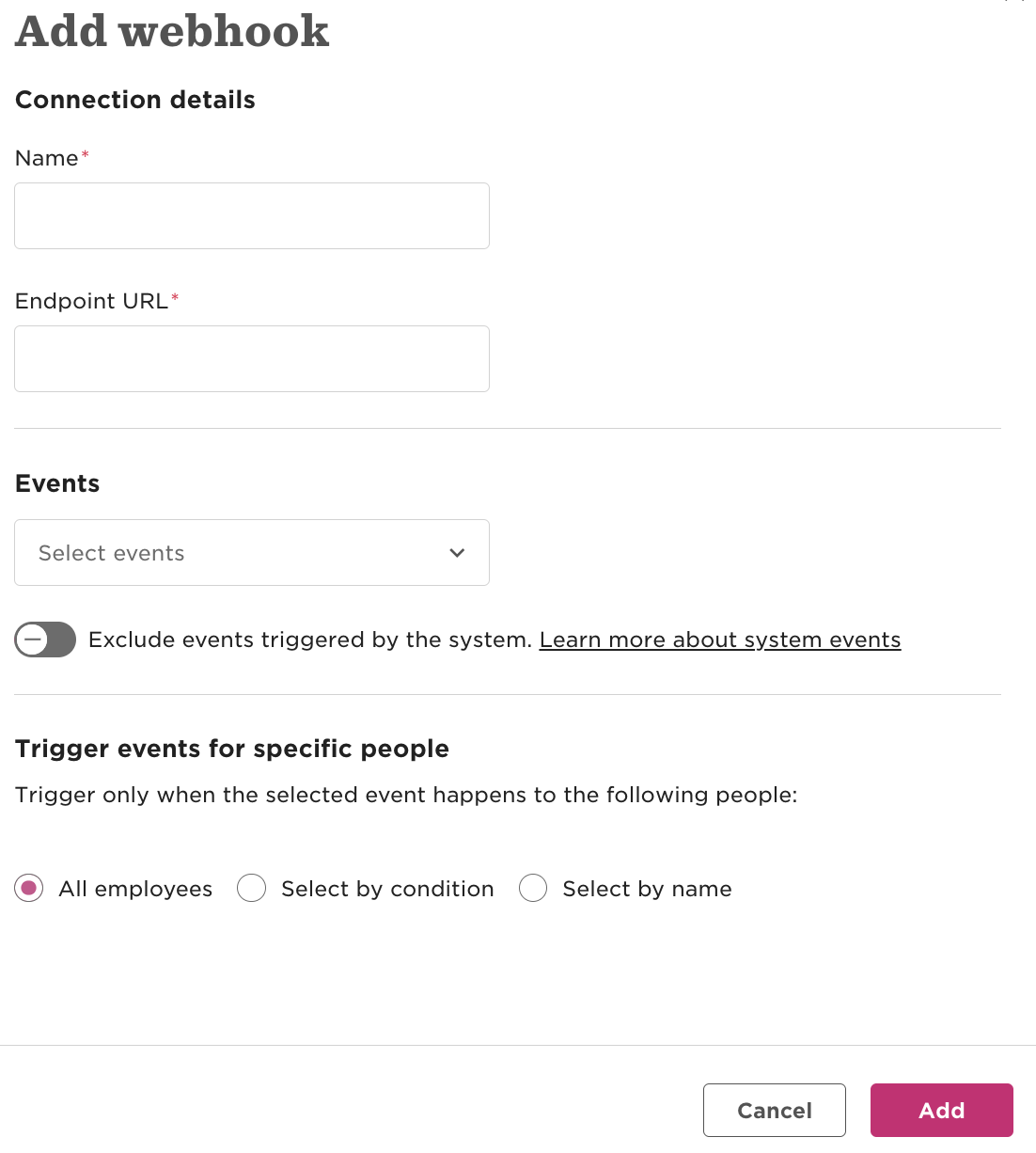 The Add webhook modal
Enter the Endpoint URL generated in Workato.
Use the Events drop-down menu to select the Event type you specified in Workato.
Click Add.
Output
Output fields load dynamically based on the object and event type you select. For example, the following fields appear if you select the Task object and Task status updated event:
| Output field | Description |
|---|---|
| Company ID | Unique identifier of the company within HiBob where the task status update occurred. |
| Type | Event type indicating that the To Do status of a task has changed. |
| Triggered by | Unique identifier of the user or system that performed the task update. |
| Triggered at | Date and time (with timezone) when the task status was updated. |
| Version | API event version, specifying the schema version for this event data. |
| To do IDs | Unique identifiers of the To Do tasks impacted by this event. |
| To do requested for IDs | Identifier of the user for whom the "To Do" task was created/requested. |
| To do assignee IDs | Identifier of the user assigned to complete the To Do task. |
| New status | Updated status of the task, indicating it has been marked as Closed. |
Last updated: