LevelPath
LevelPath is a procurement platform designed to streamline supplier onboarding, vendor management, and purchasing operations.
The LevelPath connector lets you integrate LevelPath data into your workflows, enabling real-time supplier events and automated procurement actions.
How to connect to LevelPath
Workato requires a Client ID and Client secret from LevelPath to authorize the connection. Complete the following steps to generate credentials and create the connection in Workato:
Generate API credentials in LevelPath
Complete the following steps to retrieve your client credentials:
Log in to your LevelPath account as an admin.
Go to Company Settings, then locate your API or integration settings.
Generate or view your Client ID and Client secret.
Copy the credentials and store them securely. You may not be able to view the secret again.
Complete the setup in Workato
Click Create > Connection.
Search for and select the LevelPath connector.
Enter a name for your connection in the Connection name field.
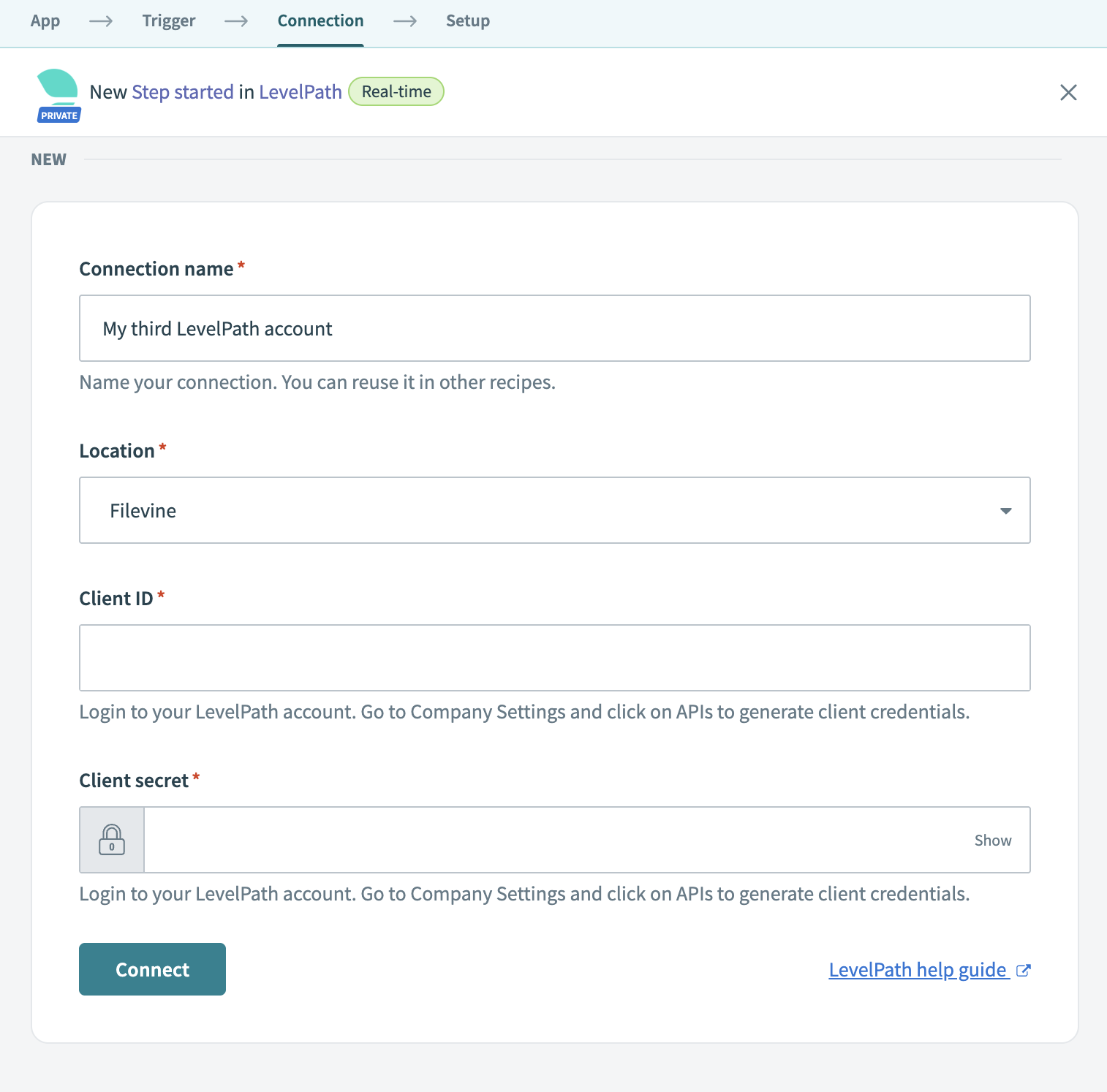 Connect to LevelPath
Use the Location drop-down to select the project or folder to store this connection.
Enter your Client ID and Client secret.
Click Connect.
Last updated: