LinkedIn - Campaign actions
Retrieve list of campaigns by status action
Use this action to retrieve all campaigns in your LinkedIn Campaign manager. You can also filter by status.
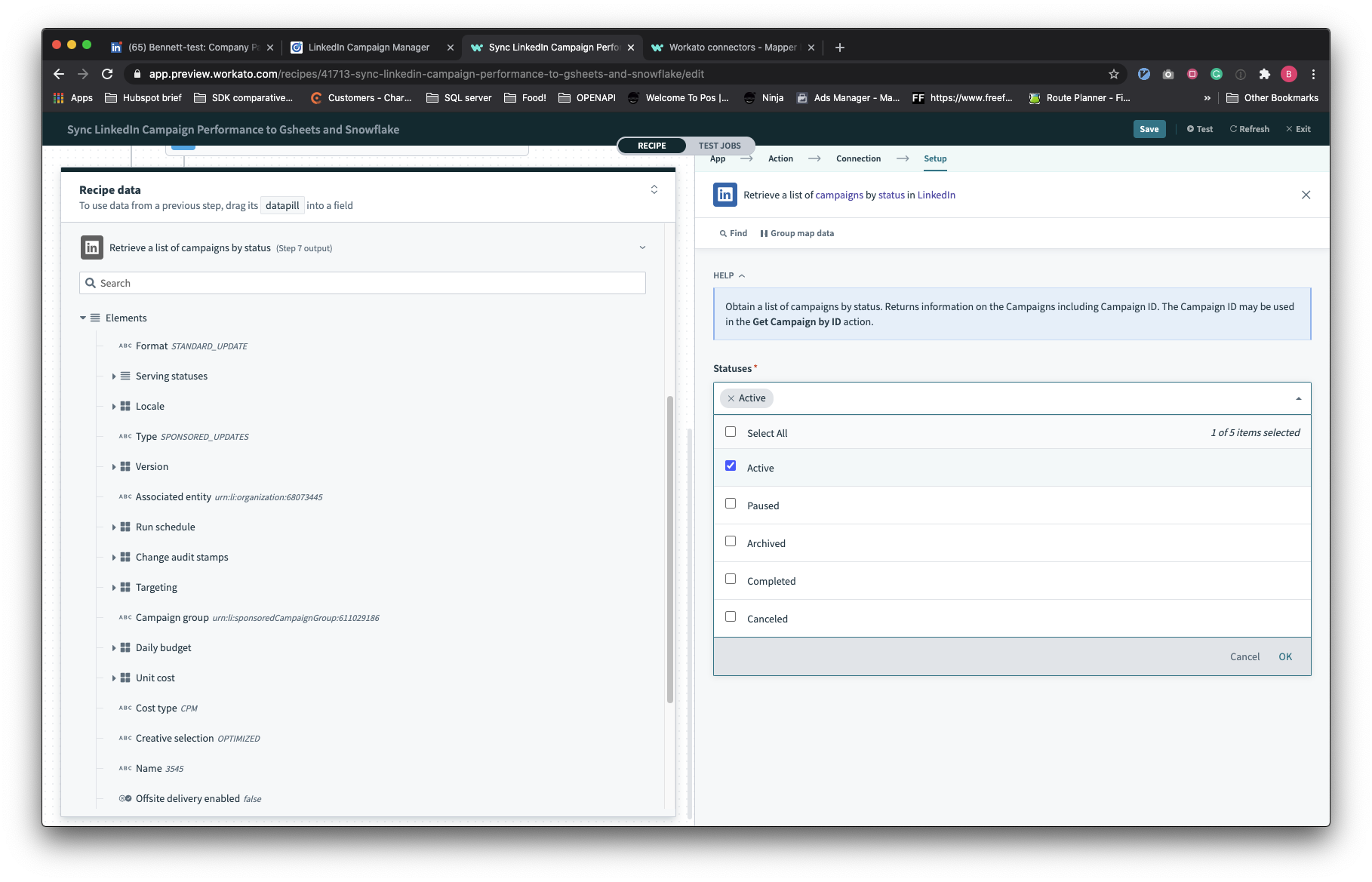 Retrieve list of campaigns by status
Input
| Input field | Description |
|---|---|
| Advertising account | The advertising account where the form comes from. You can't map a datapill to this field. |
| Statuses | Select one or more campaign statuses. |
| Page token | Provide the page token returned in the output of the previous request to get the next set of results. |
| Page size | The number of records returned for each page. Defaults to 100. |
Output
The output of this action contains all information relevant to campaigns based on the statuses you've selected.
Get campaign details by ID action
This is normally used with the Retrieve list of campaigns by status action. Use this with a repeat action to pull specific details about each campaign.
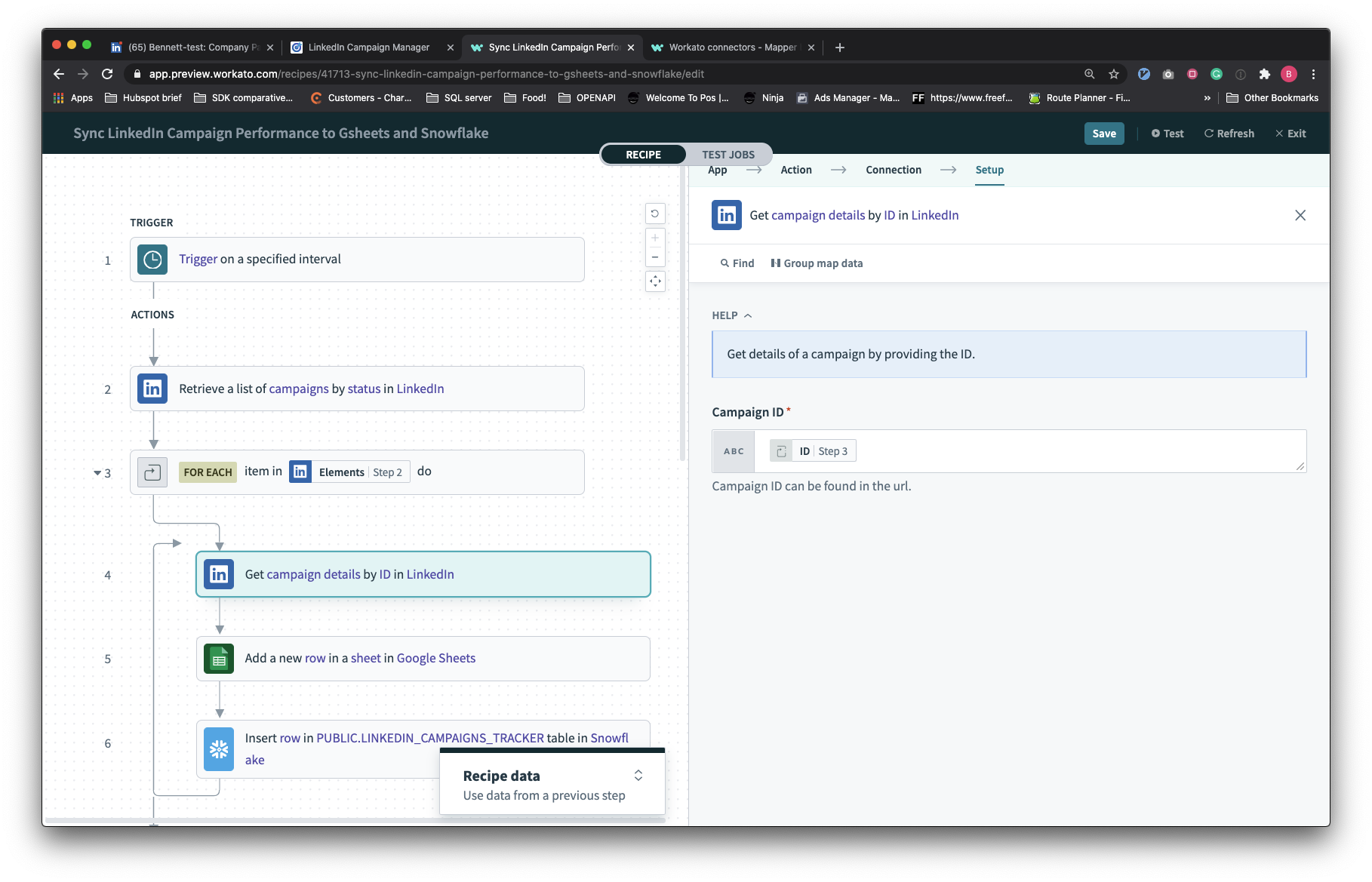 Get campaign details by ID
Input
| Input field | Description |
|---|---|
| Advertising account | The advertising account where the form is coming from. You can't map a datapill to this field. |
| Campaign ID | Provide the ID of the campaign. This is different from the campaign URN and should be a simple numeric ID. For example, this value must be in this format 157877906 instead of urn:li:sponsoredCampaign:157877906. |
Output
The output of this action contains detailed information about this specific campaign.
Last updated: