MailChimp - Add subscriber action
This action adds a subscriber to a list you specify in MailChimp.
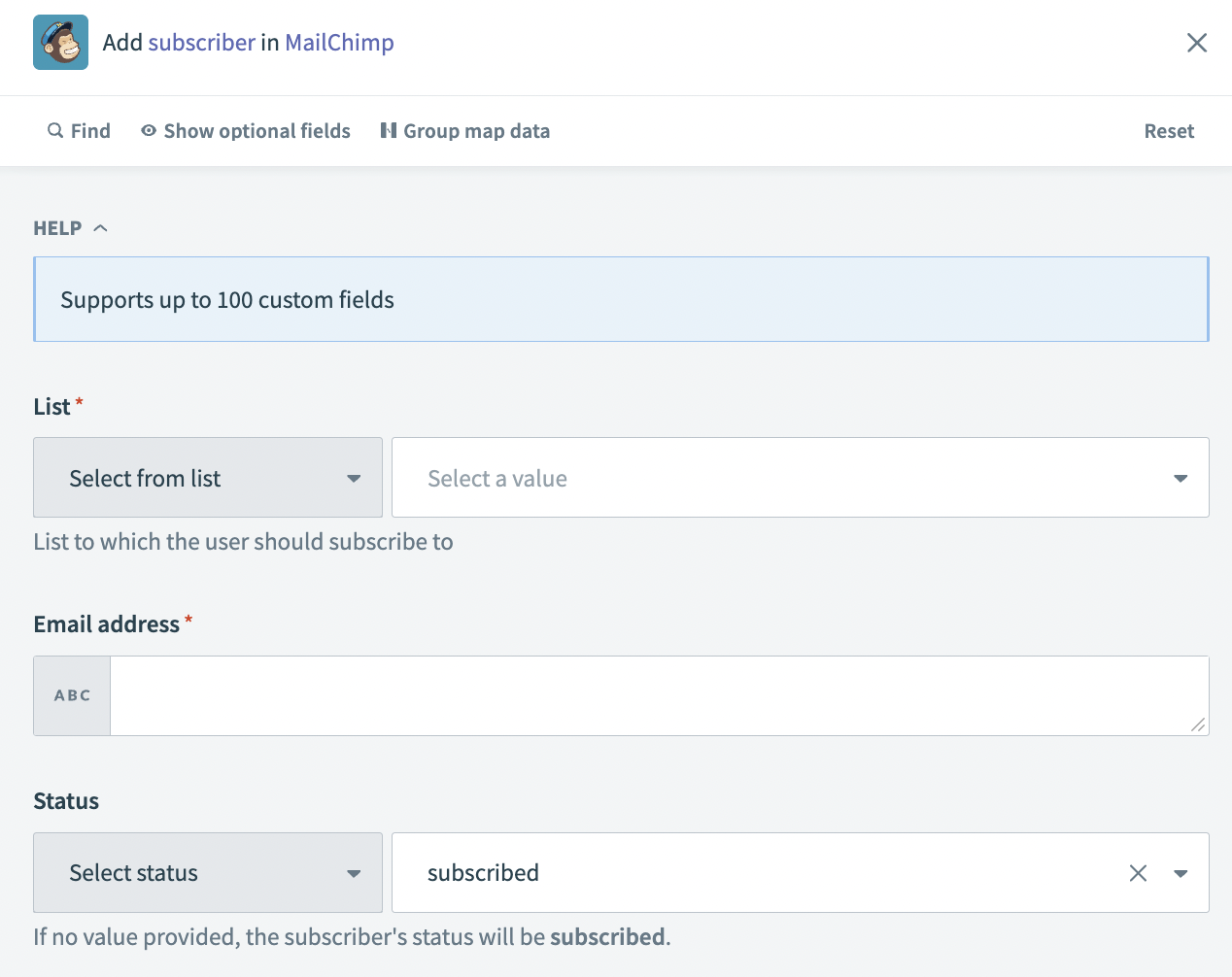 Add subscriber action
Input
| Input field | Description |
|---|---|
| List | The list to which you plan to add the subscriber. |
| Email address | The email address of the subscriber. |
| Status | This is an optional field. Subscriber status allows you to select a specific status for the subscriber, including unsubscribed, pending, or archived. |
Output
| Output field | Description |
|---|---|
| ID | The ID of the action. For example: 48blm743a5eb947wsm6d83f3a8dd9661. |
| Contact ID | The ID of the contact. For example: 66b63b57w57bs5ef8354729f9ecfc249. |
| Full name | The full name provided by the subscriber. This field is blank if the subscriber did not provide a name. |
| Web ID | The web ID of the subscriber. |
| Email type | The email type, for example html. |
| Status | The status that triggered the subscriber notification. |
| IP sign up | The IP address of the subscriber. This field is null if tracking is not turned on. |
| Timestamp sign up | The timestamp of the subscription. This field is null if tracking is not turned on. |
| Member rating | The member rating of the subscriber. For example, if the subscriber is the second person to subscribe, this value is 2. |
| Last changed | The date the subscriber's account was last changed. For example: 2023-12-30. |
| Language | The language of the subscriber. This field is null if tracking is not turned on. |
| VIP | Indicates whether the subscriber is a VIP customer or not. Values are true or false. |
| Location | The location of the subscriber. This field is null if tracking is not turned on. |
| Source | The source of the subscriber. |
| Tags count | The number of tags applied to the subscriber. |
| Tags | The tags applied to the subscriber. This field is blank if no tags are applied to the subscriber. |
| The email address of the subscriber. | |
| Email ID | The email ID of the subscriber. For example: 30dbbwbs5c. |
| Unique ID | The unique ID of the subscriber. For example, c579b1sm49. |
Last updated: