Namely - New or updated employee profile trigger
The New or updated employee profile trigger runs when a new employee profile is detected, or when an existing employee profile is updated.
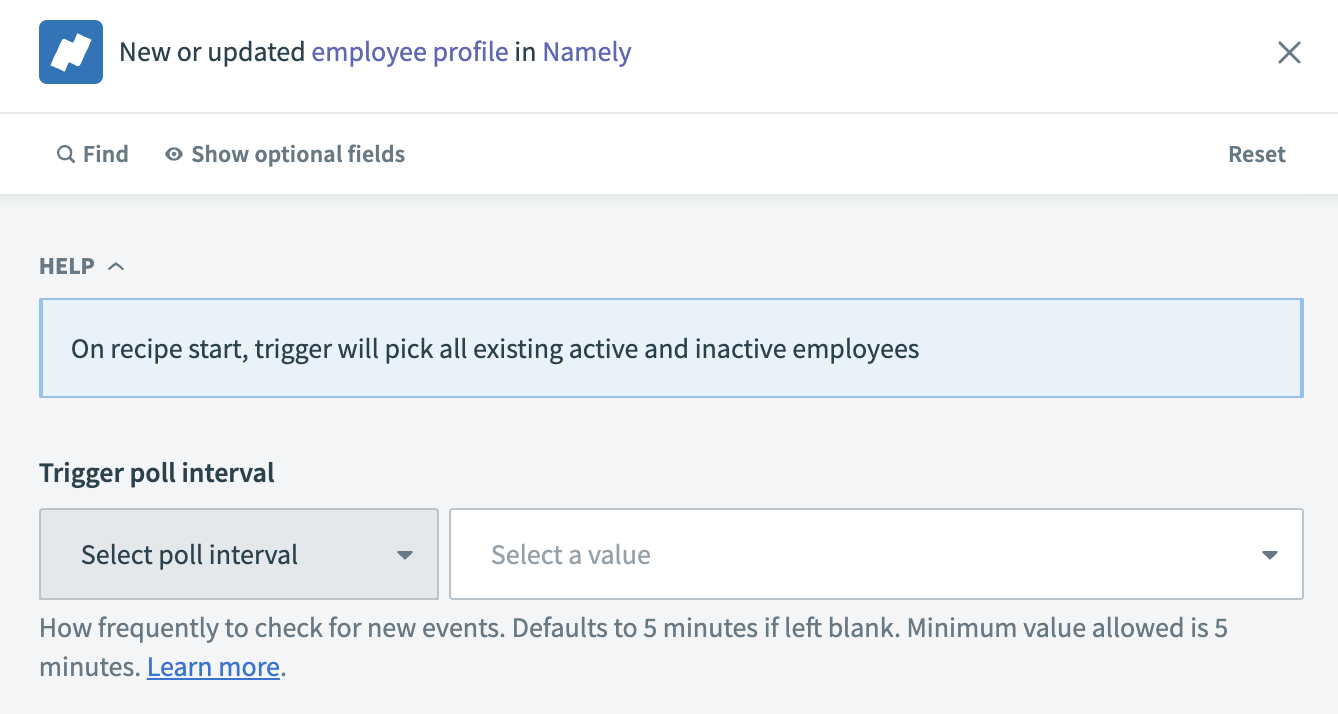 New or updated employee profile trigger
Input
No additional input is required for this poll interval trigger. The trigger detects all existing active and inactive employees when you start the recipe. You can change the interval poll value by expanding the optional fields, selecting the Trigger poll interval checkbox, and choosing an interval value from the drop-down menu.
Output
| Output field | Description |
|---|---|
| ID | The ID of the employee. For example: 517f1c0e-90c3-470a-953e-1b36486826b9. |
| Company UUID | The universal unique identifier of the company. For example: 6d82888e-9c39-4fa8-ba84-c2145485a730. |
| The email address of the employee. | |
| First name | The first name of the employee. |
| Last name | The last name of the employee. |
| User status | The status of the user. For example: pending. |
| Updated at | The last update timestamp of the profile. For example: 2024-02-05T19:32:48.000000-07:00. |
| Created at | The creation timestamp of the profile. For example: 2024-02-05T19:32:48.000000-07:00. |
| Preferred name | The preferred name of the employee. |
| Preferred last name | The preferred last name of the employee. |
| Image | The image URL of the employee. |
| Full name | The full name of the employee. |
| Job title ID | The ID of the job title. For example: f38c44d8-add1-46ae-9ade-f309b7926711. |
| Job title | The title of the job. For example: Technical writer. |
| Parent ID | The parent ID of the job title. For example: d0f755f8-7c7a-47d0-8a15-db346cd19f1c. |
| Active | Indicates whether the job title is active. Values are true or false. |
| Salary bands | The salary bands associated with the job title. |
| Reports to | Information about to whom the employee reports. |
| Employee type | The type of employment. For example: Full Time. |
| Access role | The access role of the employee. |
| Ethnicity | The ethnicity of the employee. |
| Team positions | The positions of the employee within teams. |
| Is Namely admin | Indicates if the employee is an admin within Namely. Values are true or false. |
| Date format | The date format used by the employee. For example: mm/dd/yy. |
| Start date | The start date of the employment. |
| Linkedin URL | The LinkedIn URL of the employee. |
| Office direct dial | The direct dial number of the employee's office. |
| Office phone | The office phone number of the employee. |
| Veteran protected classes | Indicates whether the employee is a protected veteran or not. |
| Middle name | The middle name of the employee. |
| Bio | The biography of the employee. |
| Office main number | The main number of the employee's office. |
| Office address1 | The first line of the employee's office address. |
| Office address2 | The second line of the employee's office address. |
| City | The city of the office address. |
| State ID | The state ID of the employee's office address. |
| Country ID | The country ID of the employee's office address. |
| Zip | The ZIP code of the employee's office address. |
| Phone | The phone number of employee. |
| Groups | The groups the employee belongs to. |
| Teams | The teams the employee is a member of. |
Last updated: