OpenAI - Send messages to ChatGPT action
This action interfaces with OpenAI's popular ChatGPT models. Use these simply as a single question and answer action or to provide a chat experience as a part of your recipes. This action allows you to interact with ChatGPT models directly within your workflows.
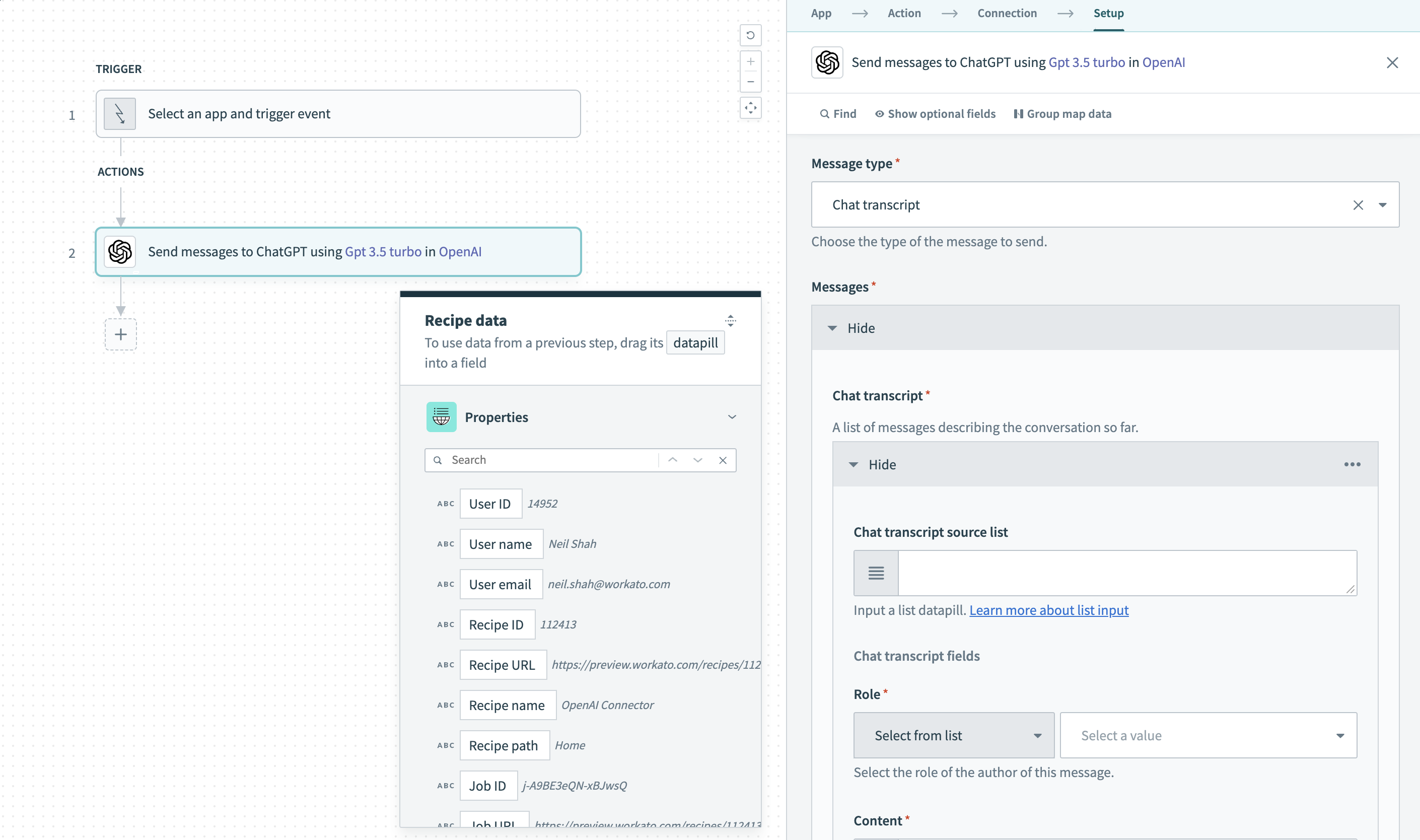 Send messages to ChatGPT action
Input
| Field | Description | |
|---|---|---|
| Single Message | Content | The message to be sent over to the model with the role as user. |
| System role message | An optional message that provides specific instructions to the model before starting a conversation. | |
| Chat Transcript | Role | Select the role of the user corresponding to the specific message. |
| Content | The message to be sent over to the model for each corresponding role. | |
| System role message | Optional message to provide specific instructions to the model before starting a conversation. | |
| Name | Name of the author of a specific message. Often utilized for tracking chat transcripts easily. This can contain uppercase and lowercase characters, numbers, and underscores with a maximum length of 64 characters (no blank spaces). | |
| Model | Use the Model drop-down menu to select the OpenAI model you plan to use. You can click into the Model field and enter the model if it isn't listed. | |
| Temperature | Enter a value between 0 and 2 for controlling the randomness of completions. Higher values will make the output more random, while lower values will make it more focused and deterministic. We recommend to use this or top p but not both. Refer to the OpenAI temperature parameter documentation for more information. | |
| Number of chat completions | The number of completions to generate as the message response. | |
| Stop phrase | A specific stop phrase that will end generation. For example, if you set the stop phrase to a period (.) the model will generate text until it reaches a period, and then it will stop. Use this to control the amount of text generated. | |
| Maximum tokens | The maximum number of tokens to generate in the completion. The token count of your prompt plus the value here cannot exceed the model's context length. For longer prompts, we recommend setting a low value and if the prompt is likely to vary in length, we recommend leaving it blank. | |
| Presence penalty | A number between -2.0 and 2.0. Positive values penalize new tokens based on whether they appear in the text so far, increasing the model's likelihood to talk about new topics. | |
| User | A unique identifier representing your end-user, which can help OpenAI to monitor and detect abuse. | |
Output
| Field | Description | |
|---|---|---|
| Created | The datetime stamp of when the response was generated. | |
| ID | A unique identifier denoting the specific request and response that was sent over. | |
| Model | The model used to generate the text completion. | |
| Choices | Message | The response of the model for the specified input. The role will always be Assistant. |
| Finish reason | The reason why the model stopped generating more text. Can be one of "stop", "length", "content_filter" and "null". Refer to the OpenAI chat completions response format documentation for more information. | |
| Response | Contains the response which OpenAI probabilistically considers to be the ideal selection. | |
| Usage | Prompt tokens | The number of tokens utilized by the prompt. |
| Completions tokens | The number of tokens utilized for the completions of text. | |
| Total tokens | The total number of tokens utilized by the prompt and response. | |
Last updated: