Percolate - Copy asset action
The Copy asset action allows you to copy an asset by providing a folder ID for its placement or a content/campaign ID to associate the copy. This action replicates the original asset with its basic metadata, excluding comments, followers, and other extended metadata.
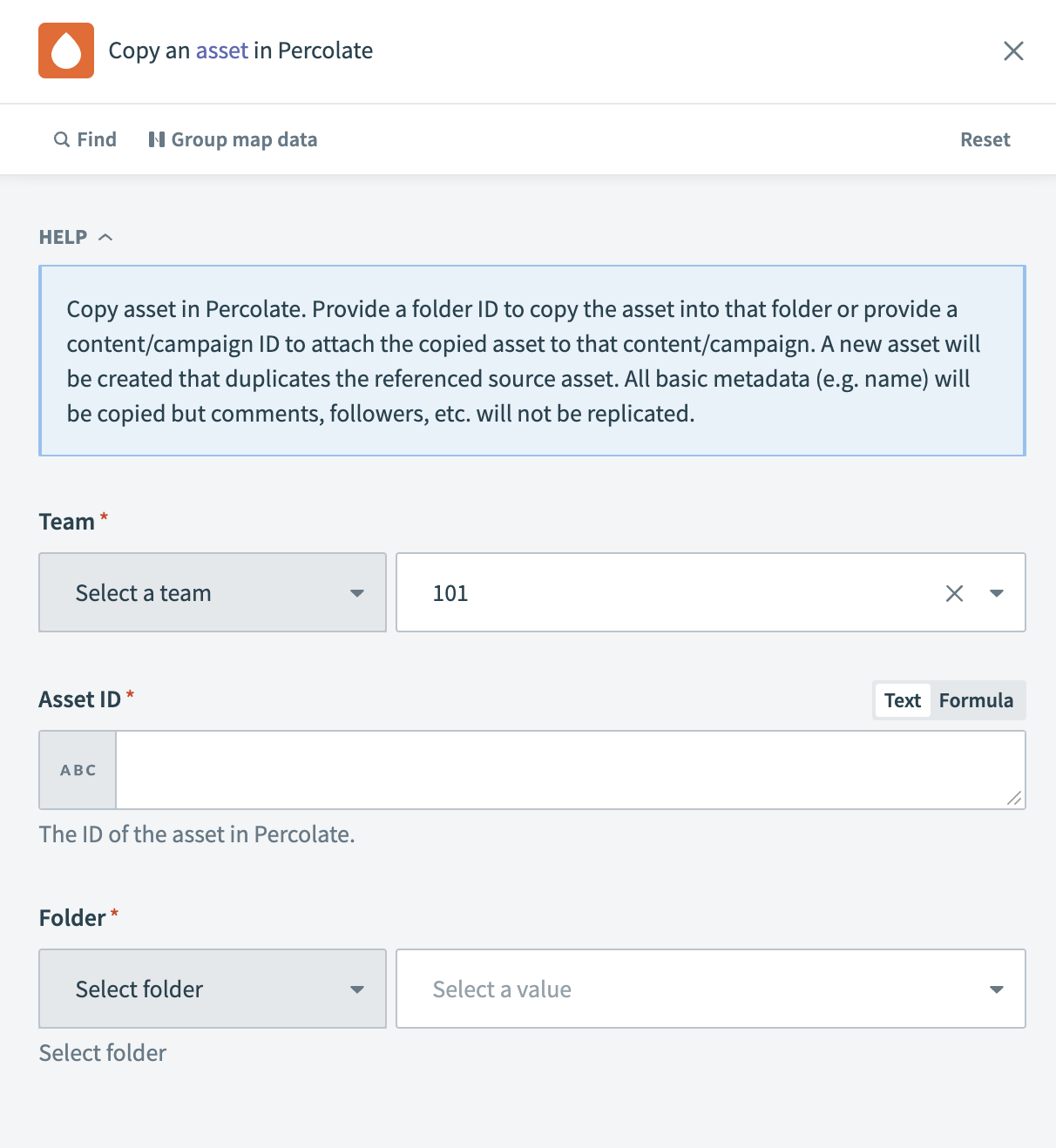 Percolate - Copy asset action
Input
| Input field | Description |
|---|---|
| Team | Select the team associated with the asset you plan to copy. |
| Asset ID | Enter the ID of the asset you plan to copy. |
| Folder | Choose the folder where you plan to store the copied asset. |
Output
| Output field | Description |
|---|---|
| Asset ID | The ID of the newly created copied asset. |
| Team | The team associated with the copied asset. |
| Content type | The type designation of the copied content. |
| Created at | The timestamp when the asset copy was created. |
| Created through | The method by which the asset copy was created. |
| Creator ID | The ID of the user who created the asset copy. |
| Is asset deleted | Status indicating whether the asset copy is marked as deleted. |
| Ext | The file extension of the copied asset. |
| Filename | The file name of the copied asset. |
| Folder ID | The ID of the folder containing the copied asset. |
| Locked by | The ID of the user, if any, who has the asset copy locked. |
| Path IDs | The path IDs representing the folder structure for the copied asset. |
| Size | The file size of the copied asset. |
| Transcoding status | The transcoding status of the copied asset. |
| Asset type | The type category of the copied asset. |
| Updated at | The timestamp of the last update to the copied asset. |
| Version | The version information of the copied asset. |
| Actor ID | The ID of the user who executed the copy action. |
Last updated: