SendGrid - Send email action
The Send email action allows you to send an email in SendGrid.
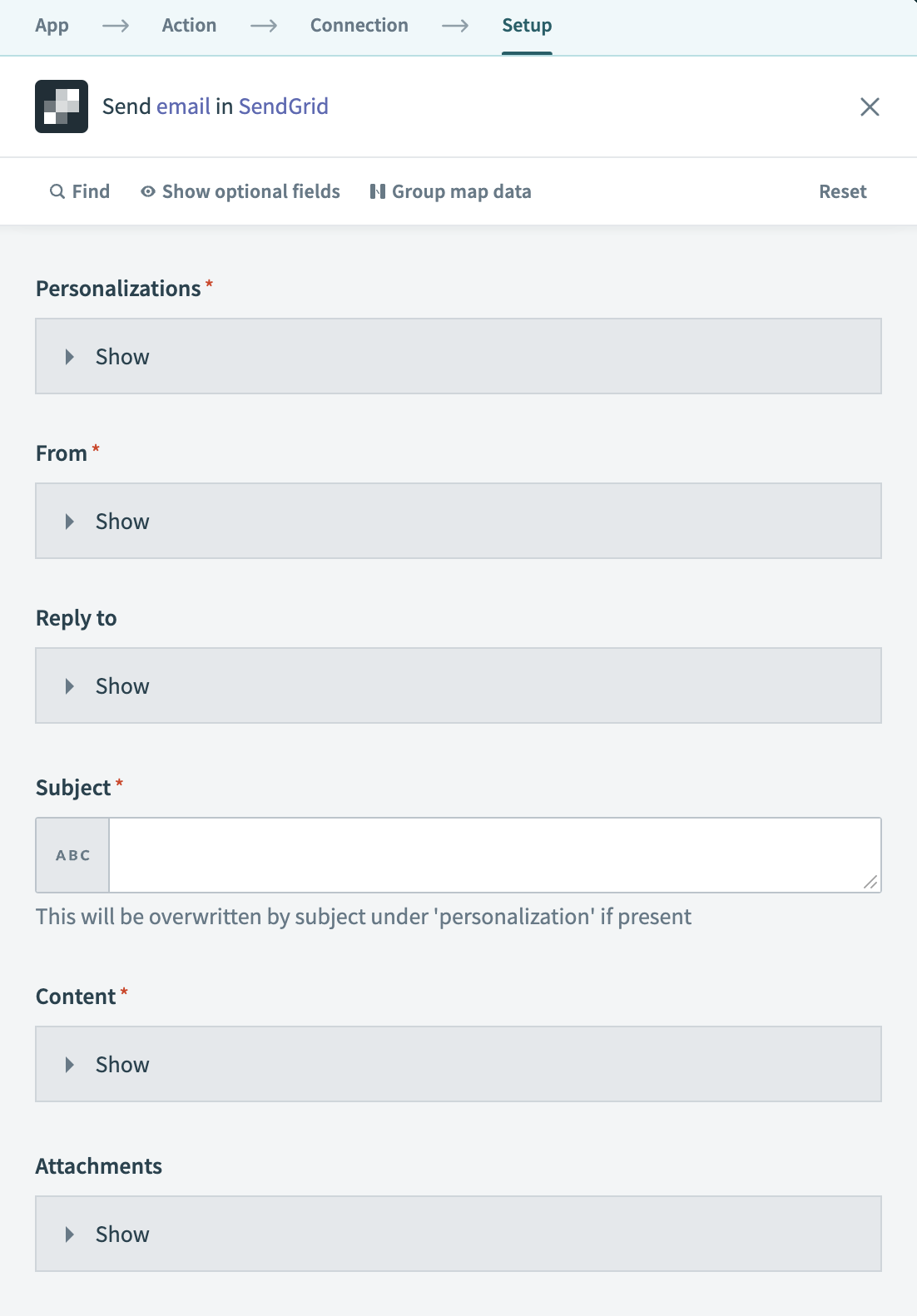 SendGrid - Send email action
Input
| Input field | Description |
|---|---|
| Personalizations | List recipients and assign specific data for each email. |
| From | Enter the sender's email address and name. |
| Reply to | Provide a reply-to email address and name. |
| Subject | Write the email's subject line. |
| Content | Include the email's body content, specifying both the type and value. |
| Attachments | Attach files to the email, detailing the content, type, filename, disposition, and content ID. |
| Template ID | Use a specific SendGrid email template by adding its ID. |
| Sections | Replace text in the email sections with new text. |
| Headers | Add custom headers to the email. |
| Categories | Categorize your email for organization. |
| Custom arguments | Insert custom arguments for additional email metadata. |
| Send at | Schedule when to send the email. |
| Batch ID | Use a batch ID to group multiple sends. |
| Asm | Configure advanced suppression manager settings, including group IDs. |
| IP pool name | Select the IP pool for email sending. |
| Mail settings | Modify mail settings such as the bcc, footer, and spam check. |
| Tracking settings | Set up click tracking, open tracking, subscription tracking, and Google analytics. |
Output
This action does not have output fields.
Last updated: