Wrike - Get task by id action
The Get task by ID action retrieves a task in Wrike using its unique Task ID. You can use this action to fetch task details from your Wrike instance that match the specified criteria.
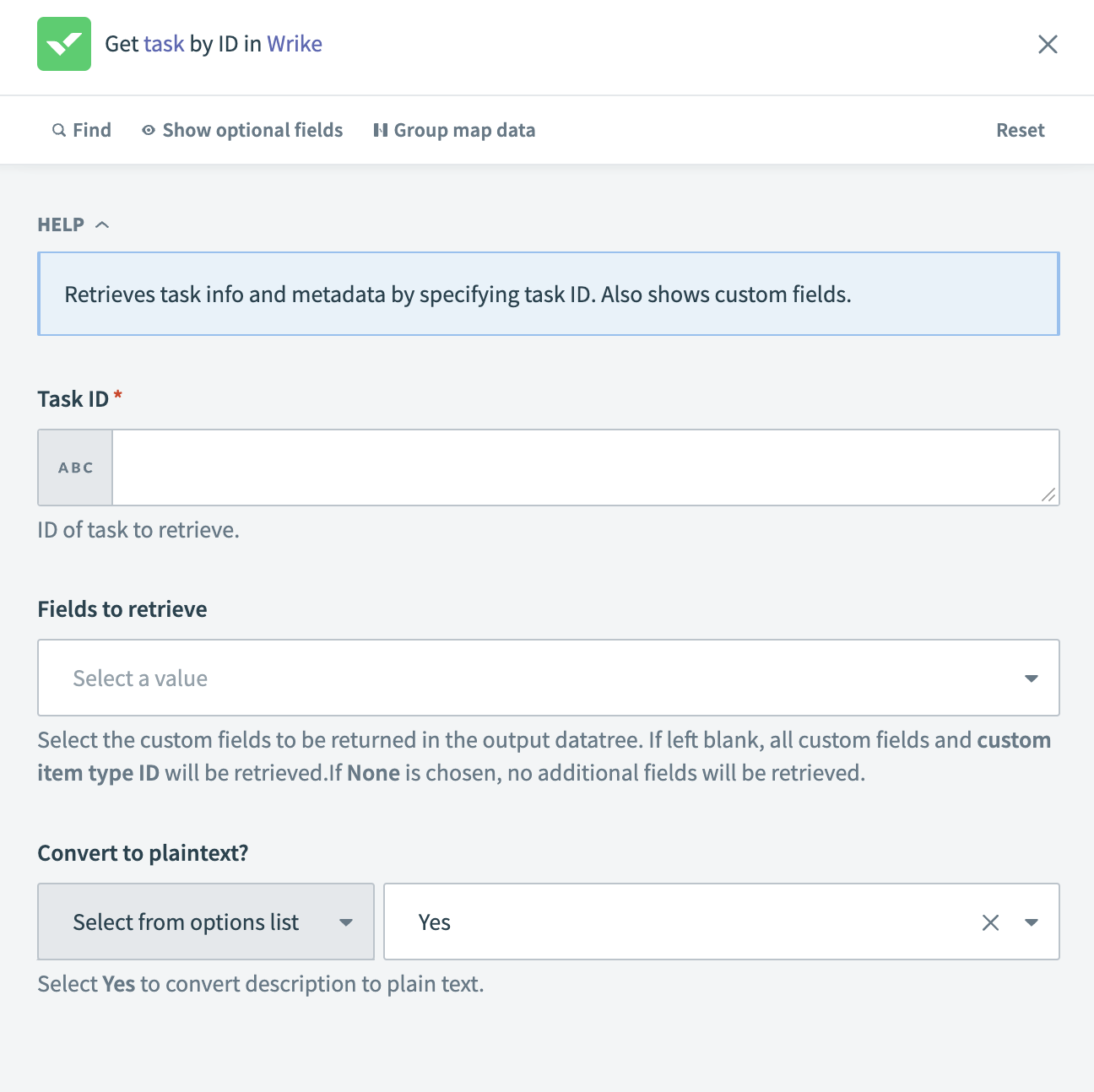 Get task by ID action
Input
| Input field | Description |
|---|---|
| Task ID | Enter the unique ID of the task you plan to retrieve. Use datapills or a static value. |
| Fields to retrieve | Select the custom fields to include in the output. If left blank, all custom fields and custom item type IDs are retrieved. If None is selected, no additional fields are retrieved. |
| Convert to plaintext? | Choose whether to convert the task description to plain text. Defaults to Yes. |
Output
| Output field | Description |
|---|---|
| Task ID | The unique identifier of the task. |
| Account ID | The ID of the Wrike account containing the task. |
| Title | The task title. |
| Description | The task description. |
| Brief description | A short summary of the task description. |
| Parent folder | List of parent folders. Includes the Parent folder ID and List size. |
| Super parent folder | List of super parent folders. Includes the Folder ID and List size. |
| List of users who share task | List of users sharing the task. Includes the User ID and List size. |
| Assignees | List of users assigned to the task. Includes the User ID and List size. |
| Placeholder assignees | List of placeholder assignees for the task. Includes the User ID and List size. |
| Status | Current status of the task. |
| Importance | Task importance. |
| Created date | Date the task was created. |
| Updated date | Date the task was last updated. |
| Completed date | Date the task was last updated. |
| Dates | Key date attributes of the task. Includes the Type, Duration, Start date, and Due date. |
| Scope | The scope of the task. |
| Author | List of authors for this task. Includes the User ID and List size. |
| Custom status ID | The custom status ID of the task. |
| Has attachments | Indicates whether the task has attachments. |
| Attachment count | Total number of attachments for the task. |
| Permalink | URL to access the task in Wrike. |
| Priority | Defines the task order in a task list. |
| Followed by me | Indicates if the logged-in user is following the task. |
| Followers | List of users following the task. Includes the Follower ID and List size. |
| Super task | List of tasks marked as super tasks. Includes the Super task ID and List size. |
| Subtask | List of tasks marked as subtasks. Includes the Subtask ID and List size. |
| Dependency | List of tasks marked as dependencies. Includes the Dependency ID and List size. |
| Metadata | Metadata of the task. Includes the Key and Value. |
| Effort allocation | Details of the effort allocation for the task. Includes the Allocated effort and Daily allocation percentage. |
| Custom item type ID | The custom item type ID of the task. |
| Custom fields | Includes data from custom fields. |
Last updated: