Xero - Search accounts batch action
The Search accounts batch action allows you to search for bank or general ledger accounts within your Xero organization. The list of accounts matching all search criteria is returned.
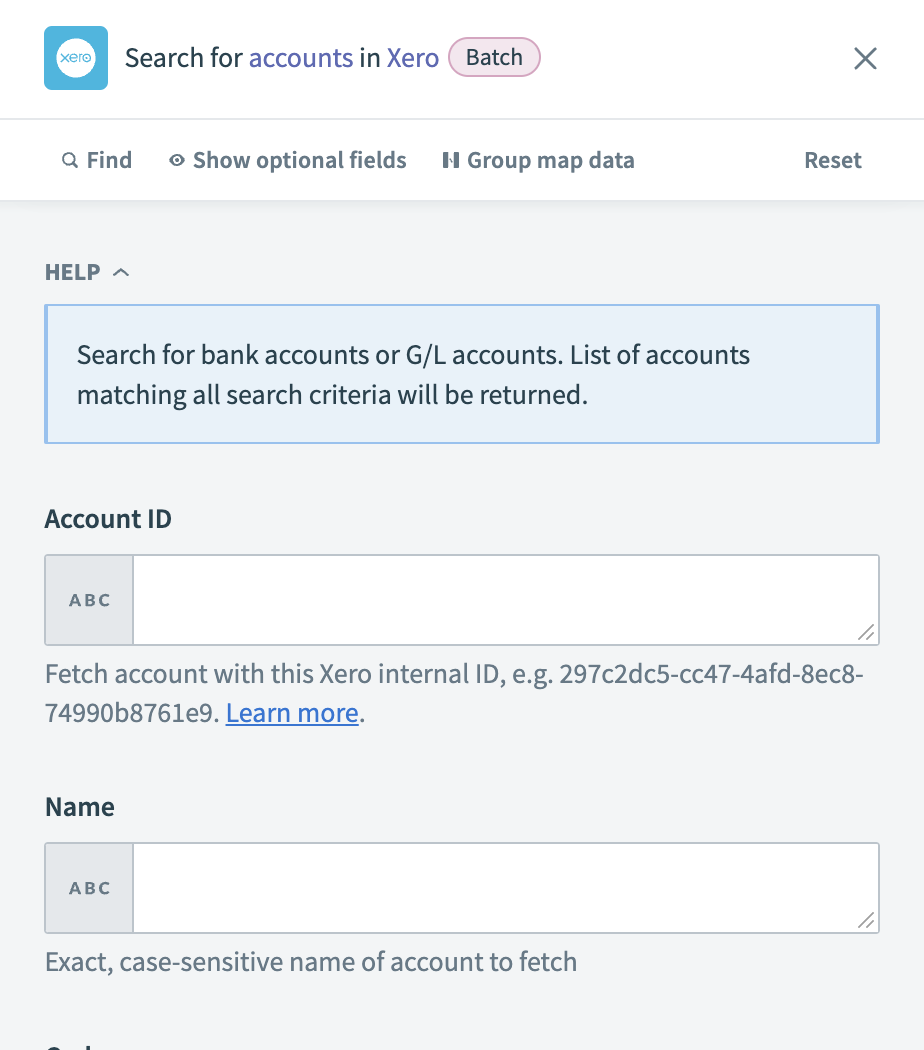 Xero - Search accounts batch action
Input
| Input field | Description |
|---|---|
| Account ID | Enter the Xero internal ID to fetch the account. |
| Name | Provide the exact, case-sensitive name of the account to retrieve. |
| Code | Supply the exact, case-sensitive code of the account to retrieve. |
| Type | Enter the type of accounts to search for. Use uppercase for valid account types, such as CURRENT or REVENUE. |
| Status | Specify the status of the accounts to search for. Valid statuses are ACTIVE or ARCHIVED. |
Output
| Output field | Description |
|---|---|
| Accounts | A collection of account details within Xero. |
Last updated: