Xero - Upload attachment action
The Upload attachment action allows you to upload an attachment to a sales record in Xero. Each sales record is limited to 10 attachments, and each attachment is limited to 10 MB.
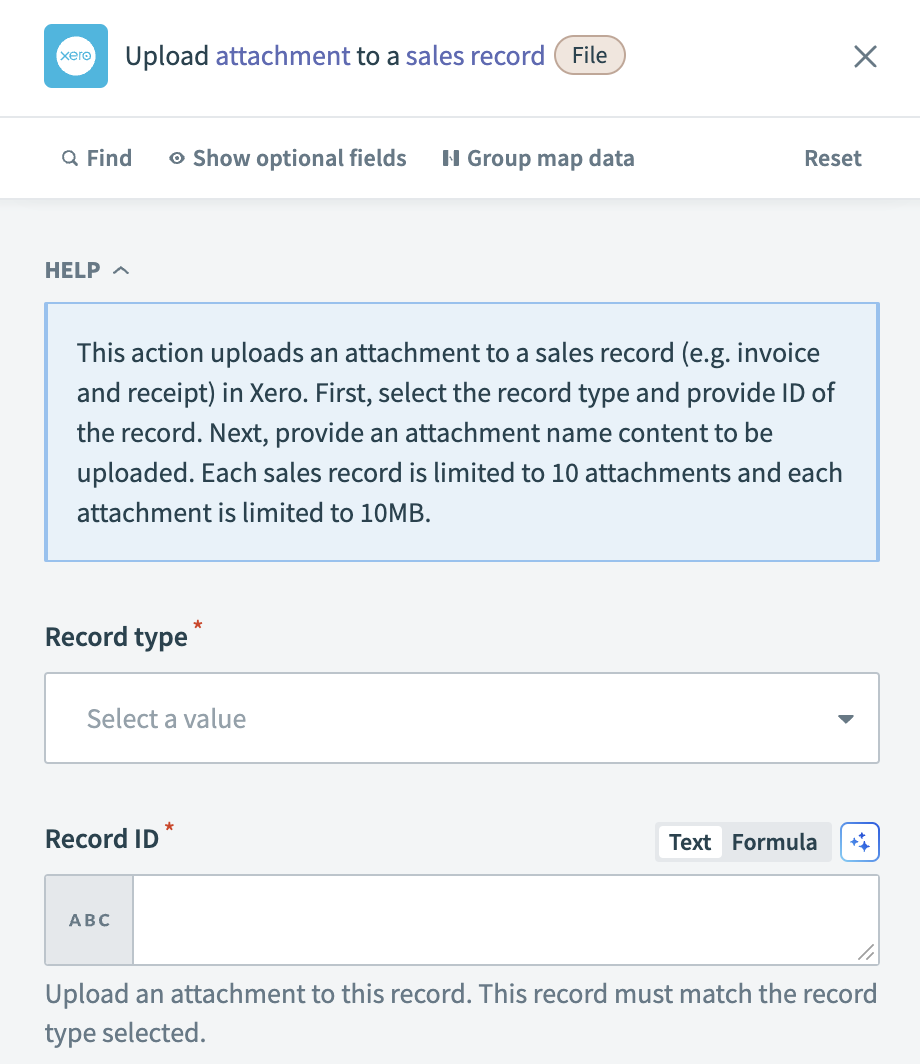 Xero - Upload attachment action
Input
| Input field | Description |
|---|---|
| Record type | Specify the type of record that the attachment is uploaded to. |
| Record ID | Enter the unique identifier of the record. This record must match the record type selected. |
| Attachment name | Provide the name for the attachment file. Include the file extension in this field. |
| Attachment content | Input the content of the attachment, typically in a file format. |
| Mime type | Specify the mime type of the attachment, such as image/jpeg. This field defaults to text/plain if left blank. |
Output
| Output field | Description |
|---|---|
| File ID | The unique identifier assigned to the uploaded file. |
| Folder ID | The identifier of the folder where the file is stored. |
| ID | The general identifier for the attachment. |
| Size (in bytes) | The size of the uploaded file, measured in bytes. |
| Mime type | The mime type of the file, indicating the file format. |
| File name | The name of the uploaded file. |
| Object type | The type of object to which the file is attached. |
| Object ID | The unique identifier of the object that the file is attached to. |
| Object group | The group or category of the object. |
| User | Information about the user who uploaded the file. |
| Updated date | The date when the file was last updated. |
| Created date | The date when the file was initially created. |
Last updated: