Zoom - Download cloud recording action
The Download cloud recording action allows you to download cloud recordings directly from Zoom and send them to downstream applications. For example, you can send completed cloud recordings from Zoom to Salesforce so that sales call recordings are immediately accessible to salespeople.
Input
| Field | Description |
|---|---|
| Download URL | The download URL of the file. Learn more about the different types of Zoom recording files. |
| Download token | An OAuth token. We recommend using the Download token output datapill from Cloud recording completed in the New event trigger. Learn how to generate the download token. |
Download URLs for Zoom recording files
Each cloud-recorded meeting or webinar on Zoom includes various file types, each with its own download URL. The availability of these files depends on the features used during the meeting. For instance, no chat file is available if the chat feature was not used during the meeting.
The download URLs for these files can be found in the output of the following triggers and actions:
- Cloud recording transcript completed in the New event trigger
- Cloud recording completed in the New event trigger
- Get cloud recording in the Get object by ID action
Each of these triggers and actions generates a list of Recording files for the cloud recording.
Recording file types
| File type | Description | Format |
|---|---|---|
MP4 | Audio/video file of the recording. | mp4 |
M4A | Audio-only file of the recording. | m4a |
M3U | Playlist file to play all individual MP4 files (Windows only). | m3u |
TIMELINE | Timestamp file of the recording. Enable the Add a timestamp to the recording setting in the recording settings to retrieve a TIMELINE file. The time is displayed in the host's timezone, which is set on their Zoom profile. | json |
CC | File containing closed captions of the recording. | vtt |
CHAT | File containing in-meeting chat messages sent during the meeting. | txt |
TRANSCRIPT | Transcription file of the recording. | vtt |
Retrieve recording files using a download token
If you use Cloud recording completed in the New event trigger, the output provides a download token. This token allows you to download the cloud recording even if it is password protected, which is a recommended security default. The token expires 24 hours after the recording is completed.
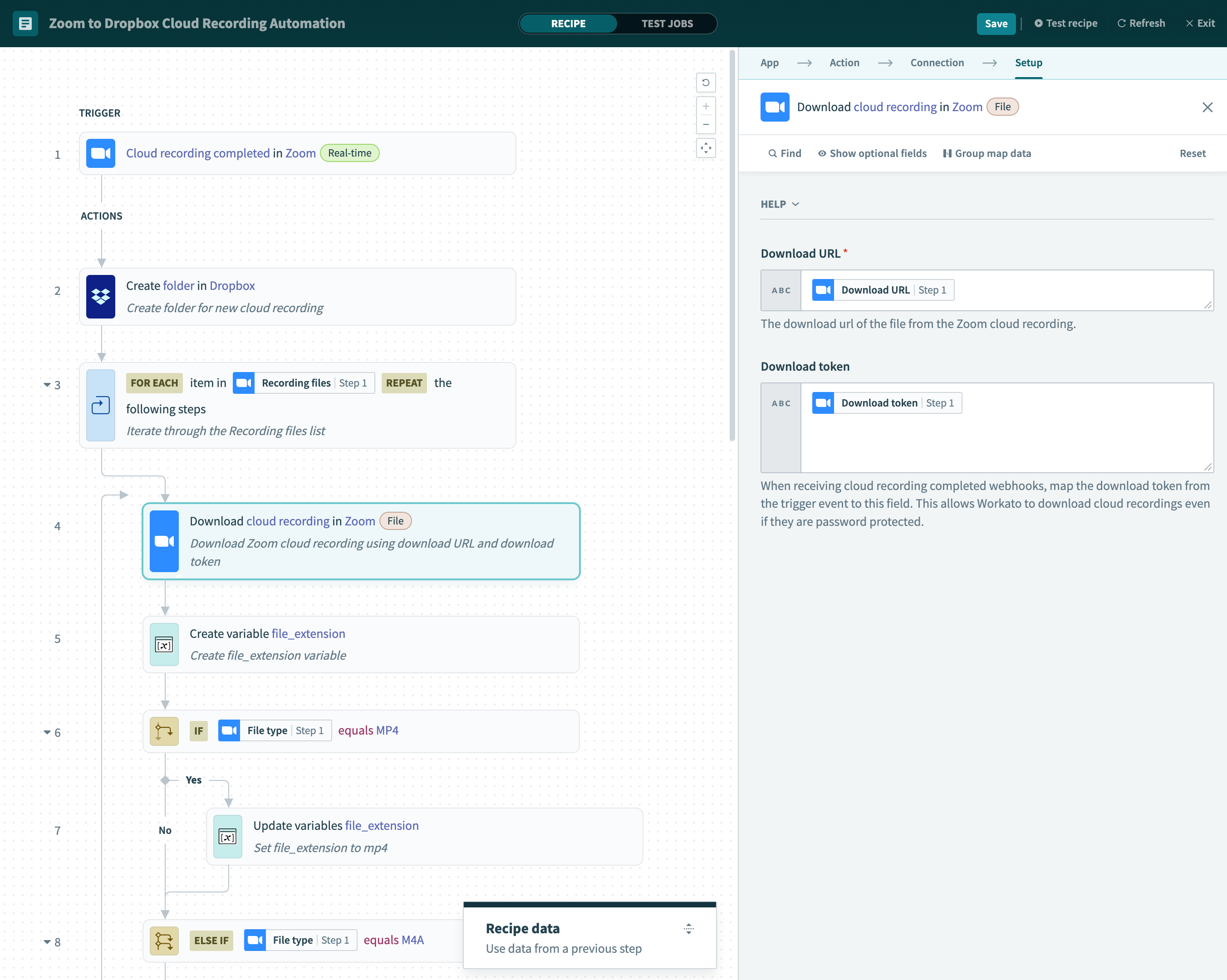
The following recipe uses Cloud recording completed in the New event trigger to generate a download token, enabling you to download Zoom cloud recordings and upload them to Dropbox.
 Download cloud recording in Zoom
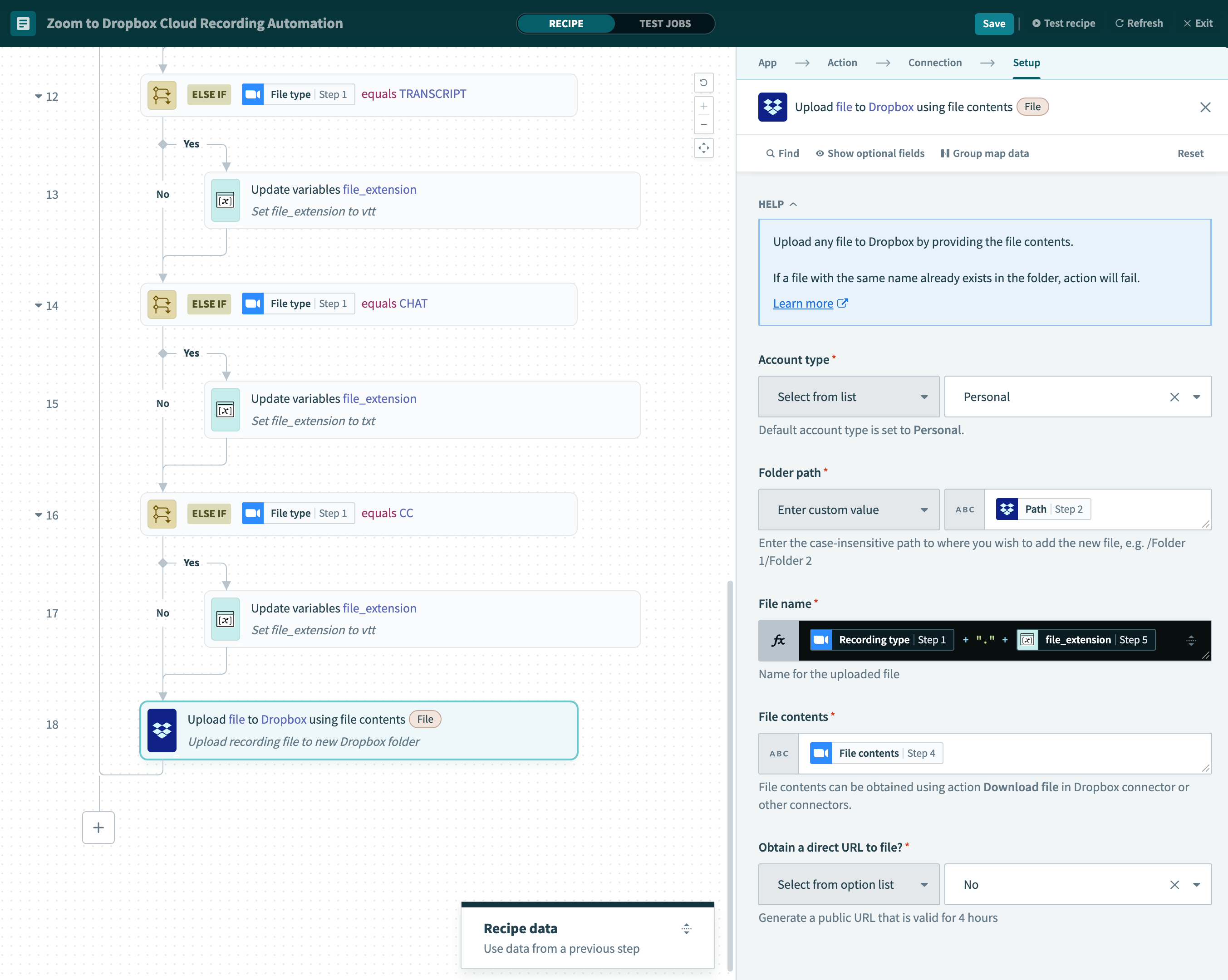
In this example, Workato processes new cloud recordings completed in Zoom. For each file in the Recording files list, the recipe downloads the cloud recording file using the Download URL and Download token from Cloud recording completed in the New event trigger. It then maps each file to its respective fields.
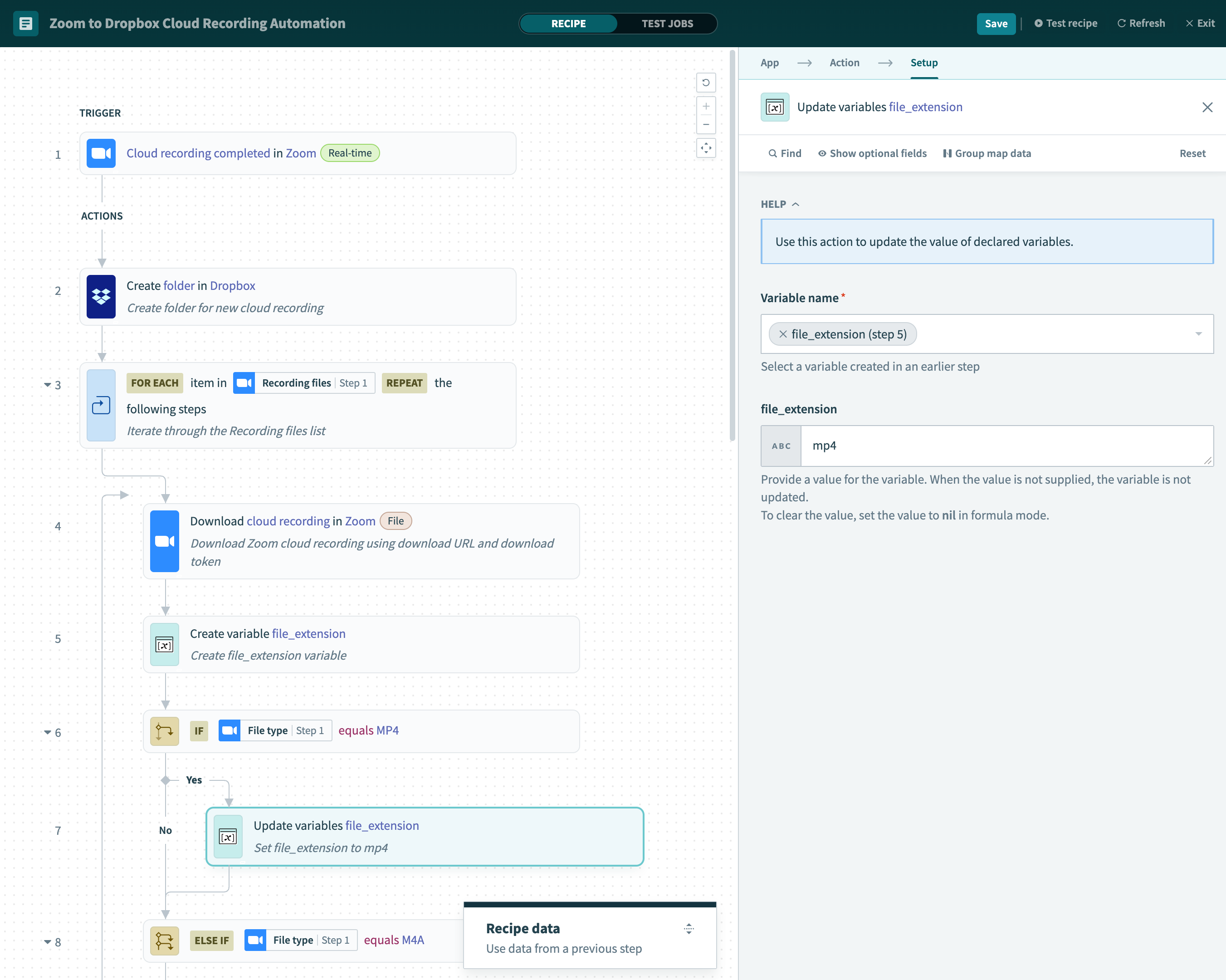
Then, the recipe sets a file extension based on the Recording file type.
 Set file extension
This enables you to name each Recording file with the appropriate file extension and prevent issues with accessing the files.
 Upload the file to Dropbox
Last updated: