Scheduler by Workato - New recurring event trigger
The New recurring event trigger allows you to define the interval at which your recipe runs.
For example, you can schedule your recipe to run every 15 minutes or at a specific time, such as 9:00 AM every Monday. To use a more advanced schedule, select Custom schedule from the Time unit drop-down menu and enter a cron expression. The minimum supported interval is five minutes.
TIMING IS APPROXIMATE
Scheduled trigger times are approximate and may experience slight delays due to the trigger's processing queue design. For more precise scheduling, use a cron expression.
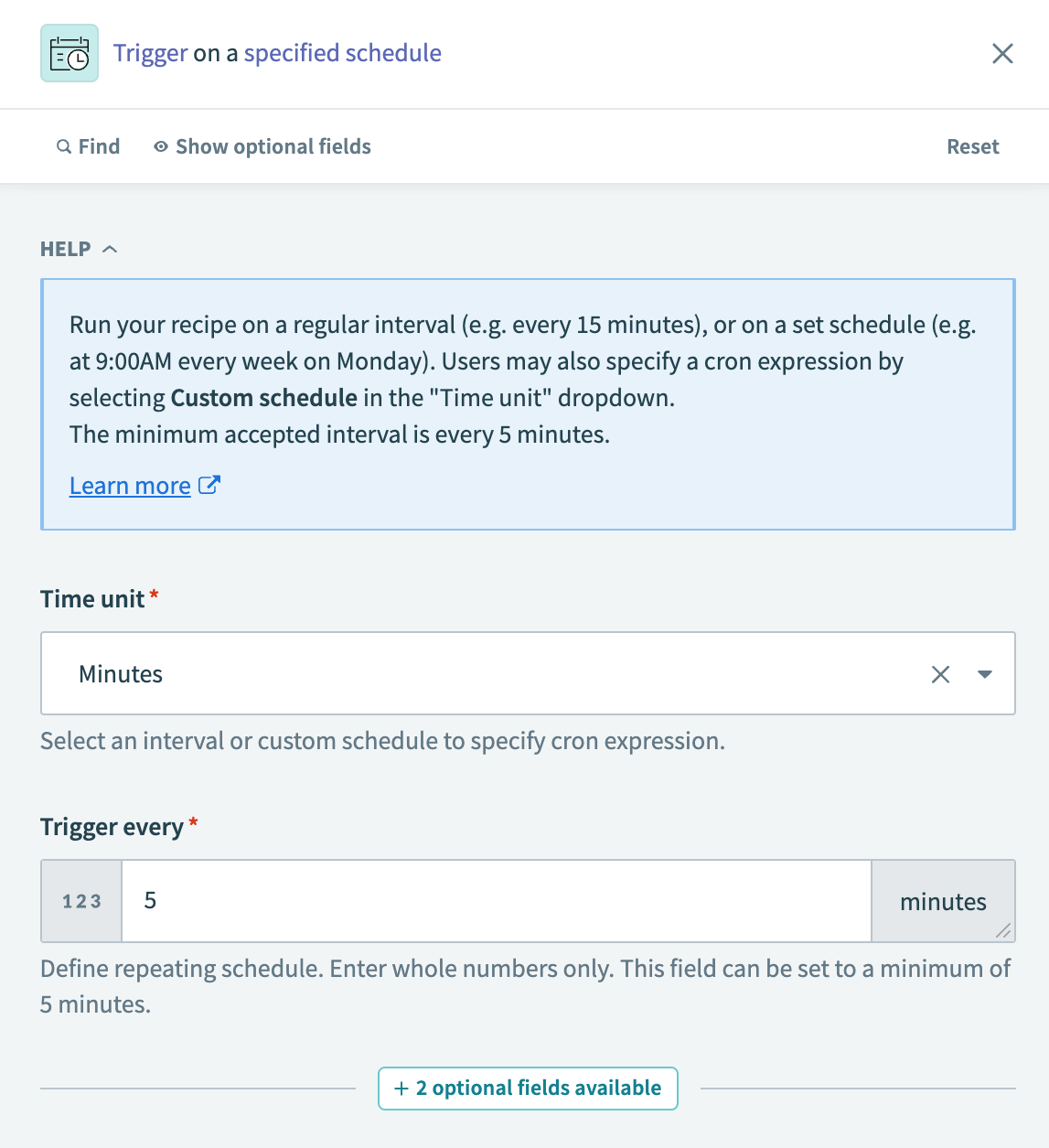 New recurring event trigger
Input
| Field | Description |
|---|---|
| Time unit | Choose the interval for your schedule. Options include Minutes, Hours, Days, Weeks, Months, or Custom schedule. |
| Trigger every | Specify how often to run the recipe. Enter whole numbers only. The minimum value is 5 minutes. |
| Trigger at | Available for Days, Weeks, and Months. Define the specific time to run the job. |
| Days of the week | Available for Weeks. Select the days on which the schedule repeats. |
| Days of the month | Available for Months. Select the days on which the schedule repeats. |
| Cron expression | Available for Custom schedule. Enter a cron expression to define an advanced schedule. |
| Timezone | Select the timezone for your schedule. The default is America/Los_Angeles. |
| Start after | Set the date and time to start the recipe. You can't change this value after the recipe has run or been tested. |
DST AND TIMEZONE BEHAVIOR
When you set the Timezone to a named IANA zone (for example, America/New_York), Workato schedules jobs in that zone and automatically follows that zone's DST (Daylight Saving Time) rules. For example, a "9:00 AM every Monday" schedule fires at 9:00 AM EDT in summer and 9:00 AM EST in winter.
Output
INDEXED DAY, WEEK, MONTH
Output fields return a zero-based index of the current day, week, or month at the time the job triggers.
| Field | Description |
|---|---|
| Scheduled time | The time at which the recipe is scheduled to run. |
| Scheduled day | The day on which the recipe is scheduled to run. |
| Scheduled week | The week on which the recipe is scheduled to run. |
| Scheduled month | The month on which the recipe is scheduled to run. |
| Last job time | The time when the recipe last ran. |
SCHEDULED TIME OUTPUT
The Scheduled time output field defaults to (GMT-08:00) Pacific Time (US & Canada).
To use a different timezone, adjust the Timezone input field accordingly.
Cron expressions
Learn how to write cron expressions in 2 minutes
A cron expression defines a schedule for automated tasks using a fixed and ordered syntax. To set a custom schedule, select Custom schedule from the Time unit drop-down menu.
Cron expressions consist of five fields, each representing a specific time unit. Use the wildcard * to represent all possible values in a field. For more information, see Cron expressions.
<Minute> <Hour> <Day of month> <Month> <Day of week>Examples
| Cron expression | Description |
|---|---|
0 0 * * * | Every day at midnight (00:00). |
*/10 * * * * | Every 10 minutes. |
0 0 1 * * | The first day of every month at midnight (00:00). |
0 0 L * * | The last day of every month at midnight (00:00). |
0 0 * * 1,5 | Every Monday and Friday at midnight (00:00). |
0,30 * * * * | Twice every hour, at 00 and 30 minutes past. |
0 9 * * MON#1 | The first Monday of every month at 09:00. |
Last updated: