On-prem group settings
The on-prem group Settings page enables you to configure logging, network access, and alert behavior for your on-prem agents.
The on-prem group Settings page includes the following sections:
- Log management: Control whether on-prem agent (OPA) logs are sent to Workato logging services.
- IP allowlist: Define which IP addresses agents in this group can connect from.
- Email alerts: Configure email notifications for agent disconnections.
Prerequisites
Ensure you meet the following requirements before you begin:
- You have access to Tools > On-prem groups
- You have permission to edit the selected on-prem group
Log management
You can use Log management to control whether the on-prem agent (OPA) sends logs to Workato.
Configure log management
Complete the following steps to configure log management:
Go to Tools > On-prem groups and select the on-prem group you plan to configure.
Go to Settings > Log management.
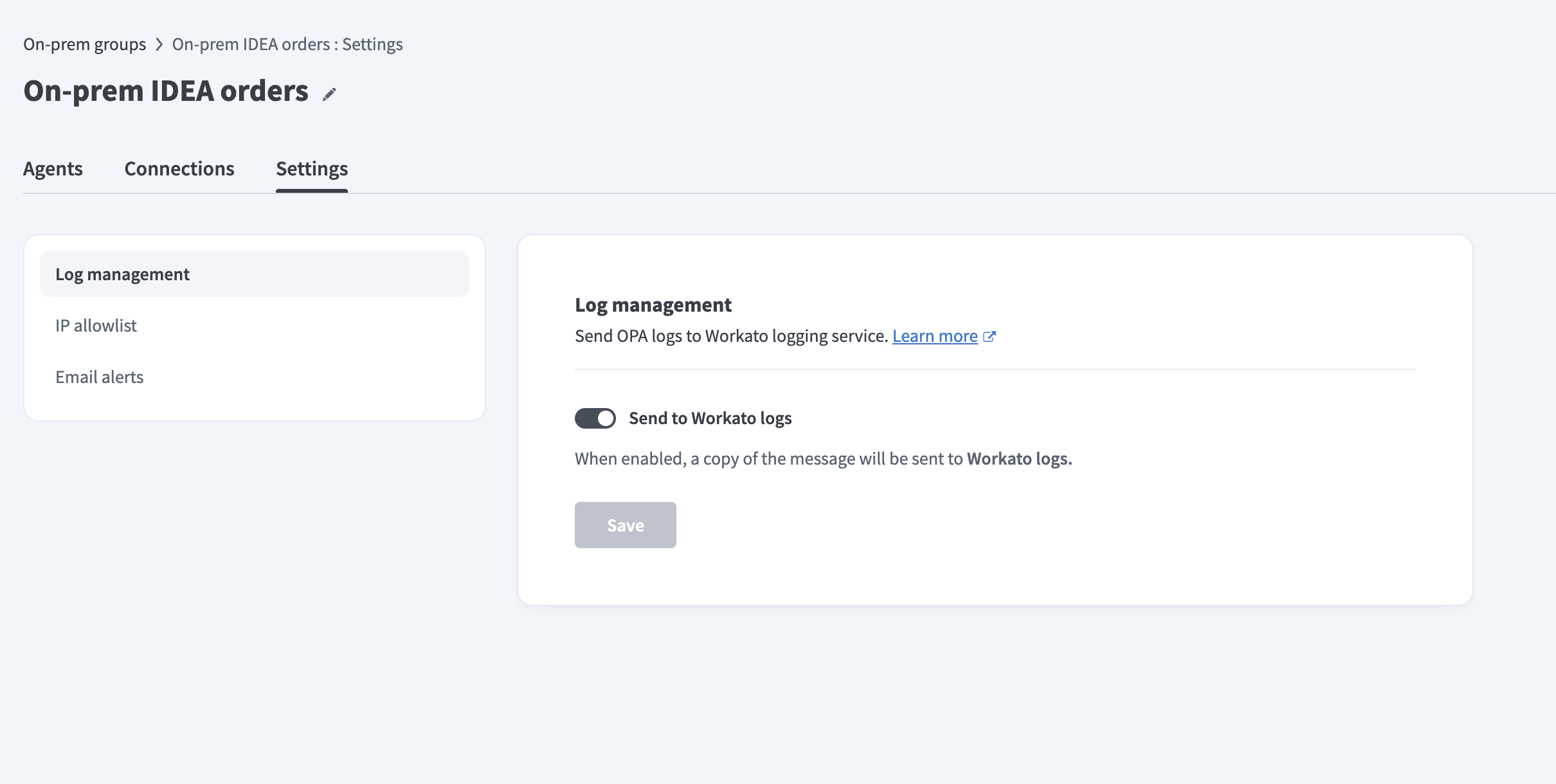 Configure log management
Enable or disable Send to Workato logs. The on-prem agent sends a copy of its logs to Workato logging services when enabled.
Click Save.
Refer to Workato Logging Service to learn more about OPA log storage and filtering.
IP allowlist
The IP allowlist settings enable you to define which IP addresses on-prem agents in this group can connect from.
Configure IP allowlist
Complete the following steps to configure the IP allowlist:
Go to Tools > On-prem groups and select the on-prem group you plan to configure.
Go to Settings > IP allowlist.
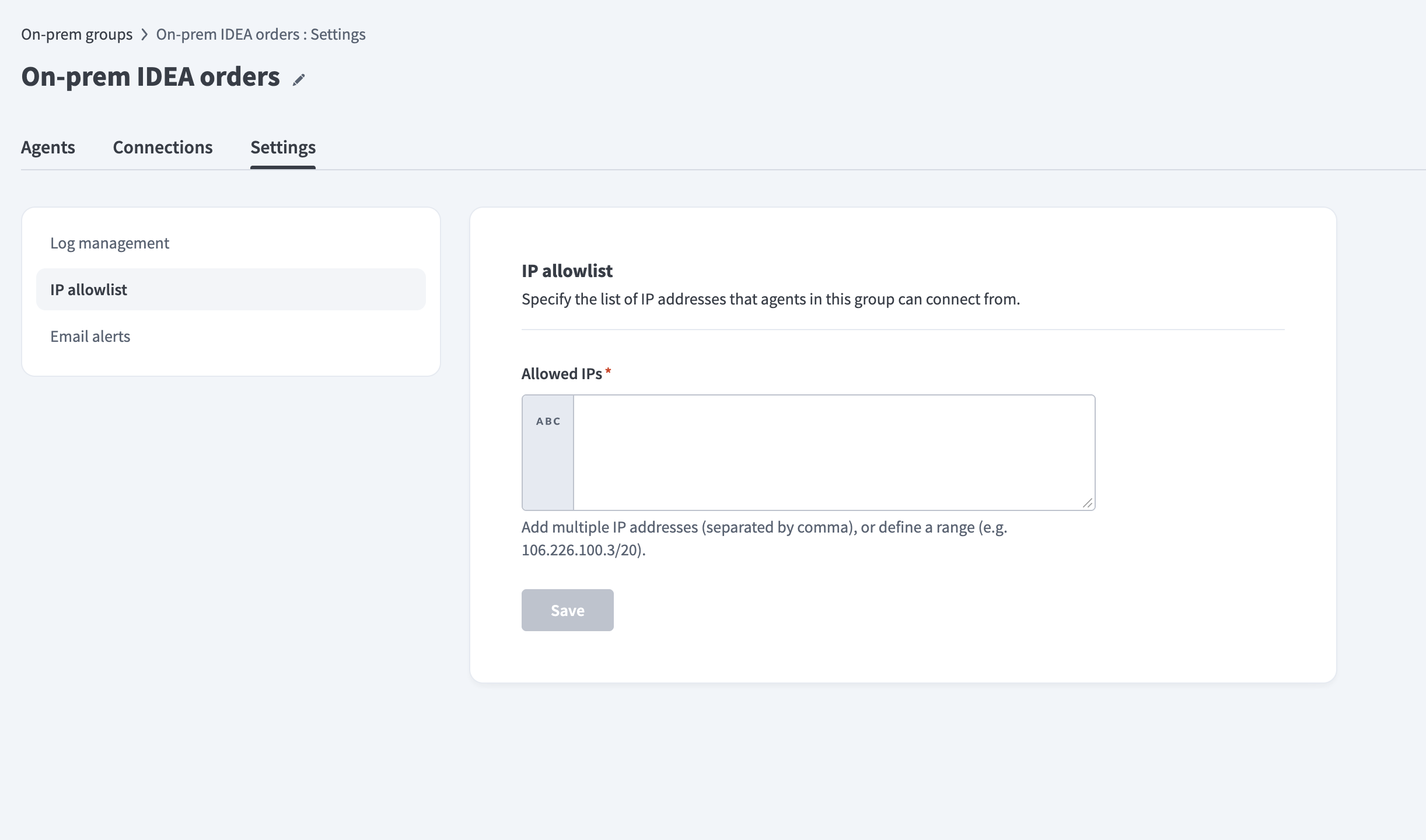 Configure IP allowlist
Enter IP addresses in the Allowed IPs field. You can enter multiple IP addresses separated by commas, or define a range using CIDR notation (for example, 106.226.100.3/20).
::: note ON-PREM AGENT CONNECTION RULES The IP allowlist setting defines which IP addresses on-prem agents can connect from.
It doesn't define which IP addresses or services the agent can connect to. Configure outbound access in your network firewall. :::
Click Save.
Email alerts
Email alerts notify you when an on-prem agent disconnects. You can configure alert behavior, recipients, and disconnection types in the Email alerts page. Refer to the Automatic alerts page for more information.
Last updated: