# Identity provider user access
You can add users through your external identity provider (IdP). This enables you to authenticate end-user accounts for Agentic access. This authentication method doesn't grant end users access to Workato Orchestrate. You must configure a SAML-based SSO through your IdP before you can provide a user with access.
# Configure your identity provider
Configure your external IdP to use your company-provided Single Sign-on (SSO), such as Okta, to authenticate user accounts.
Complete the following steps to configure your IdP:
Sign in to your Okta (opens new window) account.
Go to Applications > Applications and click Create App Integration.
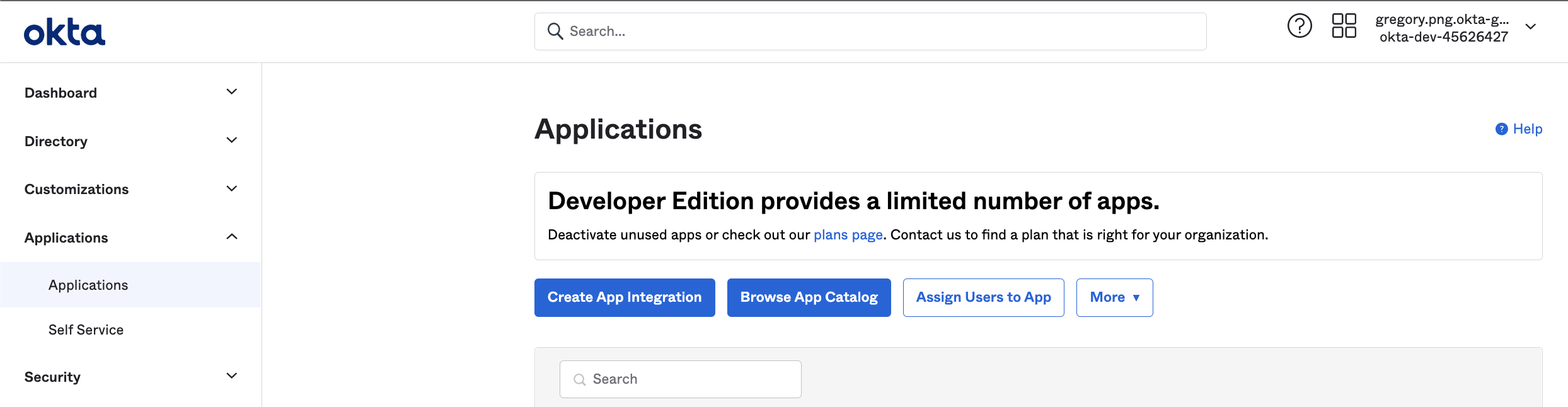 Add application in Okta
Refer to the Okta documentation (opens new window) for more information.
Select SAML 2.0 as the Sign-in method and click Next.
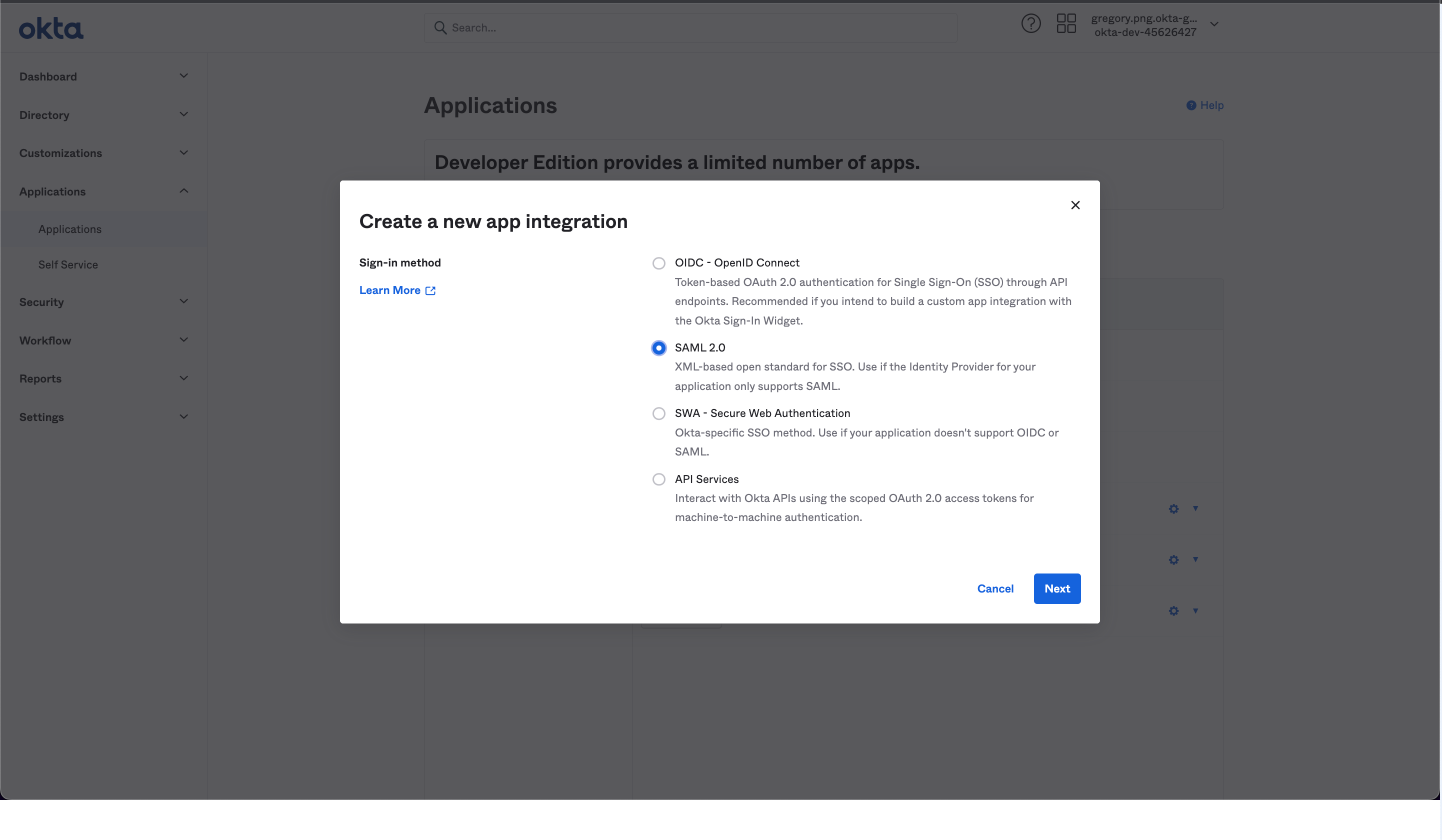 Create a new application in Okta
Enter a name for the app in the App name field. For example, Workato Agentic or MCP Servers.
Click Next.
Paste your Workato Single Sign-On URL into the corresponding field in Okta.
Select the Use this for Recipient URL and Destination URL checkbox.
Paste the Service provider (SP) entity ID into the Audience URI (SP Entity ID) field.
Set Name ID format to EmailAddress.
Go to the Attribute Statements section and add the following attributes:
| Name | Value |
|---|---|
workato_end_user_name | user.displayName |
workato_end_user_groups | appuser.workato_end_user_groups |
Click Next.
Use the App type drop-down menu to choose This is an internal app that we have created.
Click Finish.
Go to Directory > People and add one or more users. You must complete the verification steps for each user.
Go to Applications > My App > Assignments.
Click Assign > Assign to People and add one or more users for My App.
Click Done.
Go to Applications > [Your App] > Sign On in Okta.
Copy the Metadata URL. You must use this URL in the Provide metadata from your IdP section of the Set up a new provider wizard in Workato. Refer to Set up environment authentication for more information.
Click Save changes.
Last updated: 2/5/2026, 11:48:05 PM