Zendesk - Solve ticket action
This action updates a specific ticket your Zendesk instance and sets the ticket's status to solved. The ticket is identified by its Zendesk ID.
Some ticket fields put constraints on a ticket's status. For example, Zendesk requires a non-null input for assignee and group, before allowing a ticket to be solved. Check that you have satisfied all default and custom preconditions before using this action.
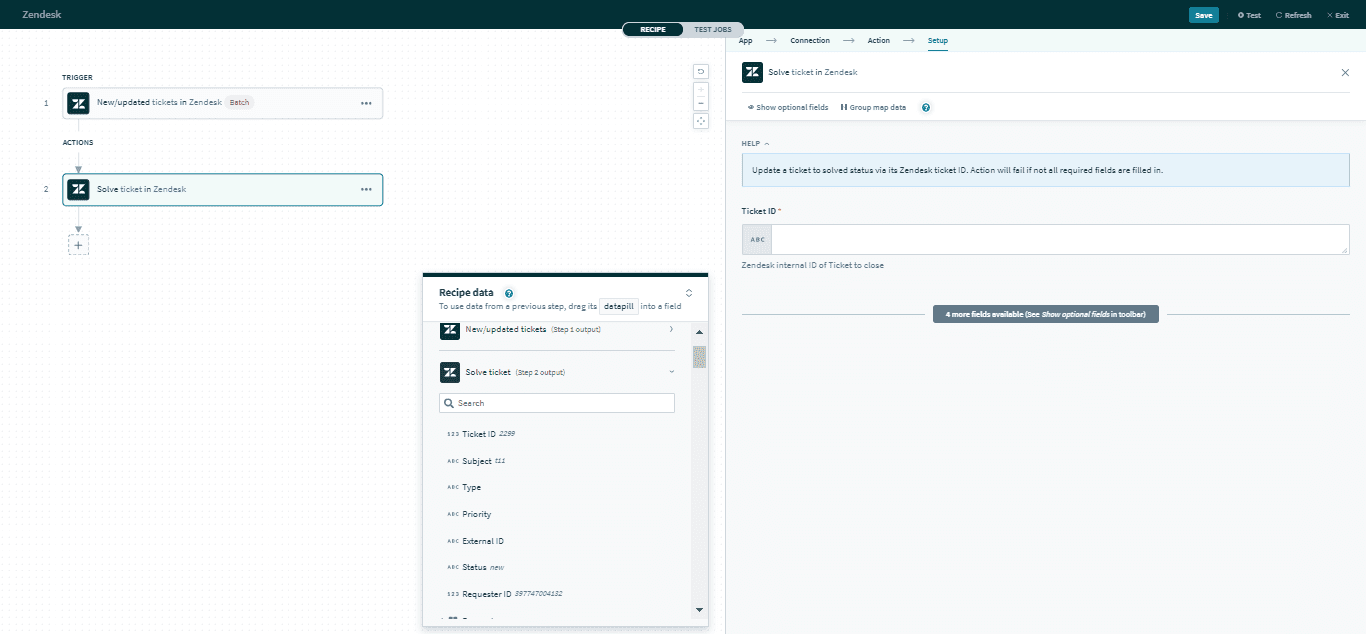 Solve ticket action
Input
| Input field | Description |
|---|---|
| Ticket ID | The unique Zendesk ID of the ticket. |
| Ticket form | Select a ticket form to open required fields for that preconfigured ticket form. |
| Ticket custom fields | Provide data for the required custom fields. |
Output
The output of this action contains the full set of columns from the selected ticket. Here are some commonly used outputs.
| Output field | Description |
|---|---|
| Ticket ID | The unique Zendesk ID of the ticket. This is automatically assigned when the ticket is created. |
| Subject | The subject of the ticket. |
| Type | The type of ticket. Permitted values are problem, incident, question, or task. |
| Priority | The priority of the ticket. Permitted values are urgent, high, normal, or low. |
| Ticket custom fields | Includes data of ticket custom fields. |
Click here for a full list of ticket outputs.
Last updated: