Zendesk - Update ticket action
This action updates a specific ticket in your Zendesk instance identified by its Zendesk ID. You can update ticket fields and add new comments.
Some ticket fields put constraints on a ticket's status. Check that you have satisfied all preconditions before updating to solved. For more information, see the documentation on the solve ticket action
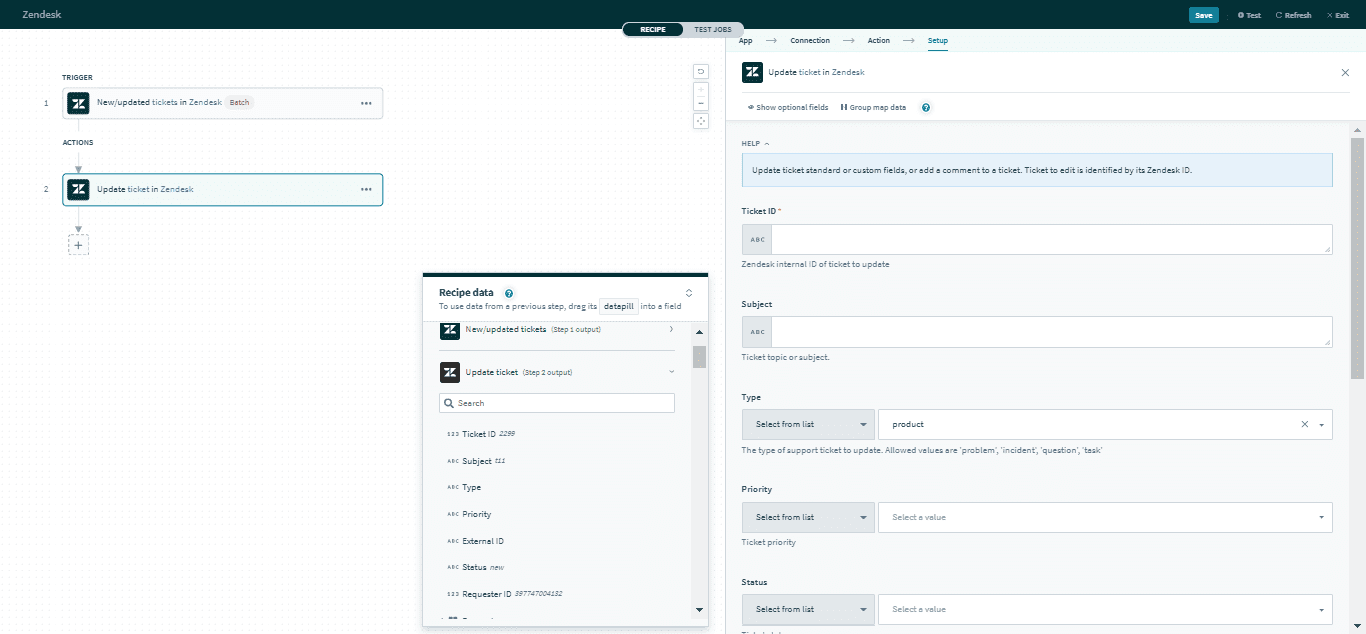 Update ticket action
Input
Here are some commonly used inputs.
| Input field | Description |
|---|---|
| Ticket ID | The unique Zendesk ID of the ticket. |
| Ticket form | Select a ticket form to use preconfigured custom fields. |
| Comment | Create a new comment for the ticket. |
| Priority | Select the priority of the ticket. Permitted values are urgent, high, normal, or low. |
| Status | Select the status of the ticket. Permitted values are open, pending, hold, solved, or closed. |
| Tags | The tags applied to this ticket. You can add multiple tags with the , separator. |
| Ticket custom fields | Provide data for ticket custom fields. |
Click here for a full list of ticket inputs.
Output
The output of this action contains the full set of columns from the selected ticket. Here are some commonly used outputs.
| Output field | Description |
|---|---|
| Ticket ID | The unique Zendesk ID of the ticket. This is automatically assigned when the ticket is created. |
| Subject | The subject of the ticket. |
| Type | The type of ticket. Permitted values are problem, incident, question, or task. |
| Priority | The priority of the ticket. Permitted values are urgent, high, normal, or low. |
| Ticket custom fields | Includes data of ticket custom fields. |
Click here for a full list of ticket outputs.
Bulk update tickets action
This action updates multiple tickets in your Zendesk instance. The tickets are identified by their Zendesk ticket ID. You can update ticket fields and add new comments.
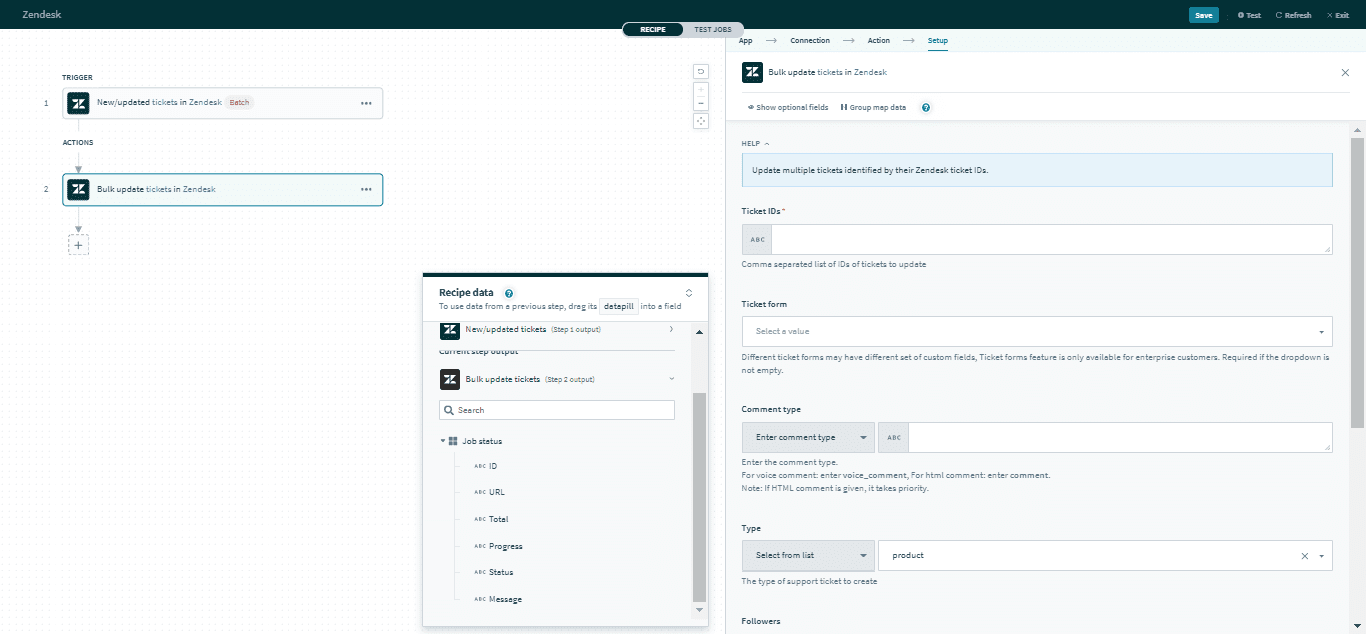 Bulk update tickets action
Input
Here are some commonly used inputs.
| Input field | Description |
|---|---|
| Ticket ID | The unique Zendesk ID of the tickets. You can add multiple tickets with the , separator. |
| Ticket form | Select a ticket form to open preconfigured custom fields. |
| Comment | Create a new comment for the tickets. |
| Priority | Select the priority of the ticket. Permitted values are urgent, high, normal, or low. |
| Status | Select the status of the ticket. Permitted values are open, pending, hold, solved, or closed. |
| Tags | The tags applied to this ticket. You can add multiple tags with the , separator. |
| Ticket custom fields | Provide data for ticket custom fields. |
Click here a full list of ticket inputs.
Output
The output of this action is a status record of the bulk update action. You can use this status record as inputs in your recipe.
| Output field | Description |
|---|---|
| ID | The unique Zendesk ID of the queue. This is automatically assigned when the Bulk update action is created. |
| URL | The URL of the status update. |
| Total | The total number of tasks being processed. |
| Progress | The number of tasks that have already been completed. |
| Status | The status of the action. Permitted values are queued, working, failed, completed, or killed. |
| Message | The message from the job worker. |
Last updated: