Zendesk - Update user action
This action updates a specific user your Zendesk instance. The user is identified by its Zendesk ID. You can update standard and custom fields, and add new comments.
You can use this action to change the role of a user between End-user, Agent and Administrator. However, you are restricted by the limits on your Zendesk user license.
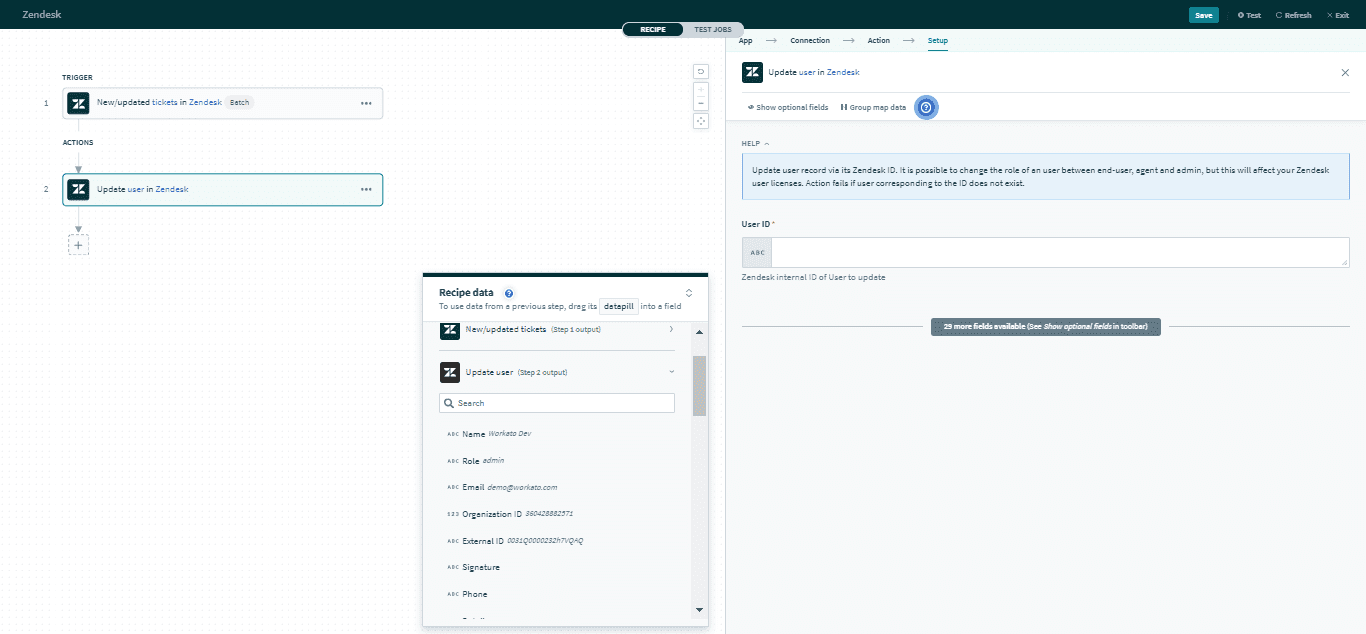 Update user action
Input
Here are some commonly used inputs.
| Input field | Description |
|---|---|
| User ID | The unique Zendesk ID of the user. |
| Name | The name of the user. |
| Role | The role of the user. Permitted values are End-user, Agent, or Administrator. |
| The primary email of the user. | |
| Organization ID | The ID of the user's organization. If the user has more than one organization membership, it will display the user's default organization. |
| User custom fields | Includes data of user custom fields. |
Click here for a full list of user inputs.
Output
The output of this action contains the full set of columns from the selected user. Here are some commonly used outputs.
| Output field | Description |
|---|---|
| ID | The unique Zendesk ID of the user. This is automatically assigned when the user is created. |
| Role | The role of the user. Permitted values are End-user, Agent, or Administrator. |
| The primary email of the user. | |
| Organization ID | The unique Zendesk ID of the user's organization. If the user has more than one organization membership, it will display the user's default organization. |
| User custom fields | Includes data of user custom fields. |
Click here for a full list of user outputs.
Last updated: