BambooHR - Create employee action
This action creates an employee record in your BambooHR instance.
Input
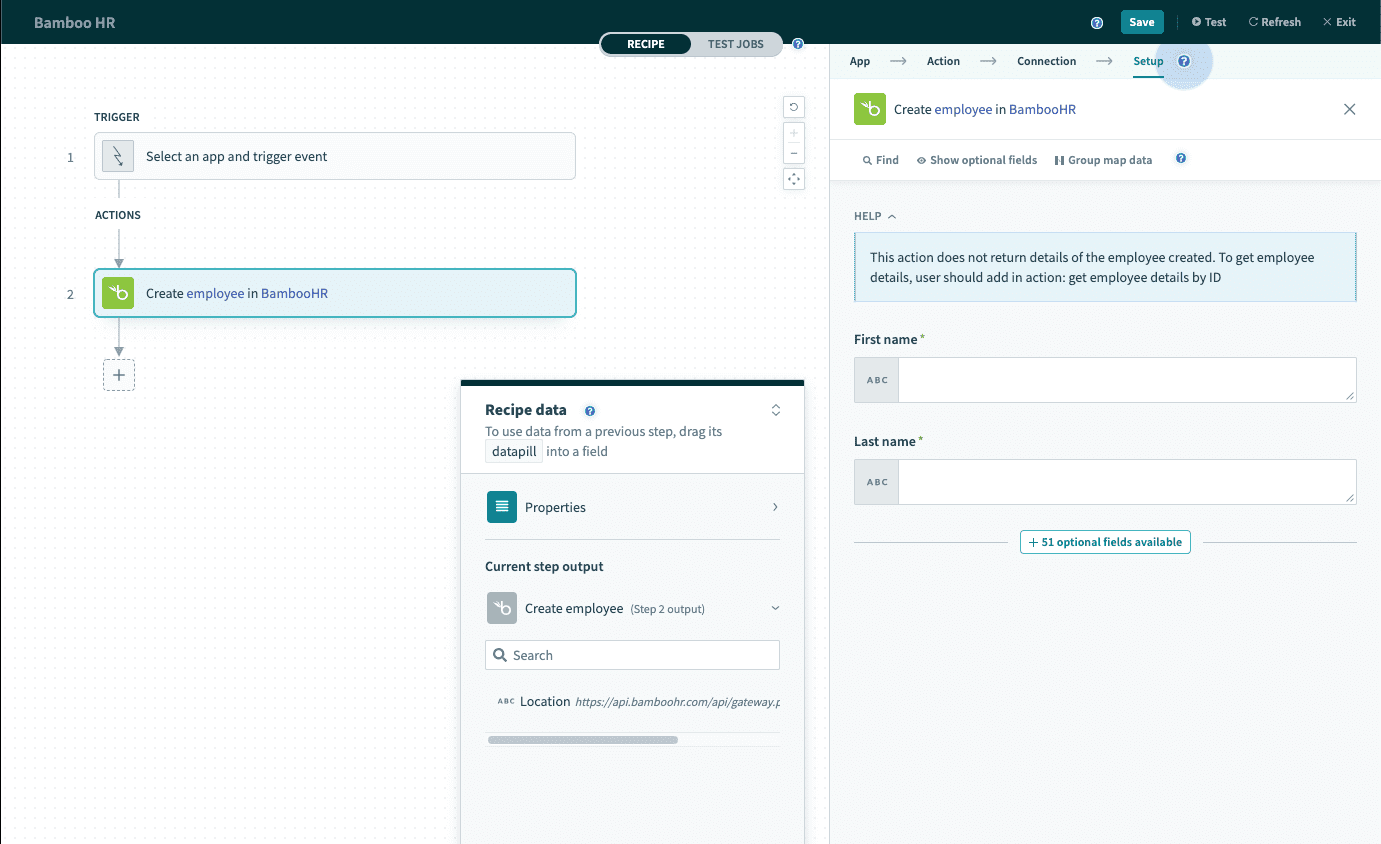 Create employee action
| Input field | Description |
|---|---|
| First name required | The first name of the new employee record. |
| Last name required | The last name fo the new employee record. |
| Employee input fields | For a full list of employee input fields, see field names. |
Output
| Output field | Description |
|---|---|
| Location | The URL to the employee's location in your BambooHR instance. The employee ID is included in this datapill. |
No employee details
This action does not return the details of the employee created. Use Get employee details action to retrieve the employee details by ID.
Learn how to retrieve the employee ID below.
How to retrieve the ID of the newly created employee
The employee ID is included in the Location datapill. In the example below, the newly created employee has the ID 40598. Use formula mode to retrieve the employee ID.
| Step | description |
|---|---|
| Employee URL | Response from Create employee action is the Location datapill https://api.bamboohr.com/api/gateway.php/<acme>/v1/employees/40598. |
| Employee ID | Switch to Formula mode, and parse the datapill with the following format.<datapill>.split("/'").last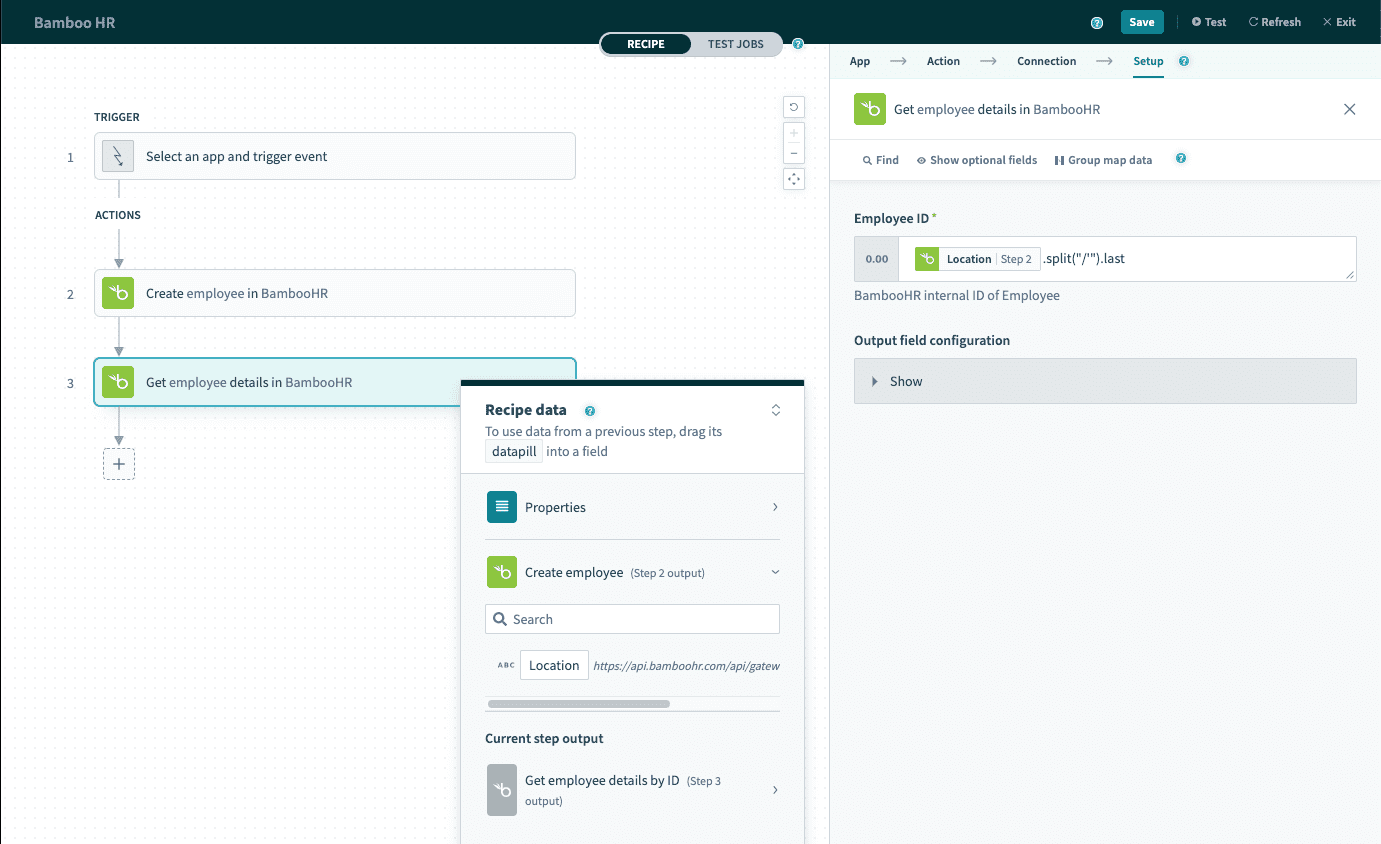 |
Last updated: