BambooHR - Schedule custom employee report trigger
This trigger runs a report on the specified schedule and returns new/updated employees between 2 consecutive report runs. The set of data returned depends on the fields selected.
Use this trigger if you are trying to periodically fetch large volumes of new/updated employees data.
Input
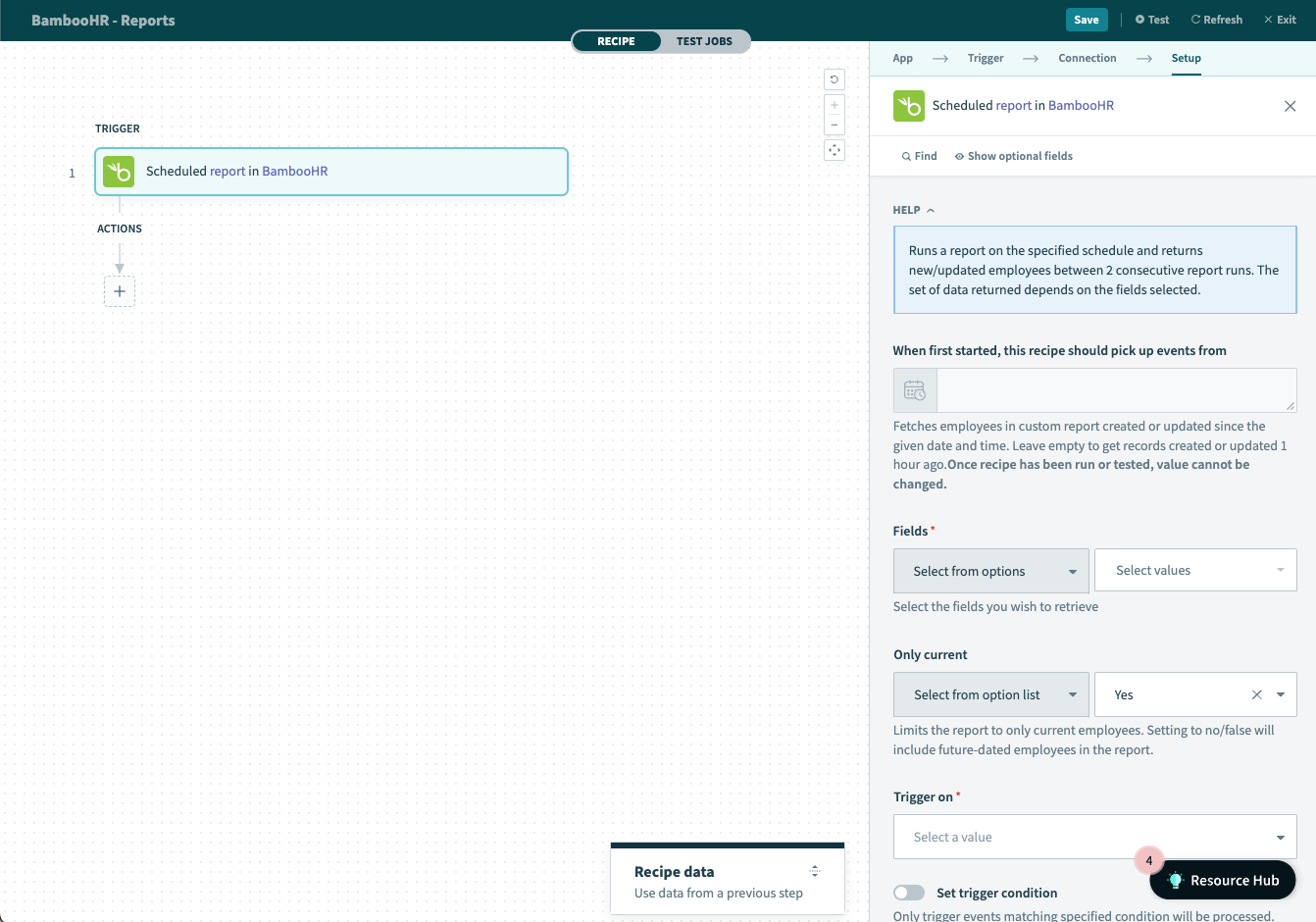 Schedule custom employee report trigger
| Input field | Description |
|---|---|
| When first started, this recipe should pick up events from | Employees created after this time will be processed by the recipe. If left blank, the default date will be set to one hour before the recipe is first started. Refer to Triggers to learn more about this input field. |
| Fields | Select fields that will be returned as outputs to this action. |
| Only current | Limits the report to only current employees. Setting to no/false will include future-dated employees in the report. |
| Trigger on | Select whether to trigger on specific interval, or specific date/time. Subsequent fields will be prompted upon selection. User will need to configure these fields accordingly. |
Output
The output of this action is all the selected set of data for all the employees fetched by the report.
For more information, read the BambooHR documentation.
Last updated: