Google BigQuery - Insert rows into Google BigQuery
Inserting rows into Google BigQuery can be useful when your data source produces a lot of data that needs to be streamed into BigQuery frequently. Workato provides you with two actions to do so:
For data sources that allow you to bulk export data and if you require data only at longer intervals (hours to days), consider our load file actions, which guarantee faster ingestion speeds on a per-row basis and lower task counts.
Insert row
The Insert row action uses streaming to insert a single row into a table in Google BigQuery. There is no limit to the number of rows you can stream daily. When rows are streamed, this data can take up to 90 minutes to become available for copy and export operations.
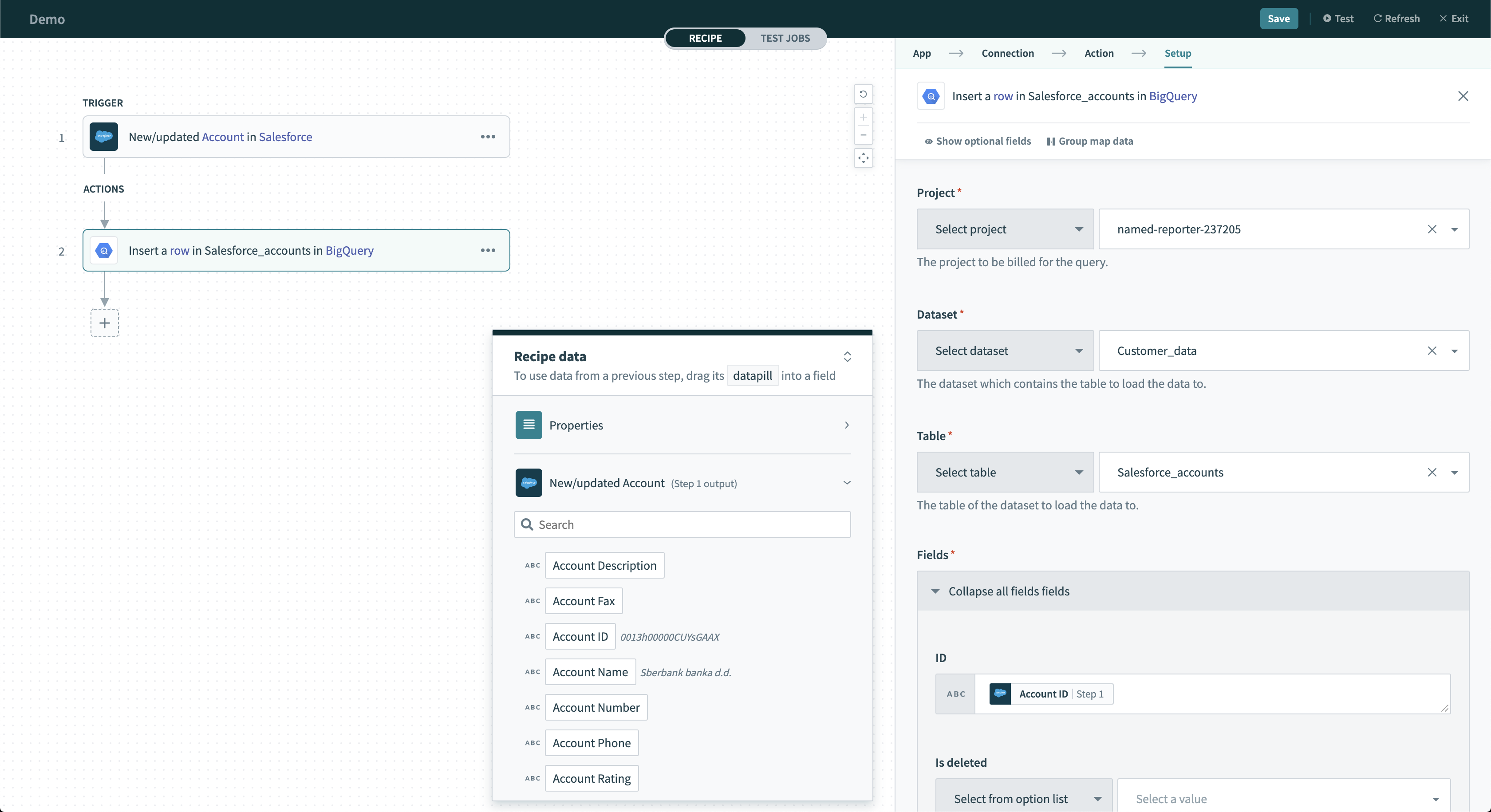 Insert row action
Input
| Input field | Description |
|---|---|
| Project | Select the project to bill for the query. |
| Dataset | Select the dataset to pull possible tables from. |
| Table | Select the table inside the dataset. |
| Table Fields | Only required if table ID is a datapill. Declare the columns of the table. This should be the same across all possible values of the datapill. |
| Ignore schema mismatch | Select either Yes or No for this field. If set to No and streamed values don't match the expected data type, Workato returns an error. Set to Yes to ignore these rows. |
| Fields | Select the columns of the table you have selected. |
| Insert ID | Provide insert IDs. This is used to deduplicate rows when streaming. Google BigQuery won't stream rows again if the insert IDs are identical. |
Output
| Output field | Description |
|---|---|
| Errors | Contains all the errors that occurred during the insert row operation. |
Insert rows in batches
The Insert rows in batches action uses streaming to insert a batch of rows into a table in Google BigQuery. There is no limit to the number of rows you can stream daily. When rows are streamed, this data can take up to 90 minutes to become available for copy and export operations. Refer to this sample recipe for more information about inserting rows.
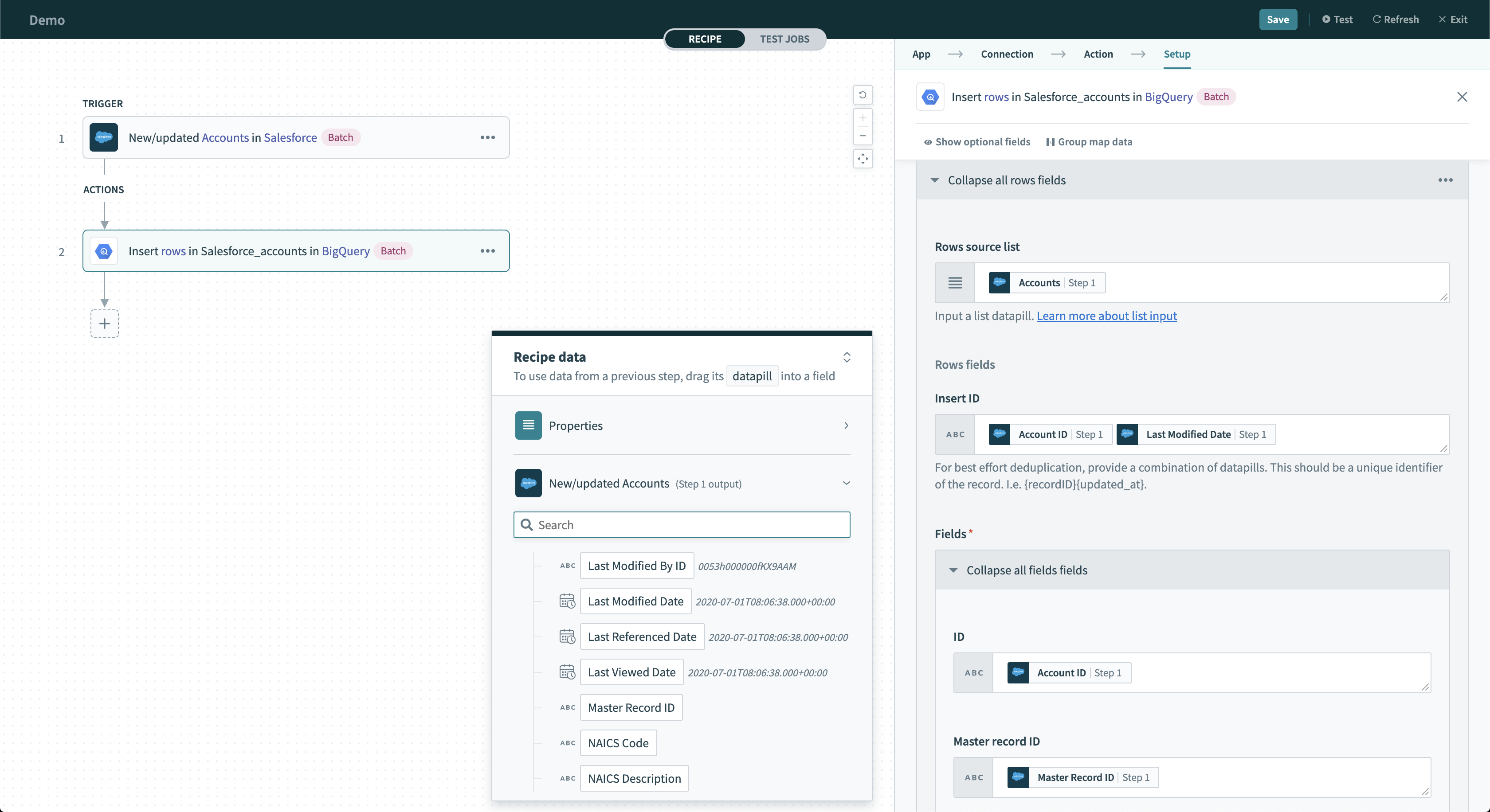 Insert rows action
Input
| Input field | Description |
|---|---|
| Project | Select the project to bill for the query. |
| Dataset | Select the dataset to pull possible tables from. |
| Table | Select the table inside the dataset. |
| Table Fields | Only required if table ID is a datapill. Select table fields to declare the columns of the table. This should be the same across all possible values of the datapill. |
| Ignore schema mismatch | Select Yes or No for this field. If set to No and values are streamed that don't match the expected data type, Workato returns an error. Set to Yes to ignore these rows. |
| Fields | Select the columns of the table you have selected. |
| Insert ID | Provide insert IDs. This is used to deduplicate rows when streaming. Google BigQuery won't stream rows again if the insert IDs are identical. |
Output
| Output field | Description |
|---|---|
| Insert Errors | Contains errors from the batch insert row operation. |
| Failed rows | Contains data about each of the failed rows. Use this to retry streaming the rows. |
Last updated: