Dropbox - Move/Rename file action
This action allows you to move or rename the existing files in your Dropbox instance.
To rename a file/folder, change the file/folder name at the end of the path, for example, folder 1/file 1.docx to folder 1/file2.docx.
To move a file/folder, change the path to that file/folder, for example, folder 1/file 1.docx to folder 2/file 1.docx.
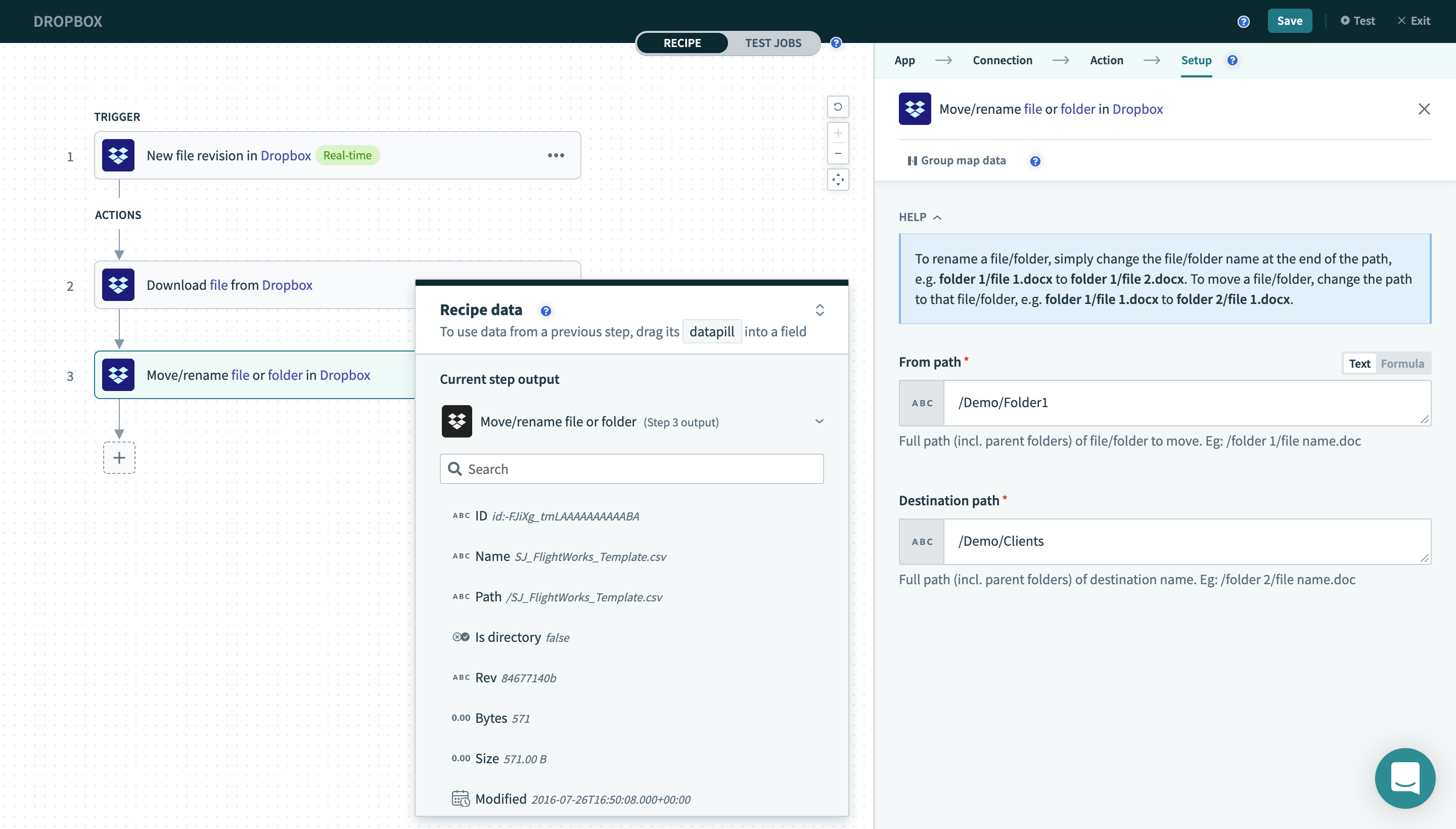 Move/Rename file action
Input
| Field name | Description |
|---|---|
| From path | Full path (incl. parent folders) of file/folder to move. Eg: /folder 1/file name.doc |
| Destination path | Full path (incl. parent folders) of destination name. Eg: /folder 2/file name.doc |
Output
| Field name | Description |
|---|---|
| ID | ID of the file moved or renamed. |
| Name | The most current name of the file that was moved or renamed. |
| Path | The most current path of the file that was moved or renamed. |
| Is directory | Whether this is a directory/folder. |
| Rev | A unique identifier for the current revision of the file. |
| Bytes | File size in bytes. |
| Size | File size in string format. |
| Modified | Date/time the file was last modified. |
| Client modified time | This is the modification time set by the desktop client when the file was added to Dropbox. Since this time is not verified (the Dropbox server stores whatever the desktop client sends up), this should only be used for display purposes (such as sorting) and not, for example, to determine if a file has changed or not. |
Last updated: