JDBC - Run custom SQL action (batch)
The Run custom SQL batch action executes SQL commands on a JDBC source. This includes Data Manipulation Language (DML) statements such as INSERT, UPDATE, SELECT, and DELETE, and Data Definition Language (DDL) commands such as CREATE, ALTER, and DROP.
1 MB QUERY SIZE LIMIT
Starting 1 December 2025, the Run custom SQL action in this connector enforces a 1 MB query size limit. This change improves platform reliability, increases performance, and avoids large queries that overload database connections or impact upstream systems.
Workato returns a maximum of in this action. For complex SELECT queries, use the Select rows using custom SQL action. This action requires OPA version 2.4.3 or later.
OPA REQUIRED
Use this action with a connection that runs on the Workato on-prem agent. Refer to the Connections using an on-prem agent documentation for more information.
Input
| Input field | Description |
|---|---|
| SQL | Enter a valid SQL string. You can include multiple SQL statements, separated by semicolons (;). However, only the result from the final statement returns. Use datapills to dynamically build SQL and ensure that you wrap datapills in single quotes ('').The query size is limited to . |
| Execute update only SQL statement without row limit | Optional. Set this to Yes to run SQL statements without row limits. This option doesn't return any rows. Defaults to No. |
| Parameters | Define named parameters for your SQL query. Match each parameter to a placeholder in the SQL string. Provide a static value or map a datapill. Select the data type that matches what your database expects. Requires OPA version 2.7.3 or later. |
| Output fields | Define expected output columns for SQL queries that return rows, such as SELECT statements. Workato uses this schema to generate datapills. |
Output
| Output fields | Description |
|---|---|
| Rows | List of rows returned from the SQL query. Workato defines these fields based on the Output fields input. |
| Rows affected | Integer that indicates how many rows the SQL statement affected. |
Use SQL parameters
Use SQL parameters to provide values to your query at runtime. This approach prevents SQL injection and supports reusable, dynamic SQL.
For example, if you plan to retrieve customer records by ID:
SELECT * FROM customers WHERE id = :customer_idDefine a field named customer_id in the Parameters input and map it to a datapill. For example, a Customer IDStep 6 from a Stripe step.
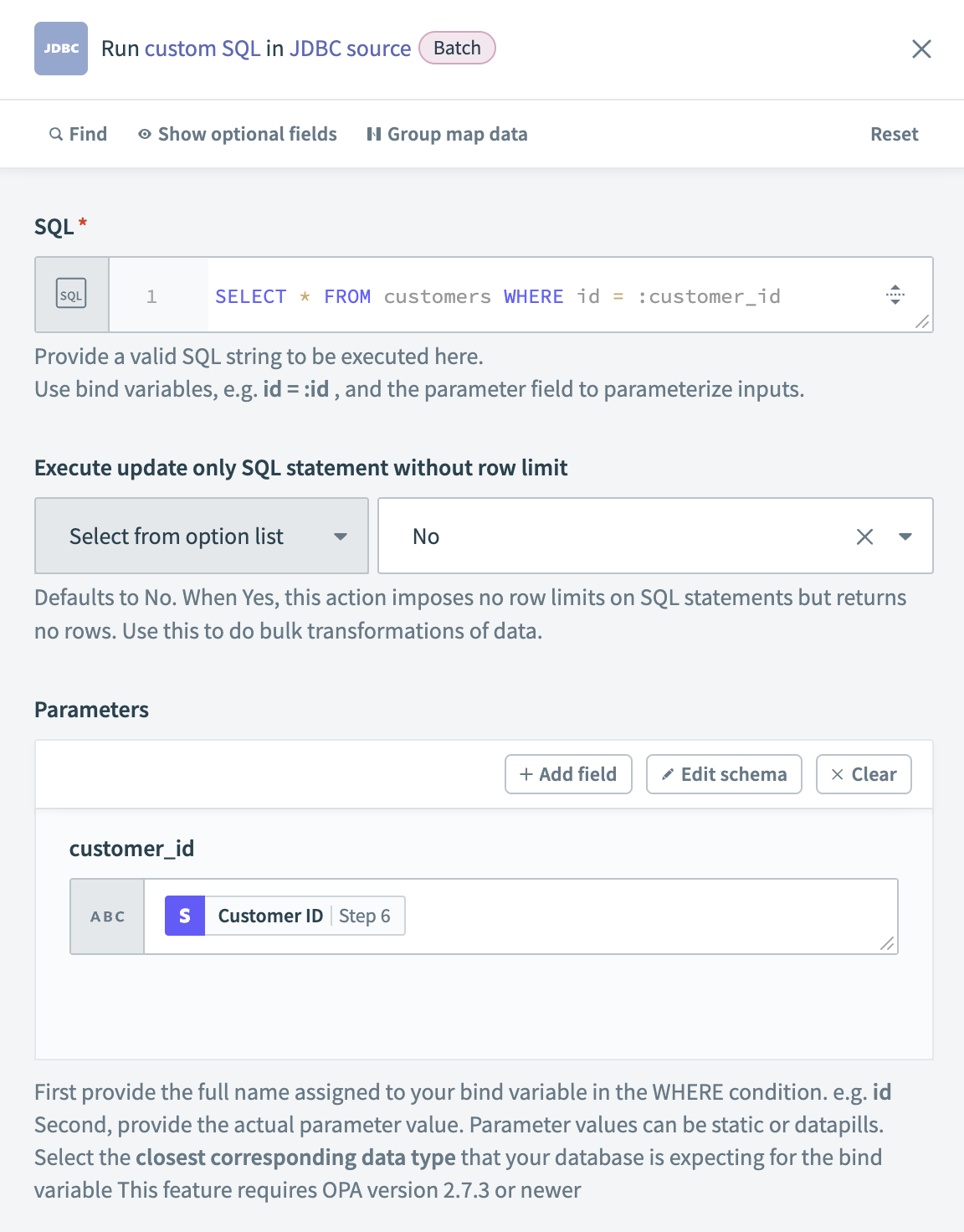 Define a SQL parameter and map it to a datapill
Limitations
SQL queries that return rows are limited to .
Last updated: