LINE WORKS - New event trigger
The New event polling trigger monitors LINE WORKS for an event type you select, such as a user joining a chat room or sending a message in LINE WORKS.
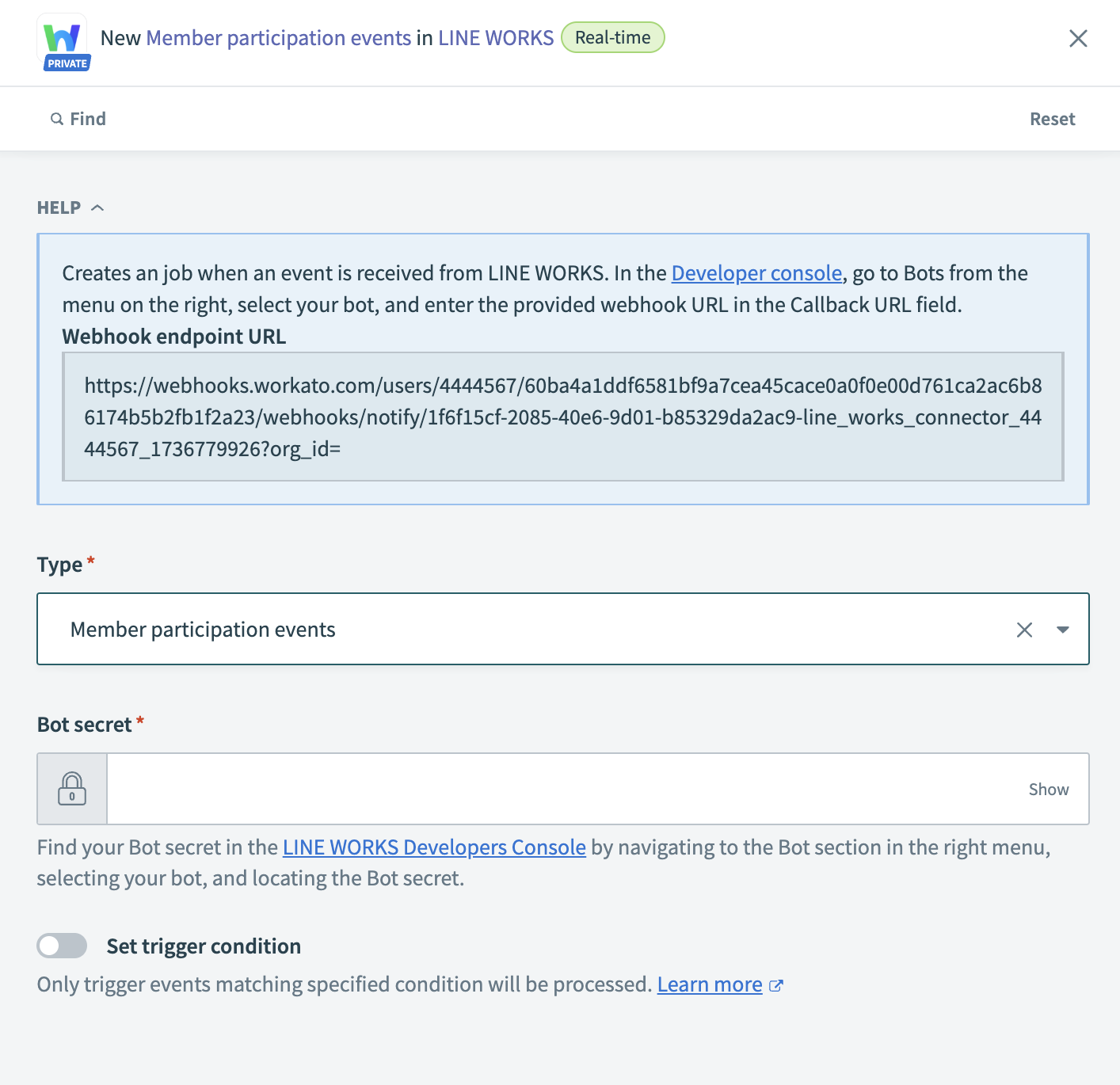 LINE WORKS New event trigger
How to configure a static webhook trigger
1
Copy the Webhook endpoint URL from your recipe. You can find it in the help section of the trigger, as shown in the preceding image.
2
Go to API > Bot.
3
Select your Bot to open the Bot EDIT pop-up.
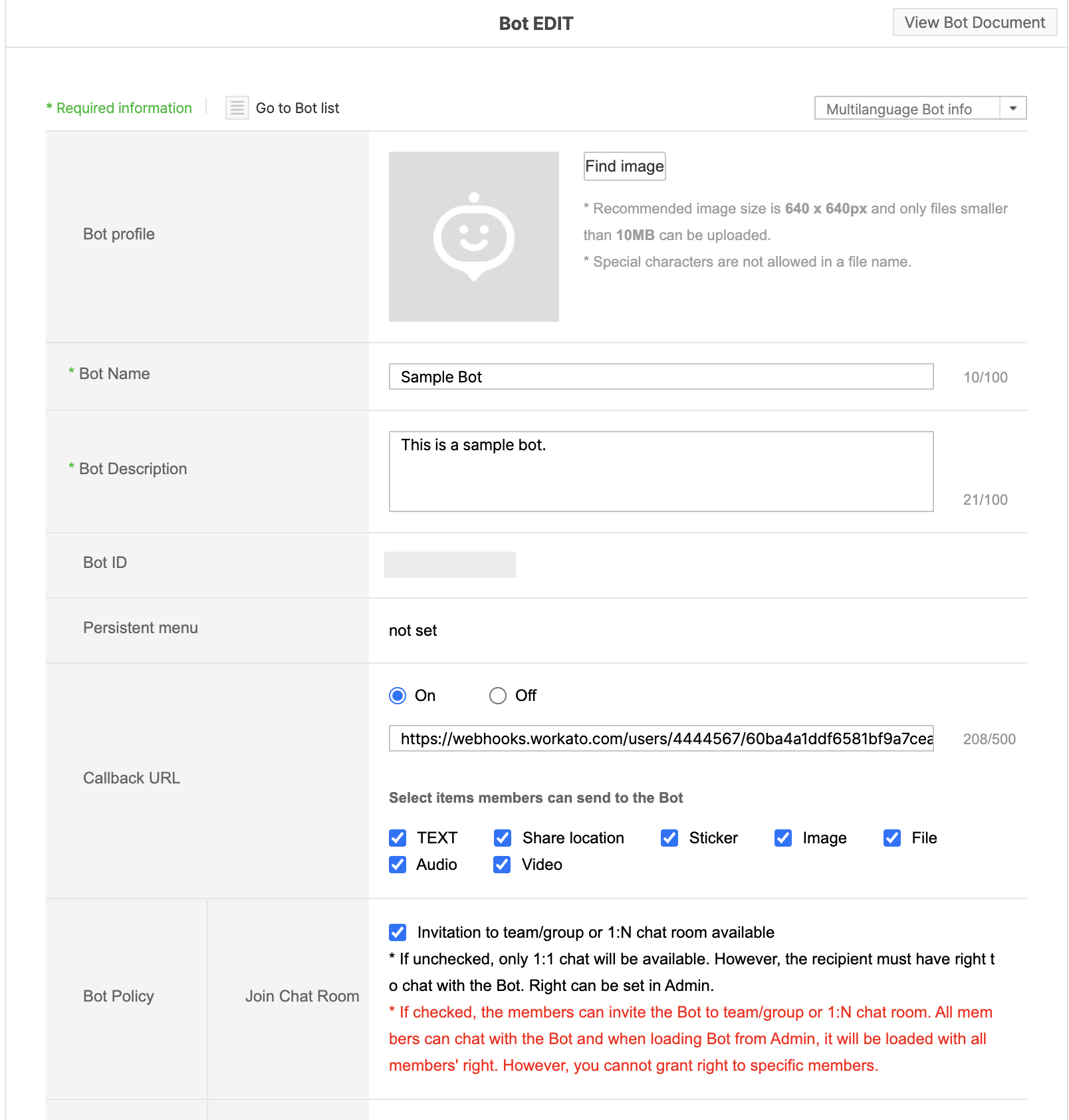 LINE WORKS Trigger setup
4
Click Edit.
5
Click the Callback URL toggle and paste the Webhook endpoint URL copied in Step 1.
6
Click Save to finalize the configuration.
Your webhook trigger is now ready to use.
Input
| Input Field | Description |
|---|---|
| Type | Select a LINE WORKS event type from the drop-down list. Refer to LINE WORKS' Callback event types documentation for more information. |
| Bot secret | Enter the Bot secret for your configured bot. |
| Set trigger condition | Specify conditions to filter events that activate the trigger. |
Output
The New event trigger's output fields change dynamically based on the selected object type. Map the relevant datapill from the data tree for downstream steps.
Last updated: