Outreach - Actions
Actions in the Outreach connector allow you to push data into Outreach to create new records like prospects, accounts, sequences, or tasks. You can also pull data from Outreach or add prospects to sequence steps.
Create record
This action allows you to create records in Outreach.
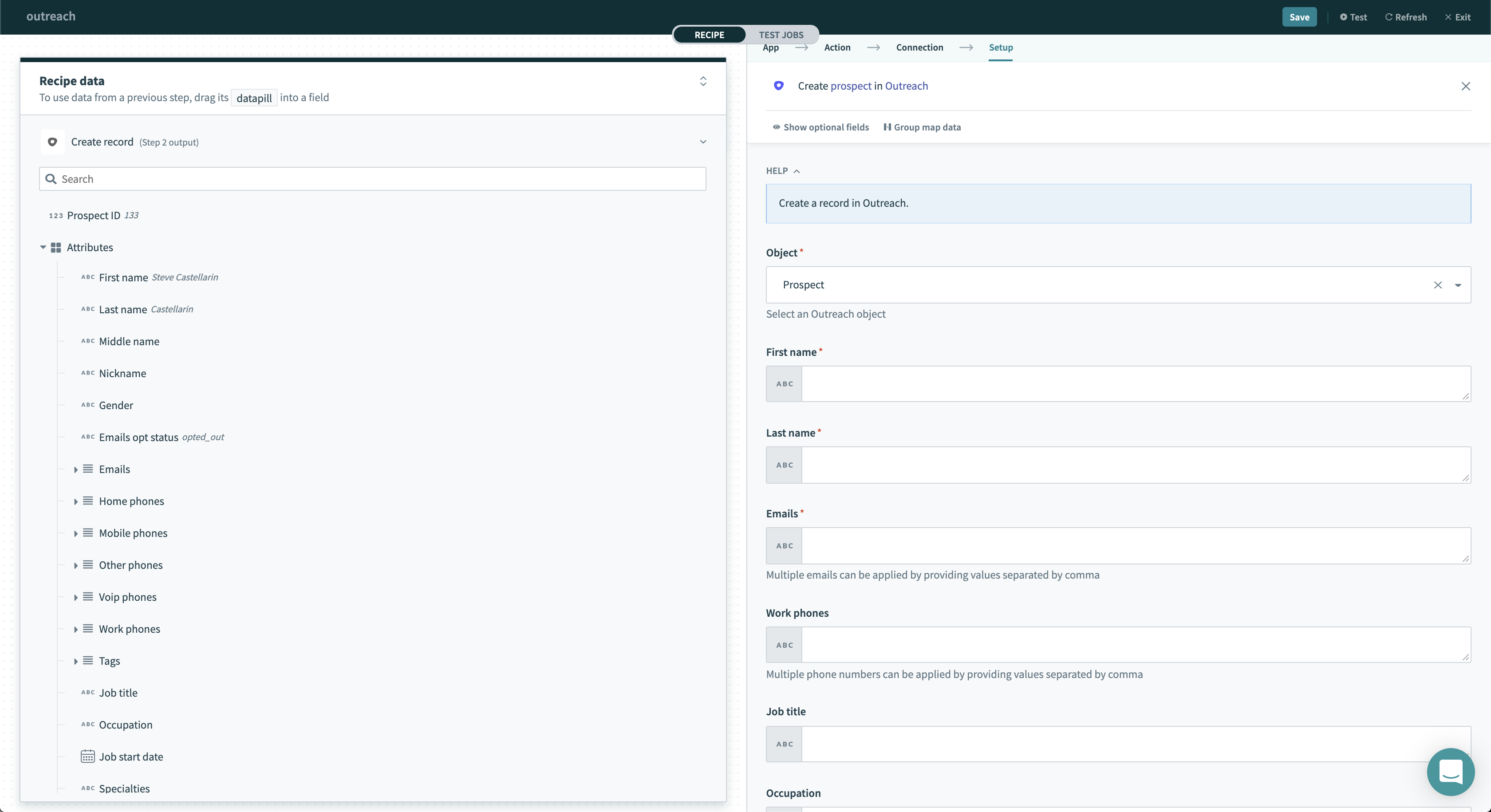 Create record action
Input
| Field | Description |
|---|---|
| Object | Select the object you want this action to create. |
| Object-specific input fields | After selecting the object you want to create, input fields related to the object will be shown. |
After selecting the object you want to create, input fields related to the object will be shown.
Output
This trigger returns various attributes about the object that was just created. The output also includes information about various relationships which you can use in followup actions to retrieve details about these related objects.
Update record
This action allows you to update records in Outreach.
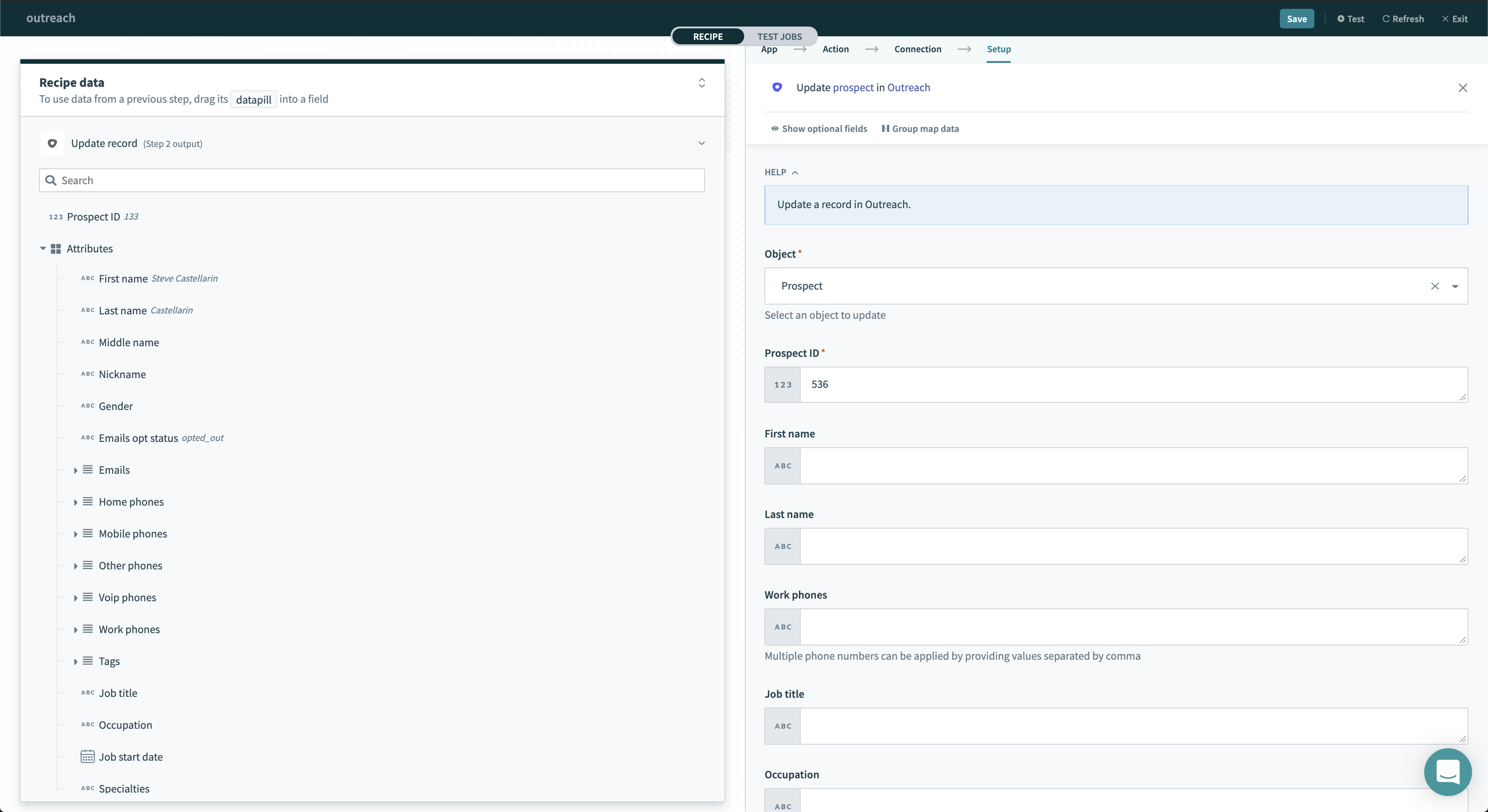 Update record action
Input
| Field | Description |
|---|---|
| Object | Select the object you want this action to update. |
| Object-specific input fields | After selecting the object you want to update, input fields related to the object will be shown. |
After selecting the object you want to update, input fields related to the object will be shown.
Output
This trigger returns various attributes about the object that was just updated.
The output also includes information about various relationships which you can use in followup actions to retrieve details about these related objects.
Search records
This action allows you to search records in Outreach.
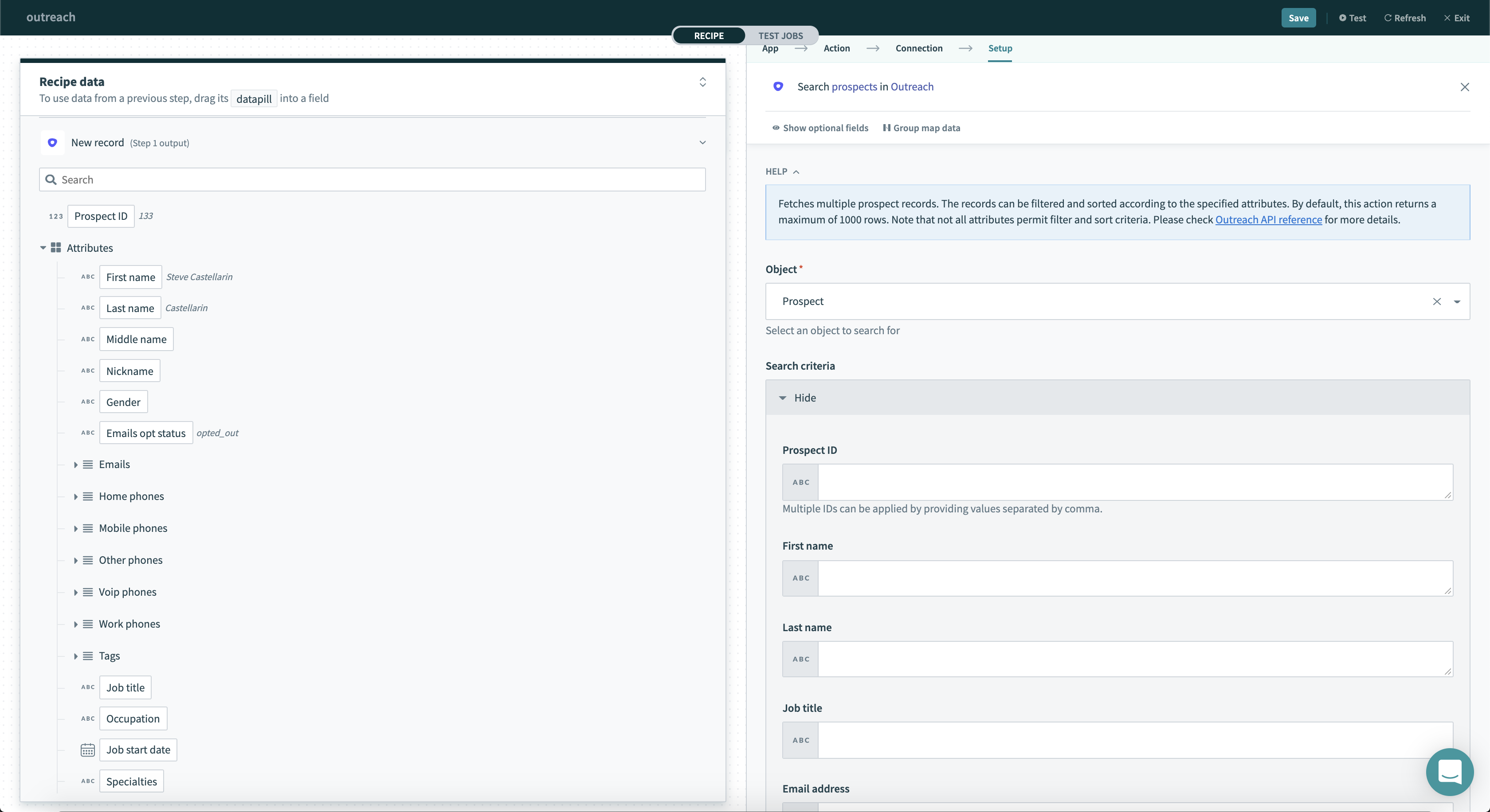 Search record action
Input
| Field | Description |
|---|---|
| Object | Select the object you want this action to search for. |
| Object-specific search fields | After selecting the object you want to search, you'll be shown search fields relating to the object. You can search using any standard fields. |
After selecting the object you want to search, you'll be prompted for search criteria to search by. You can search by any standard fields.
Output
This trigger returns all records that match your search criteria.
The output also includes information about various relationships which you can use in followup actions to retrieve details about these related objects.
Get record by ID
This action allows you to retrieve a record in Outreach by its ID.
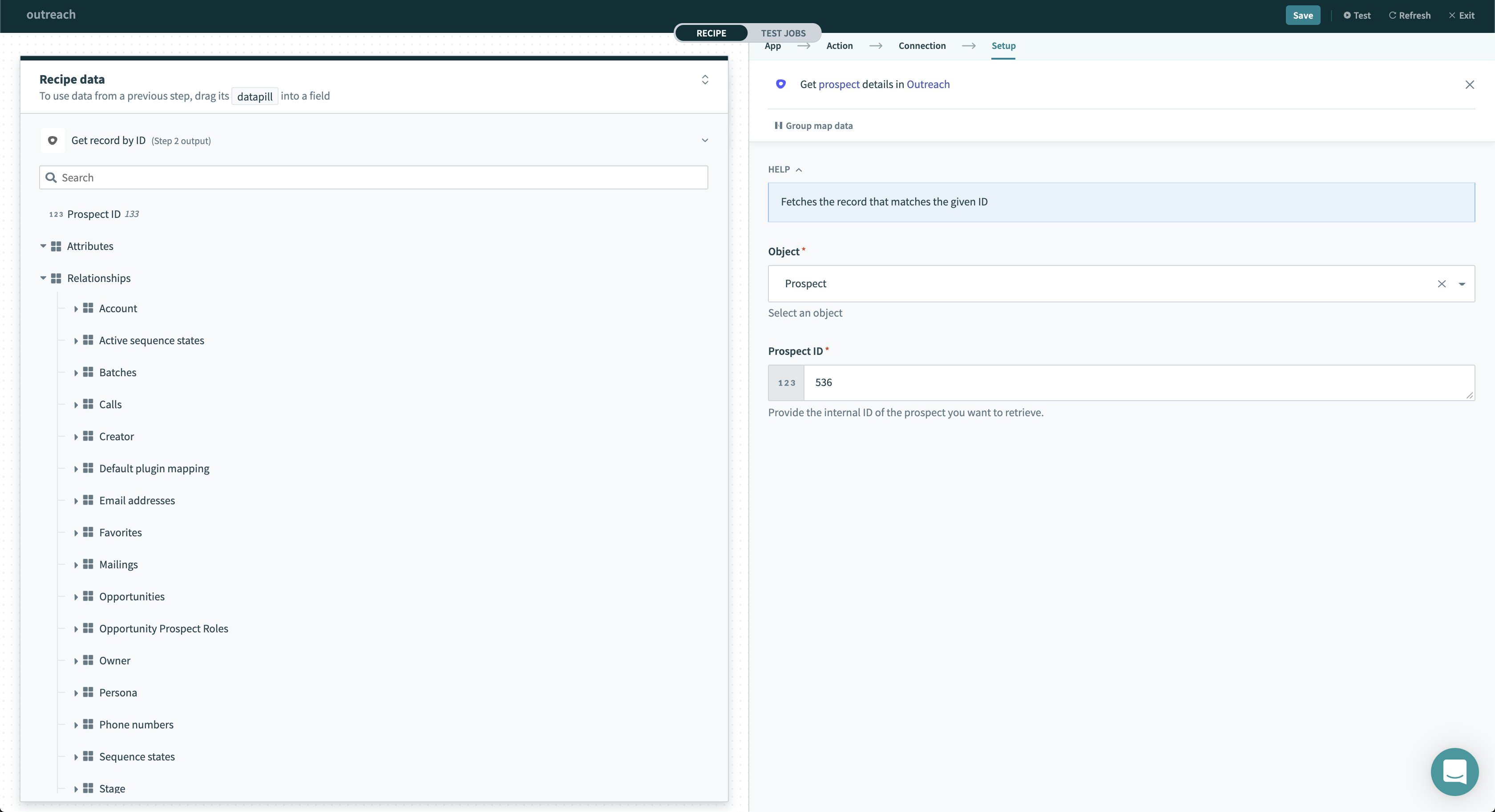 Get record action
Input
| Field | Description |
|---|---|
| Object | Select the type of object you want this action retrieve. |
| ID | Provide the ID of the record you want to retrieve. This ID can be found in the relationships output of various Outreach actions. |
Output
This trigger returns the record which matches the object and ID you have provided.
The output also includes information about various relationships which you can use in followup actions to retrieve details about these related objects.
Add prospect to sequence
This action allows you add prospects to a sequence. This allows you to automatically start an outreach sequence.
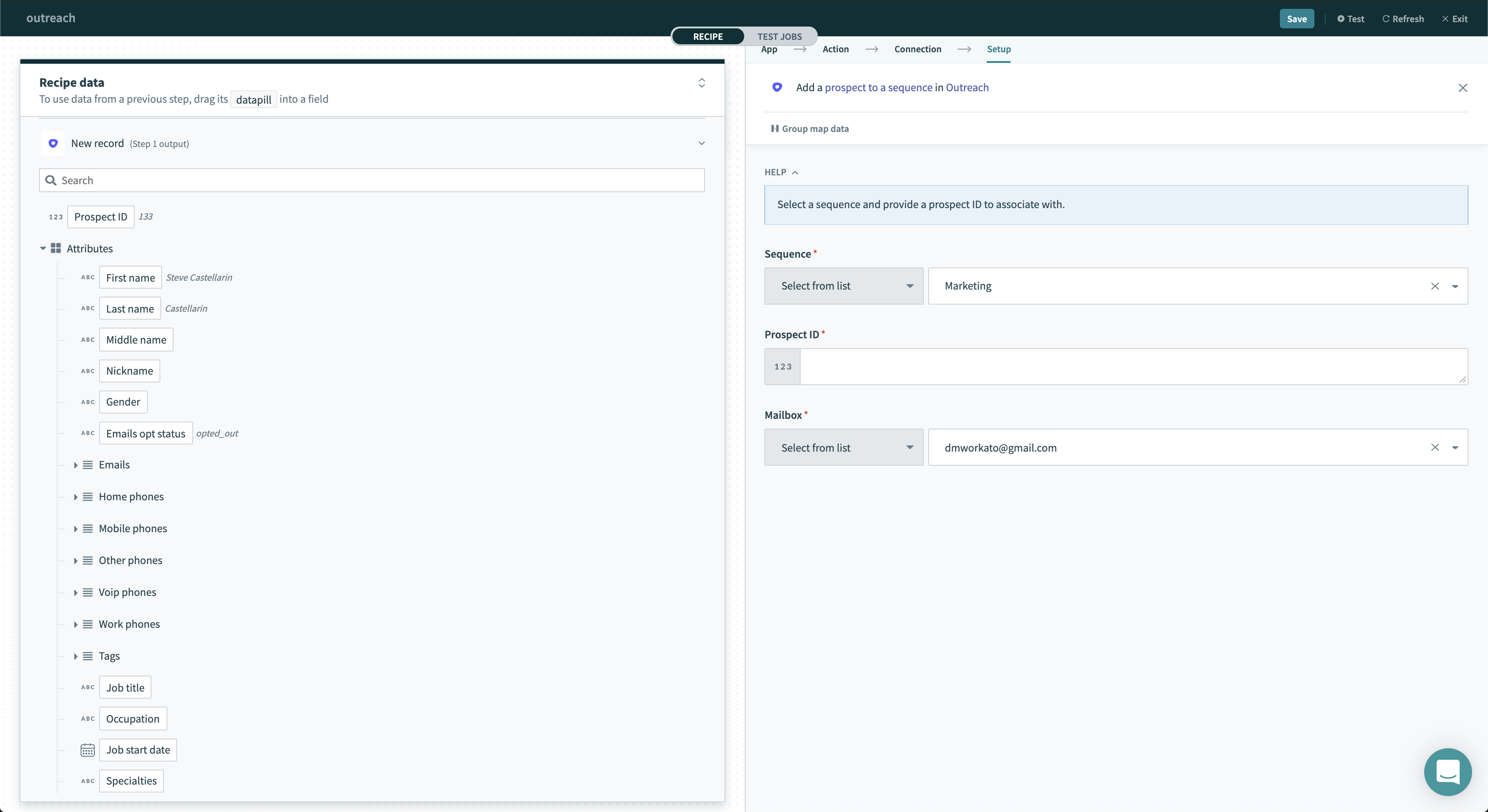 Add prospect to sequence action
Input
| Field | Description |
|---|---|
| Sequence | The sequence to add the prospect to. Select the sequence from the drop-down menu or provide the sequence ID. This could be a datapill. |
| Prospect ID | The ID of the prospect to be added. |
| Mailbox | The mailbox to be used when prospect is added to the sequence. This should be the mailbox of the sales person handling the account. |
Output
This trigger returns the sequence state correlated to the prospect and the sequence.
The output also includes information about various relationships which you can use in followup actions to retrieve details about these related objects.
Last updated: