Outreach - Triggers
This connector allows you to trigger recipes based on various events in your Outreach system.
Completed Sequence task
This trigger picks up when a sequence task is completed by a user.
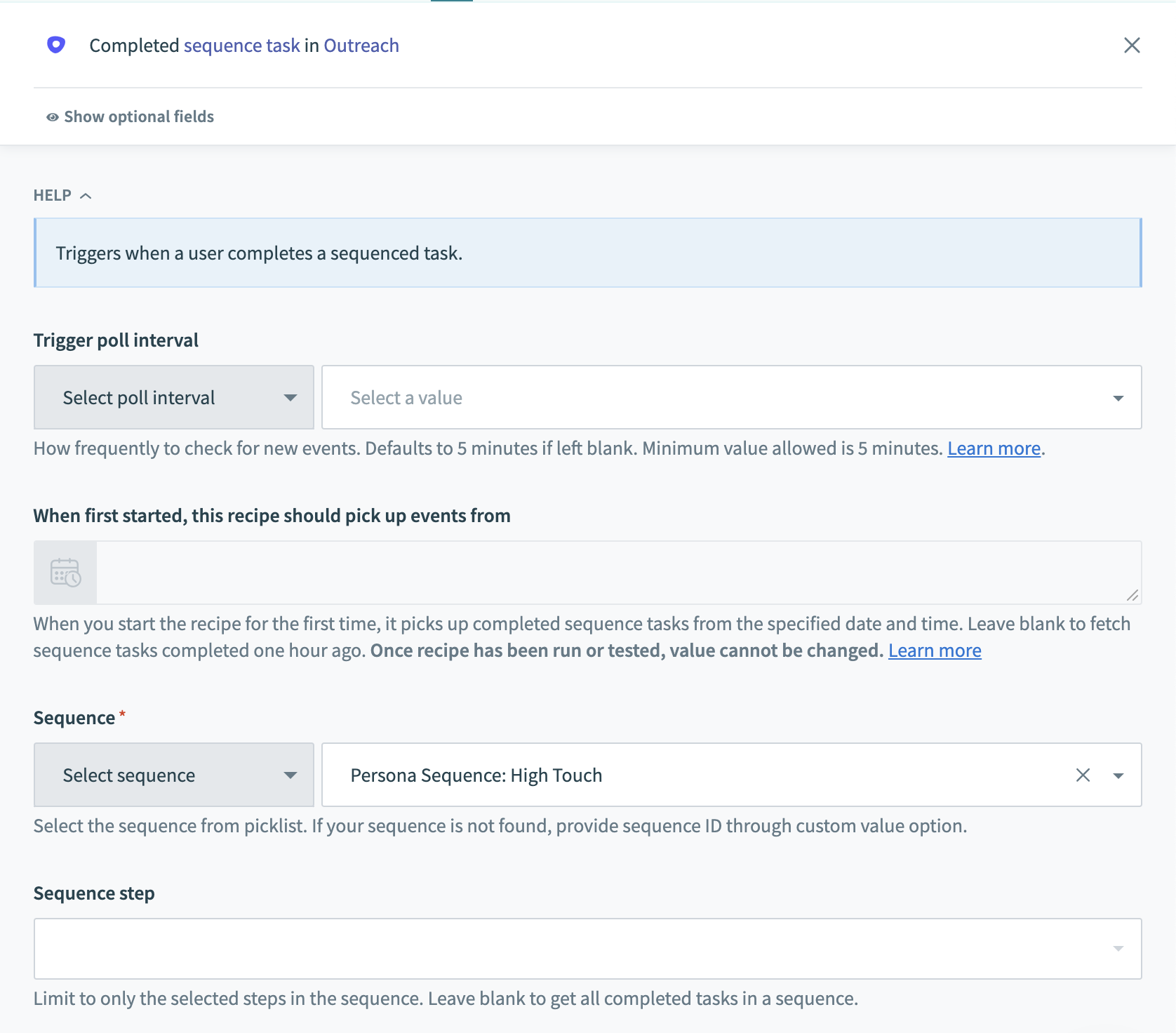 Completed sequence task trigger
Input
| Field | Description |
|---|---|
| Sequence | Select the sequence which contains the step you want to trigger off. |
| Sequence step | Select the steps from the sequence you have picked. You can select multiple steps. Leave blank to trigger on all steps. |
| When first started, this recipe should pick up events from | Sequence tasks that have completed after this time will be processed by the recipe. If left blank, the default will be set to one hour before the recipe is first started. Refer to Triggers to learn more about this input field. |
| Trigger poll interval | How frequently to check for new events. Defaults to 5 minutes if left blank. Minimum value allowed is 5 minutes. |
Output
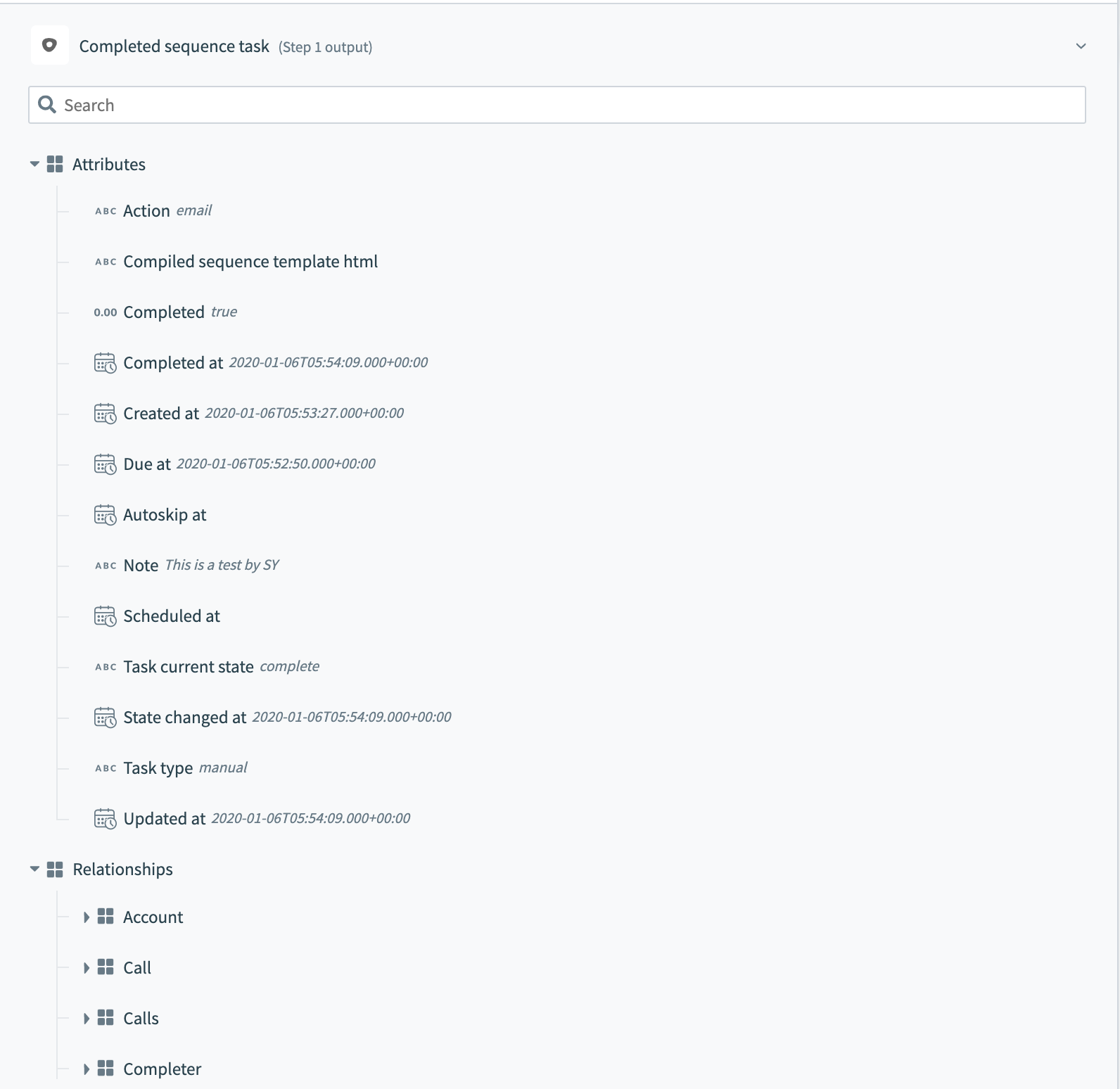 Completed sequence task output This trigger returns various attributes about the sequence step that was just completed.
The output also includes information about various relationships which you can use in followup actions to retrieve details about these related objects.
New and new/updated objects
This trigger picks up whenever a new object is created or updated in Outreach depending on the trigger you have selected. By default, Workato checks every 5 minutes for events but this can be configured.
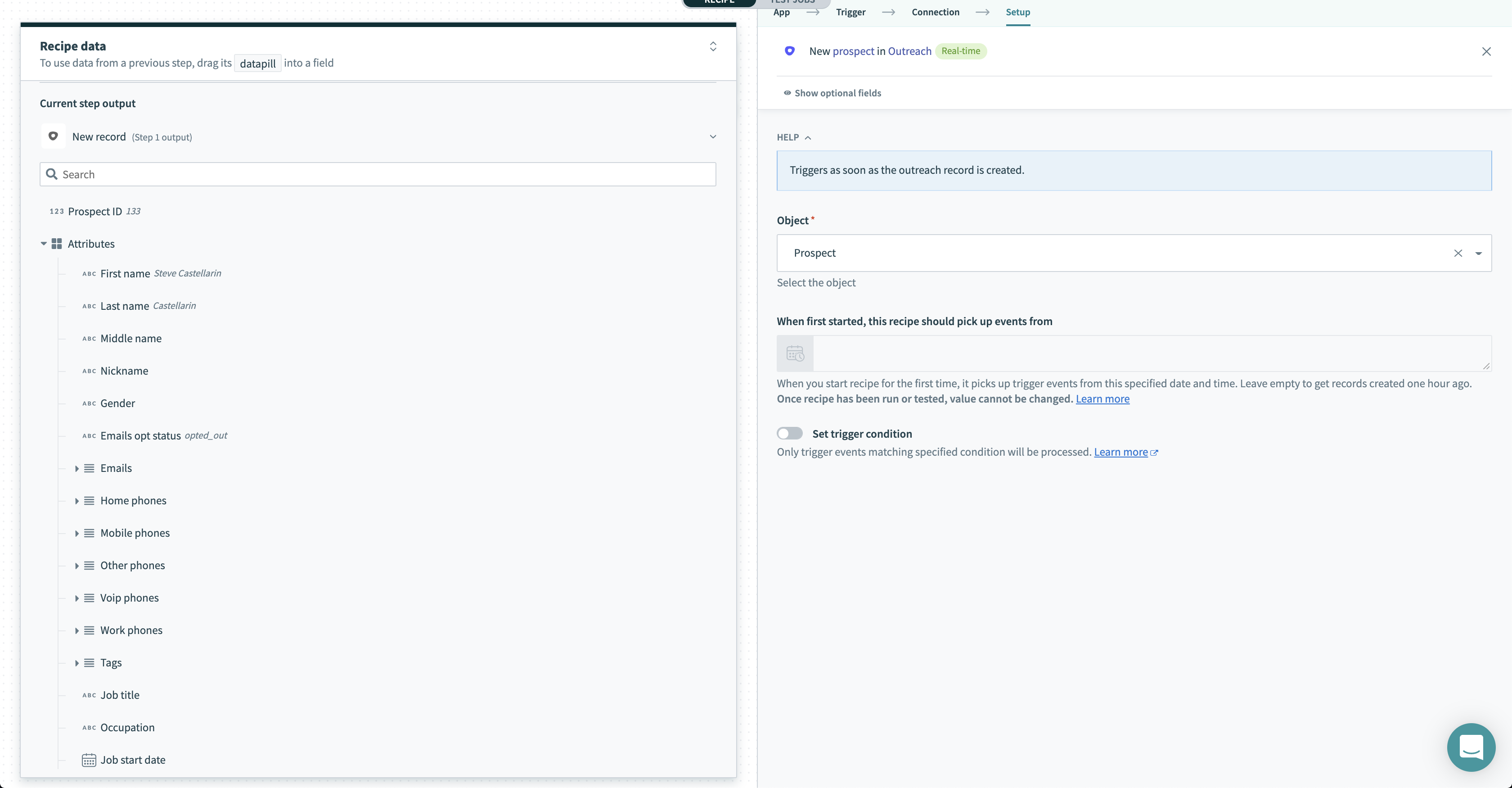 New object trigger
Input
| Field | Description |
|---|---|
| Object | Select the object you want this recipe to trigger jobs off. |
| When first started, this recipe should pick up events from | Objects created after this time will be processed by the recipe. If left blank, the default will be set to one hour before the recipe is first started. Refer to Triggers to learn more about this input field. |
| Trigger poll interval | How frequently to check for new events. Defaults to 5 minutes if left blank. Minimum value allowed is 5 minutes. |
Output
This trigger returns various attributes about the object you have selected.
The output also includes information about various relationships which you can use in followup actions to retrieve details about these related objects.
Last updated: