SAP Fieldglass - Worker upload action
The Worker upload action enables you to upload workers to SAP Fieldglass.
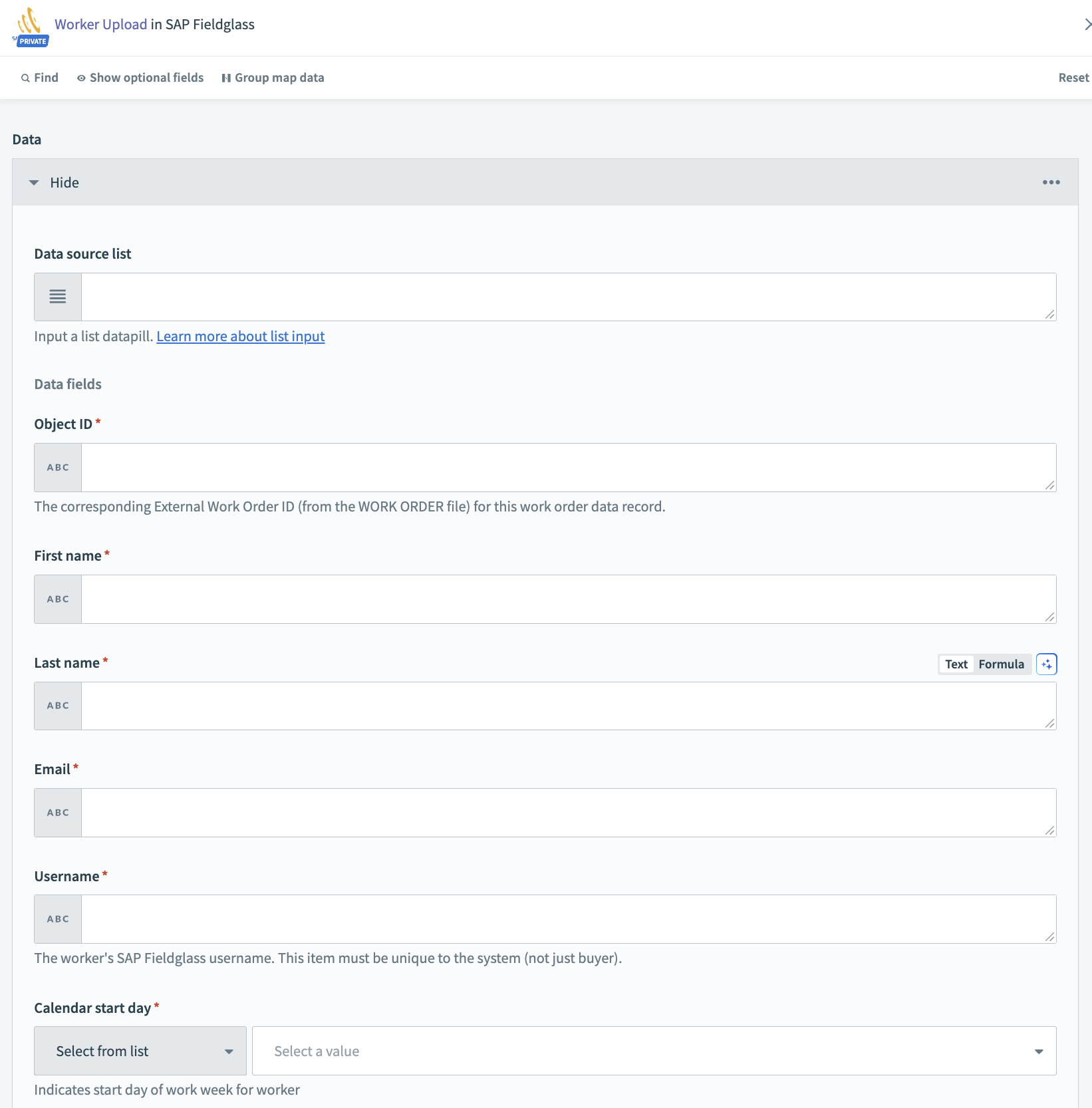 Worker upload action
Input
Header
| Input fields | Description |
|---|---|
| Transaction | Specify the transaction type. |
| Language | Determines the language used for values in the file, such as drop-down lists and radio buttons. Column headers always default to the upload user's preferred language. |
| Number format | Determines the number format used in the file. |
| Date format | Determines the date format used in the file. |
| Comments | Upload comments. |
Data
| Input fields | Description |
|---|---|
| Object ID | SAP Fieldglass supplier code for the buyer. |
| First name | First name of profile worker. |
| Last name | Last name of profile worker. |
| Email address of the profile worker. | |
| Username | Username of profile worker's SAP primary contact. |
| Calendar Start Day | Start date of the profile worker. |
| Current worker | End date of the profile worker. |
CUSTOM FIELDS
You can specify the optional fields and custom fields as required.
Output
| Output fields | Description |
|---|---|
| Transaction ID | Transaction ID returned by SAP Fieldglass. |
Last updated: