Xero - Create contact action
The Create contact action allows you to create a contact record in Xero.
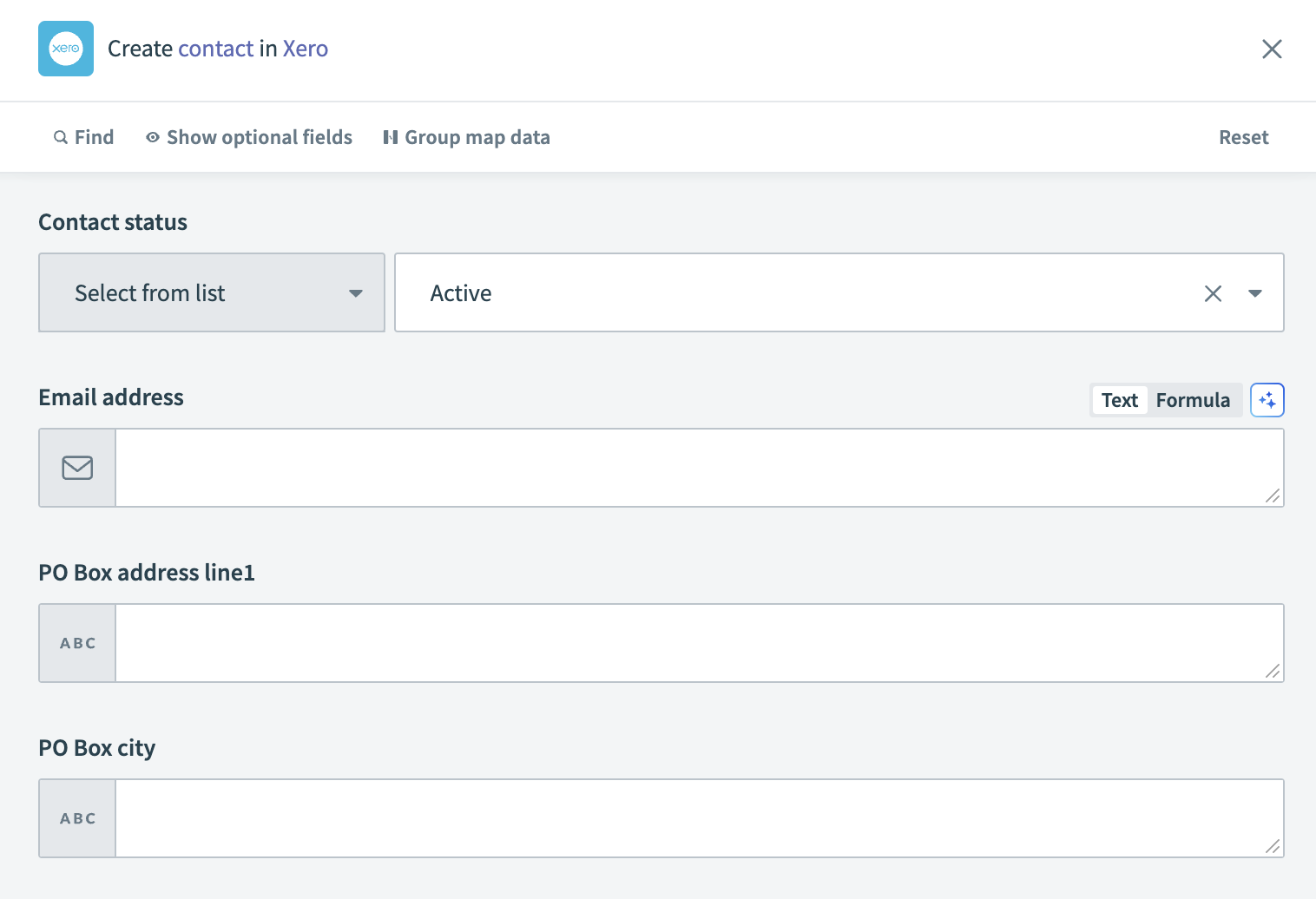 Xero - Create contact action
Input
| Input field | Description |
|---|---|
| Contact number | A unique number assigned to the contact. |
| Contact status | The status of the contact. |
| First name | The first name of the contact. |
| Last name | The last name of the contact. |
| Account number | The account number associated with the contact. |
| Email address | The email address of the contact. |
| Skype user name | The Skype username of the contact. |
| Bank account number | The bank account number related to the contact. |
| Tax number | The tax number associated with the contact. |
| Accounts receivable tax type | The default tax type for the contact's accounts receivable. |
| Accounts payable tax type | The default tax type for the contact's accounts payable. |
| PO Box address line 1 | Enter the first line of the PO Box address. |
| PO Box address line 2 | Enter the second line of the PO Box address. |
| PO Box address line 3 | Enter the third line of the PO Box address. |
| PO Box city | Enter the city part of the PO Box address. |
| PO Box region | Enter the region or state part of the PO Box address. |
| PO Box postal code | Enter the postal code for the PO Box address. |
| PO Box country | Enter the country for the PO Box address. |
| PO Box attention to | Enter the specific attention-to detail for the PO Box address. |
| Physical address line 1 | Enter the first line of the physical address. |
| Physical address line 2 | Enter the second line of the physical address. |
| Physical address line 3 | Enter the third line of the physical address. |
| Physical city | Enter the city part of the physical address. |
| Physical region | Enter the region or state part of the physical address. |
| Physical postal code | Enter the postal code for the physical address. |
| Physical country | Enter the country for the physical address. |
| Physical attention to | Enter the specific attention-to detail for the physical address. |
| DEFAULT phone number | Enter the default phone number for the contact. |
| DEFAULT phone area code | Enter the area code for the default phone number. |
| DEFAULT phone country code | Enter the country code for the default phone number. |
| DDI phone number | Enter the DDI phone number for the contact. |
| DDI phone area code | Enter the area code for the DDI phone number. |
| DDI phone country code | Enter the country code for the DDI phone number. |
| MOBILE phone number | Enter the mobile phone number for the contact. |
| MOBILE phone area code | Enter the area code for the mobile phone number. |
| MOBILE phone country code | Enter the country code for the mobile phone number. |
| FAX phone number | Enter the fax phone number for the contact. |
| FAX phone area code | Enter the area code for the fax phone number. |
| FAX phone country code | Enter the country code for the fax phone number. |
| Default currency | The default currency used in transactions with the contact. See ISO 4217 Currency Codes for more information. |
| Xero network key | The unique key for the contact's Xero network. |
| Sales default account code | The default account code used for sales to this contact. |
| Purchases default account code | The default account code used for purchases from this contact. |
| Contact persons source list | Input a list datapill. |
| First name (contact person) | The first name of the contact person. |
| Last name (contact person) | The last name of the contact person. |
| Email address (contact person) | The email address of the contact person. |
| Include in emails (contact person) | Indicate whether to include this person in email correspondence. |
| Contact name | The full name of the contact. |
Output
| Output field | Description |
|---|---|
| Contact ID | The unique identifier of the contact. |
| Contact number | The unique number assigned to the contact. |
| Contact status | The status of the contact. |
| Account number | The account number associated with the contact. |
| Contact name | The full name of the contact. |
| First name | The first name of the contact. |
| Last name | The last name of the contact. |
| Email address | The email address of the contact. |
| Skype user name | The Skype username of the contact. |
| Is supplier | Indicates if the contact is a supplier. |
| Is customer | Indicates if the contact is a customer. |
| Updated date | The date when the contact's information was last updated. |
| Bank account number | The bank account number related to the contact. |
| Tax number | The tax number associated with the contact. |
| Accounts receivable tax type | The default tax type for the contact's accounts receivable. |
| Accounts payable tax type | The default tax type for the contact's accounts payable. |
| Street address | Details of the street address of the contact. |
| Postal address | Details of the postal address of the contact. |
| Default phone details | Details of the default phone number of the contact. |
| DDI phone details | Details of the DDI phone number of the contact. |
| Mobile phone details | Details of the mobile phone number of the contact. |
| Fax phone details | Details of the fax phone number of the contact. |
| Batch payments | Details of the bank account used for batch payments. |
| Contact persons | Details of the contact persons associated with the contact. |
| Website | The website associated with the contact. |
| Default currency | The default currency used for transactions with the contact. |
| Balances | Details of the account balances for the contact. |
| Xero network key | The Xero network key associated with the contact. |
| Sales default account code | The default account code for sales transactions with the contact. |
| Purchases default account code | The default account code for purchase transactions with the contact. |
| Payment terms | Details of the payment terms set for the contact. |
Last updated: