Xero - Create credit notes with line items action
The Create credit notes with line items action allows you to create a credit note with multiple line items in Xero.
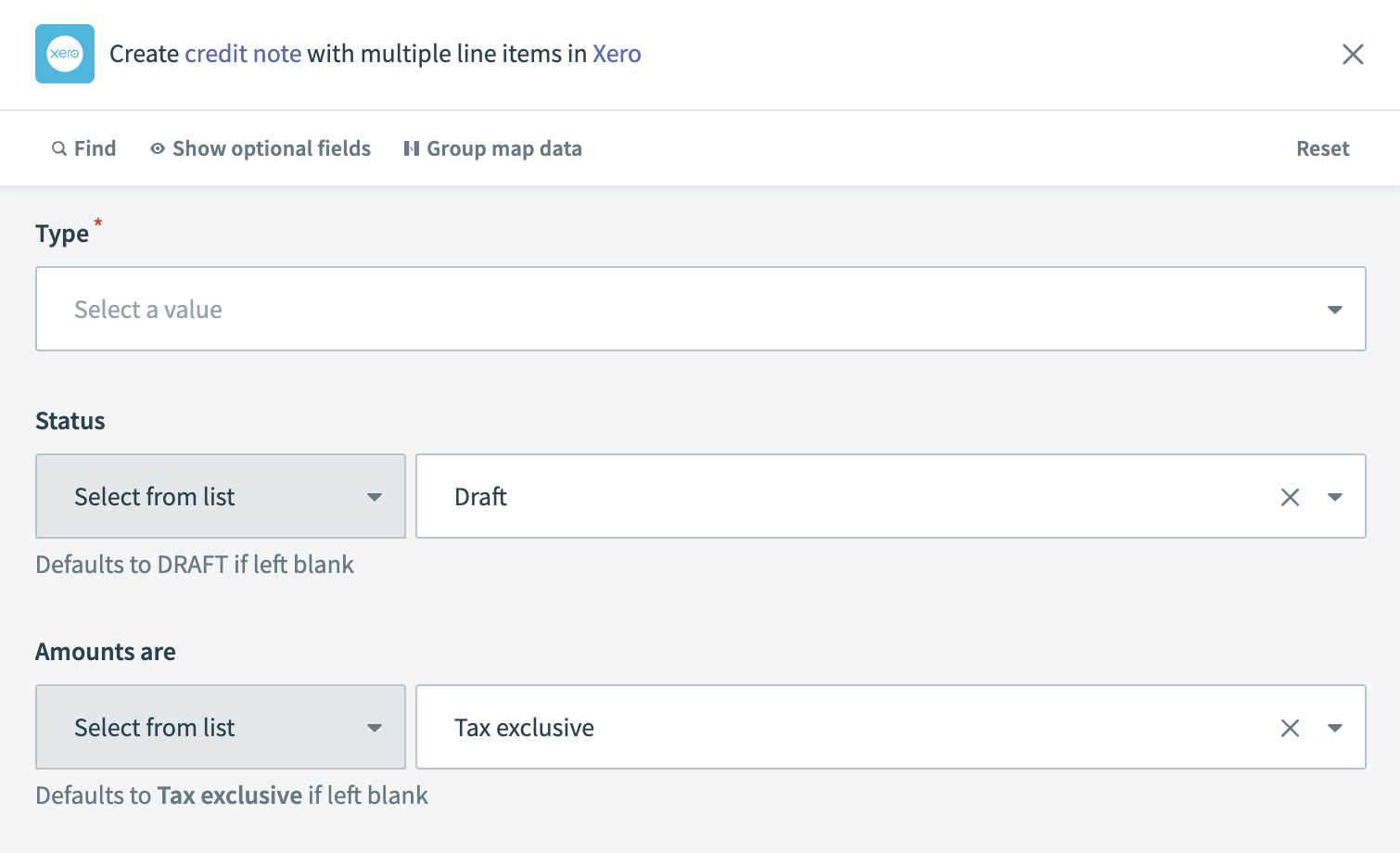 Xero - Create credit notes with line items
Input
| Input field | Description |
|---|---|
| Type | Specify the type of credit note. Choose Accounts Payable for suppliers or Accounts Receivable for customers. |
| Status | Select the initial status of the credit note. This field defaults to DRAFT if left blank. |
| Credit note number | Enter the number assigned to the credit note. This field is automatically generated by Xero if left blank. |
| Amounts are | Indicate whether the amounts are tax inclusive, exclusive, or no tax. This field defaults to Tax exclusive if left blank. |
| Reference text | Provide any reference text that helps identify or describe the credit note. |
| Date | Set the issue date for the credit note. |
| Sub total | Enter the subtotal amount for the credit note before tax. |
| Total tax | Input the total tax amount for the credit note. |
| Currency code | Specify the currency code for the credit note. See ISO 4217 Currency Codes for more information. |
| Total | Enter the total amount of the credit note, including tax. |
| Branding theme | Select a branding theme to apply to the credit note. |
| Contact | The contact details associated with the credit note. |
| Name (contact) | Enter the name of the contact. |
| Email address (contact) | Provide the contact's email address. |
| Line items | Details of the line items for the credit note. |
| Line items source list | Input a list datapill representing the line items for the invoice. Learn more about list input. |
| Description (line items) | Enter a description for the line items. Ensure it is at least one character and a maximum of four thousand characters. |
| Item name (line items) | Specify the name of the line items. Click Products and services to retrieve the item name. If you provide both the item name and code, the item code takes precedence. |
| Quantity (line items) | Enter the quantity of the line items. Provide at least two fields out of Quantity, Unit price or Line amount. |
| Unit price (line items) | Set the unit price for the line items. Provide at least two fields out of Quantity, Unit price or Line amount. |
| Line amount (line items) | Enter the total amount for the line items. Provide at least two fields out of Quantity, Unit price or Line amount. |
| Discount rate (line items) | Apply a discount rate to the line items if applicable. |
| Account code (line items) | Assign an account code from your Chart of accounts to the line items. |
| Tax type name (line items) | Specify the tax rate type. Click Settings > General settings > Tax rates to find the tax type name. |
| Tax amount (line items) | Enter the tax amount for the line items. This field is auto-calculated as a percentage of the line amount based on the tax rate. |
| Item code (line items) | Provide the item code. Click Products and services to retrieve the item code. If you provide both the item name and code, the item code takes precedence. |
Output
| Output field | Description |
|---|---|
| Credit note ID | The unique identifier for the credit note in Xero. |
| Type | The type of credit note. |
| Status | The current status of the credit note. |
| Credit note number | The number assigned to the credit note. |
| Line amount type | The type of line amounts on the credit note. |
| Reference text | Any reference text associated with the credit note. |
| Date | The date the credit note was issued. |
| Sub total | The subtotal amount of the credit note before tax. |
| Total tax | The total tax amount on the credit note. |
| Currency code | The currency code used for the credit note. |
| Total | The total amount of the credit note, including tax. |
| Branding theme ID | The identifier for the branding theme applied to the credit note. |
| Remaining credit | The remaining credit amount on the credit note. |
| Payments | Details of payments associated with the credit note. |
| Allocations | Details of allocations associated with the credit note. |
| Line items | Details of each line item on the credit note. |
| Contact | Information about the contact associated with the credit note. |
| Has attachments | Indicates whether the credit note has attachments. |
| Currency rate | The exchange rate for the currency used in the credit note. |
| Updated date | The date when the credit note details were last updated. |
Last updated: