Zendesk - Update organization action
This action updates a specific organization your Zendesk instance. The organization is identified by its Zendesk ID. You can update standard and custom fields, and add new notes.
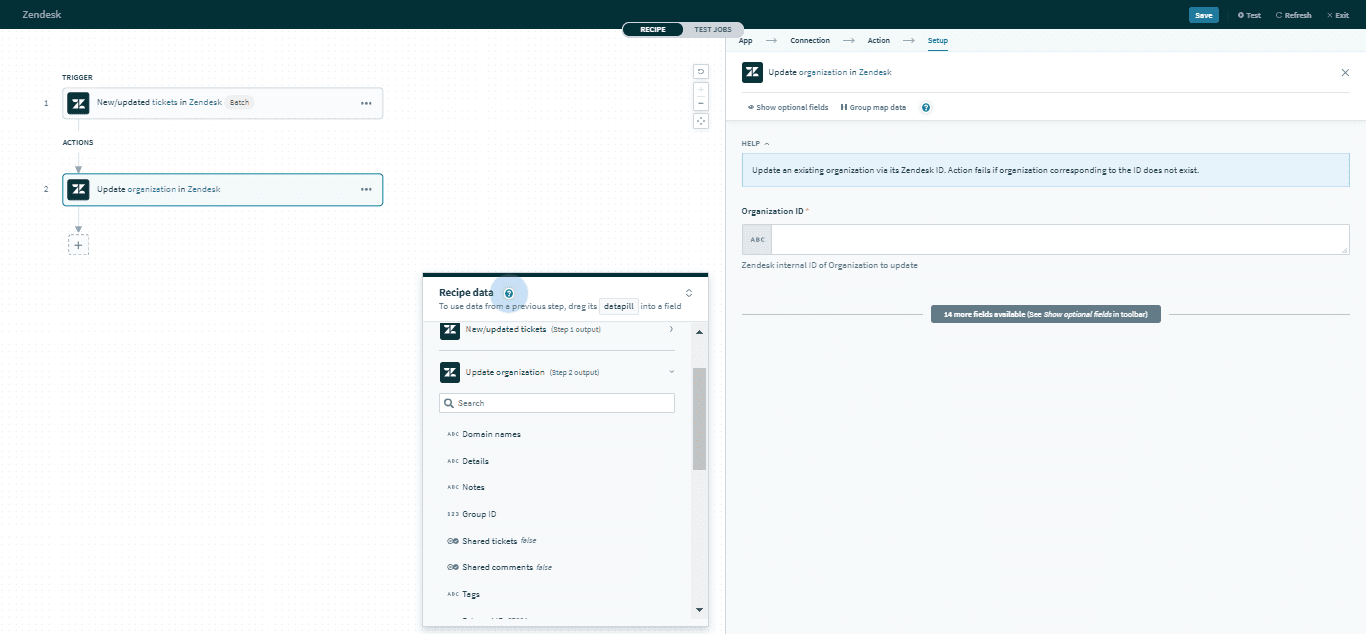 Update organization action
Input
Here are some commonly used inputs.
| Input field | Description |
|---|---|
| Organization ID | The unique Zendesk ID of the organization. |
| Name | The name of the organization. |
| External ID | A unique identifier from another system. |
| Organization custom fields | Provide data for organization custom fields. |
Click here for a full list of organization inputs.
Output
The output of this action contains the full set of columns from the selected organization. Here are some commonly used outputs.
| Output field | Description |
|---|---|
| ID | The unique Zendesk ID of the organization. This is automatically assigned when the organization is created. |
| Group ID | The unique Zendesk ID of the group of this organization. |
| Organization custom fields | Includes data of organization custom fields. |
Click here for a full list of organization outputs.
Last updated: